Most password managers sync through the company that sells you the app. This one does not have anywhere to sync to, so it uses the storage you already have. Practically, that means turning it on is a switch rather than a sign up, and it means your other device needs to be signed into the same Apple ID.
Turning it on
Check both devices are on the same Apple ID
This is what makes them the same vault. Two devices on two different Apple IDs will never see each other, and it is the reason sync appears to do nothing more often than any actual fault.
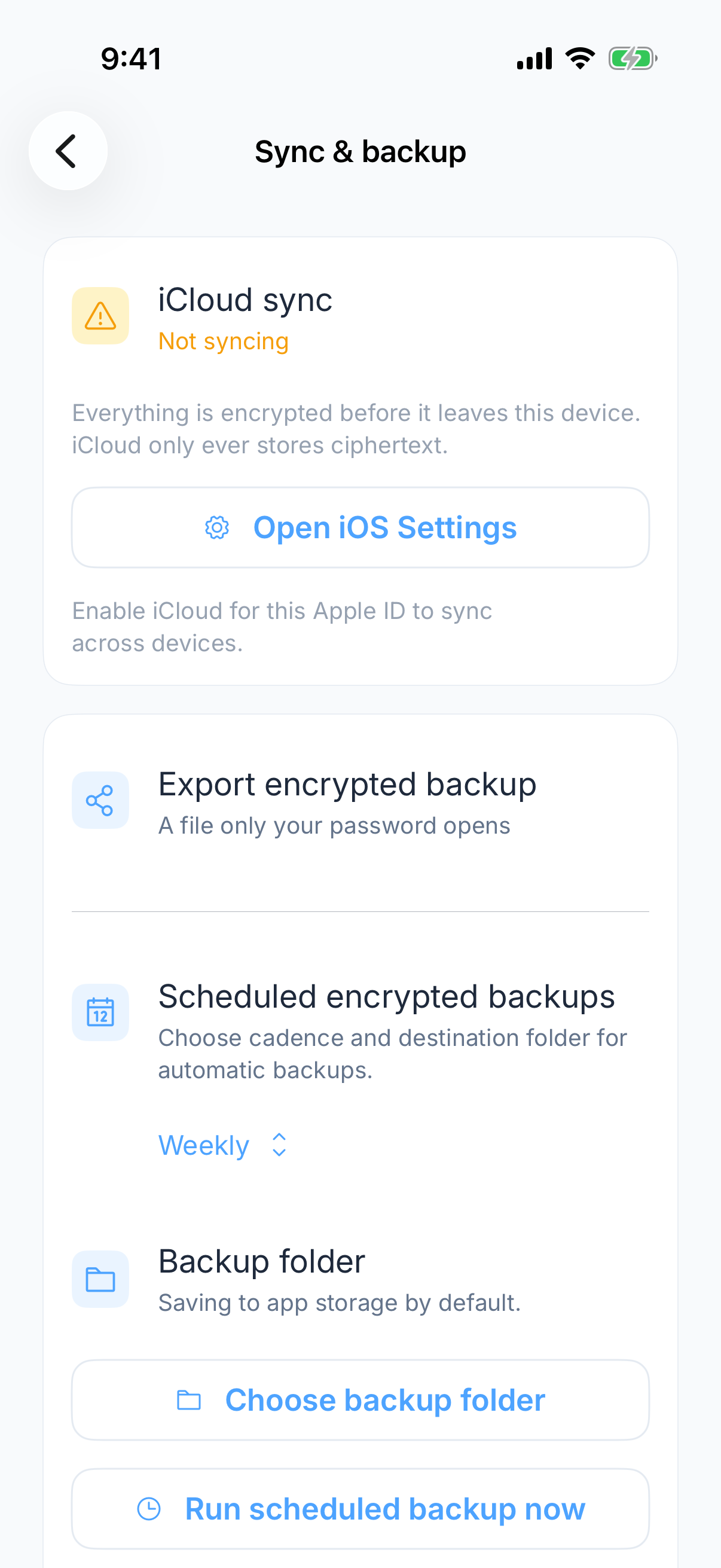
Turn sync on in settings
On the device that already has your vault. Give it a moment on a large vault, and leave the app open while the first pass runs.
Open the app on the second device
Sign in with the same master password. The vault is encrypted in transit and at rest, so the master password is what makes it readable at the other end.
What travels and what does not
Vault contents sync as encrypted data. What does not travel is anything device specific: the AutoFill provider setting has to be turned on separately on each device, because that is a system setting rather than something in the vault.
Working offline
Day to day use needs no network at all, because the vault is on the device. iCloud only needs a connection when devices have to catch up with each other.
Verify a change on the second device
Create a harmless test entry on the first device and confirm it arrives on the second. If it does not, use the sync troubleshooting guide. Once the entries match, enable AutoFill separately on that device.