Bulk Delete
WebA fresh start for your
sidebar.
Select and delete multiple ChatGPT, Claude and Gemini conversations with a Chrome extension. Runs locally and sends no chat data to zenproducts.
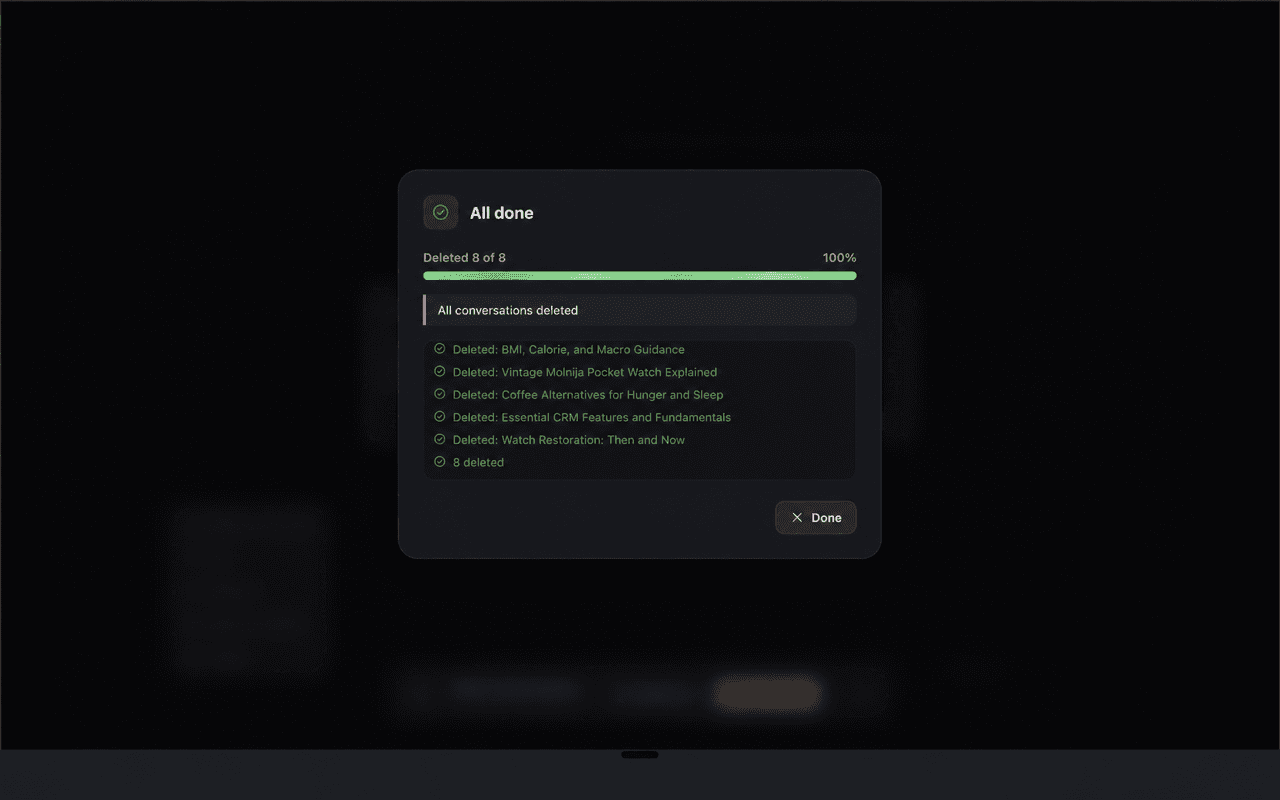

Leave a little space.
Old conversations can pile up. Choose what goes, see the count, and clear the sidebar with a deliberate action.
- One pass
- Clears many conversations at once instead of one at a time
- Deliberate
- Nothing is automatic. The action stays visible and yours to confirm
- No account
- No sign in, no backend sync, no analytics and no tracking
Choose what goes.
Select and delete in bulk
Tick the conversations you want gone on ChatGPT, Claude, and Gemini, or select all of them at once. The delete button carries the count, so you see how many are going before you confirm.
Deliberate, never automatic
The action stays visible while you make it: you pick the conversations, you confirm, and nothing is removed on your behalf.
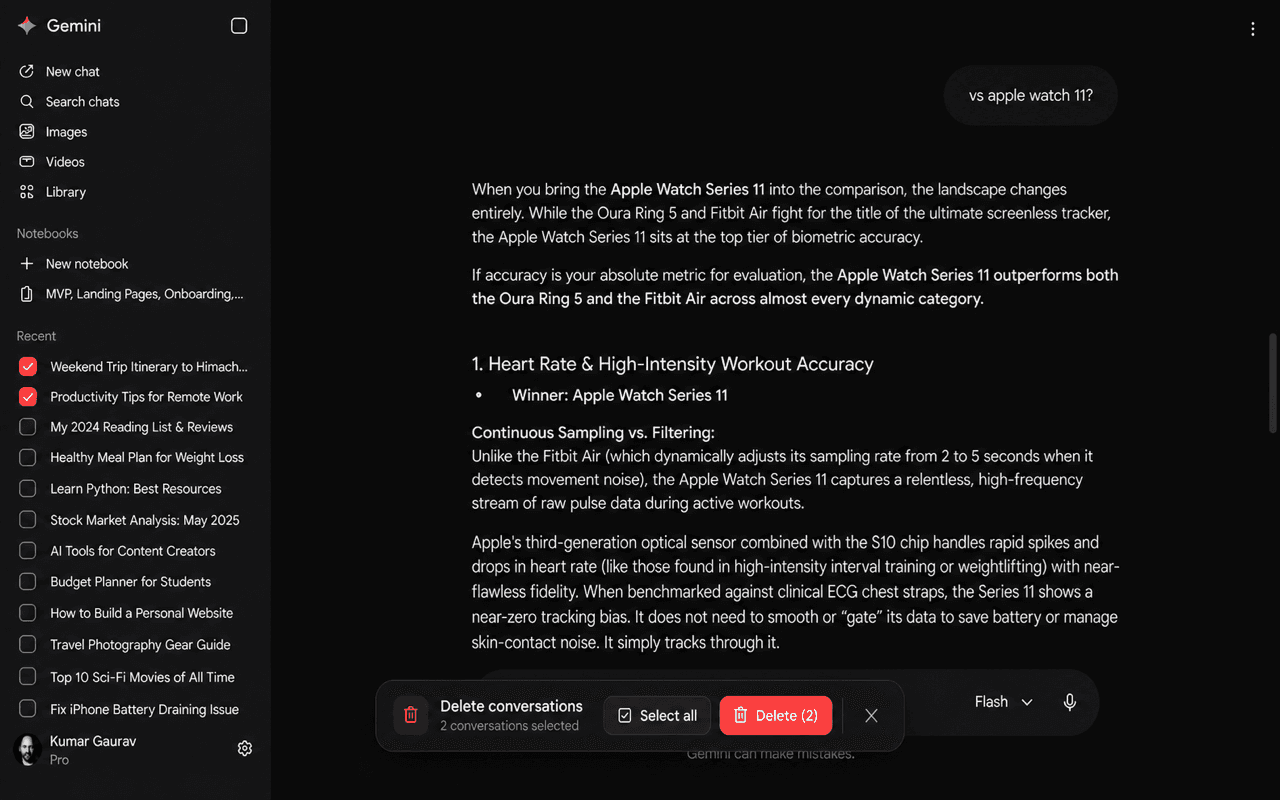

A clearer place to begin.
Runs locally in Chrome
The extension works in your browser. It loads no remote code, runs no analytics, and there is no zenproducts server for it to talk to, so no conversation data leaves the machine.
It uses the real delete, not a hide
Deletion happens through each service's own mechanism, inside the session you are already signed into. A conversation removed here is removed the same way it would be if you had deleted it one at a time.
Considered down
to the details.
No account required
Install from the Chrome Web Store and use it without creating a zenproducts account.
Minimal storage
Stores only your Bulk Delete Mode preference. Nothing else from your chat history.
Built for ChatGPT, Claude and Gemini
It adds the same bulk-selection controls to the conversation sidebars on chatgpt.com, claude.ai and gemini.google.com, so one clean-up habit follows you across all three.
Take a closer look.
Bulk Delete, on Web. Explore every screen at your own pace.
- What it does
- Clears many conversations in one pass instead of one at a time
- Where it works
- chatgpt.com, claude.ai and gemini.google.com
- Selection
- Tick what you want gone, or select all, with the count on the button
- Deliberate
- Nothing is automatic. The action stays visible and yours to confirm
- Account
- None. No sign in and no backend sync
- Storage
- One local Chrome preference, and nothing from your chat history
- How it deletes
- Through each service's own delete, inside your signed-in session
- Remote code
- None. No analytics, no tracking and no zenproducts server
Does Bulk Delete collect my conversations?
No. The extension is designed to work locally in your browser session and does not store or sell your chats.
What is stored in Chrome?
Only the extension mode preference is stored locally so the interface can remember whether Bulk Delete Mode is enabled.
Which services are supported?
ChatGPT, Claude, and Gemini are the supported services listed in the product details and Chrome Web Store materials.
Does it really delete the conversation, or just hide it from the sidebar?
It really deletes. The extension acts inside the session you are already signed into and uses each service's own deletion mechanism, so the result is the same as deleting each conversation by hand. Recovery is whatever that service offers, which for these three is generally nothing.
Does it load remote code or send anything to zenproducts?
No. There is no remote code, no extension analytics, no tracking and no zenproducts server involved. Everything happens in your browser.
Can I use it to delete conversations without confirming?
No. The workflow is intentionally explicit so you can review the selected conversations before the deletion runs.