The useful question is which product fits the devices and people in your week. This comparison comes from Zen Products, the maker of Zen Passwords. It is not an independent security audit.
Zen Passwords
0
rounds won
2
draws
Bitwarden
4
rounds won
Our scoring, of our own product against a competitor, so read it with that in mind. Every round below says exactly what it was scored on. Facts about Bitwarden checked against their own published documentation on .
The verdict
Keep Bitwarden if you need Android, Windows, browser extensions or shared vaults. Consider Zen Passwords for a personal vault on Apple devices, with dedicated record types and no separate Zen account.
Then the same 6 in detail, with what each side actually does and why the round went the way it did.
Round
Zen Passwords
Bitwarden
Winner
1. Devices and browser access
Apple apps and system AutoFill
Cross-platform apps and extensions
Bitwarden
2. Storage and account setup
Local vault; optional personal iCloud
Hosted account or self-hosting
Draw
3. The free limit
Five active items
Unlimited passwords and devices
Bitwarden
4. Records beyond a login
Dedicated record types and custom fields
Vault types and custom fields
Draw
5. Sharing
Personal vault
Shared vault options
Bitwarden
6. Security evidence
Published crypto core; no independent audit
Published source and audit reports
Bitwarden
Final
0 rounds
4 rounds
Bitwarden
Round 1
Devices and browser access
Zen Passwords
iPhone, iPad and Mac, with system AutoFill on supported Apple devices. No Android or Windows app.
Bitwarden
Apps across Apple, Windows, Android and Linux, with browser extensions.
Winner
Bitwarden. Choose around your actual devices. Zen Passwords cannot replace a cross-platform workflow.
Round 2
Storage and account setup
Zen Passwords
A local encrypted vault without a Zen account. Optional iCloud sync uses your Apple account.
Bitwarden
An account with hosted encrypted sync, or a self-hosted deployment.
Draw
Even. These are different operating models. Local use avoids a sync service; enabling iCloud still uses a cloud service. Self-hosting carries maintenance work.
Round 3
The free limit
Zen Passwords
Five active items free; a paid upgrade is needed for a larger active vault.
Bitwarden
A free plan with unlimited passwords and devices; paid plans add features.
Winner
Bitwarden. Bitwarden is the more generous free option. Use the five-item Zen tier to test whether its workflow earns a purchase.
Round 4
Records beyond a login
Zen Passwords
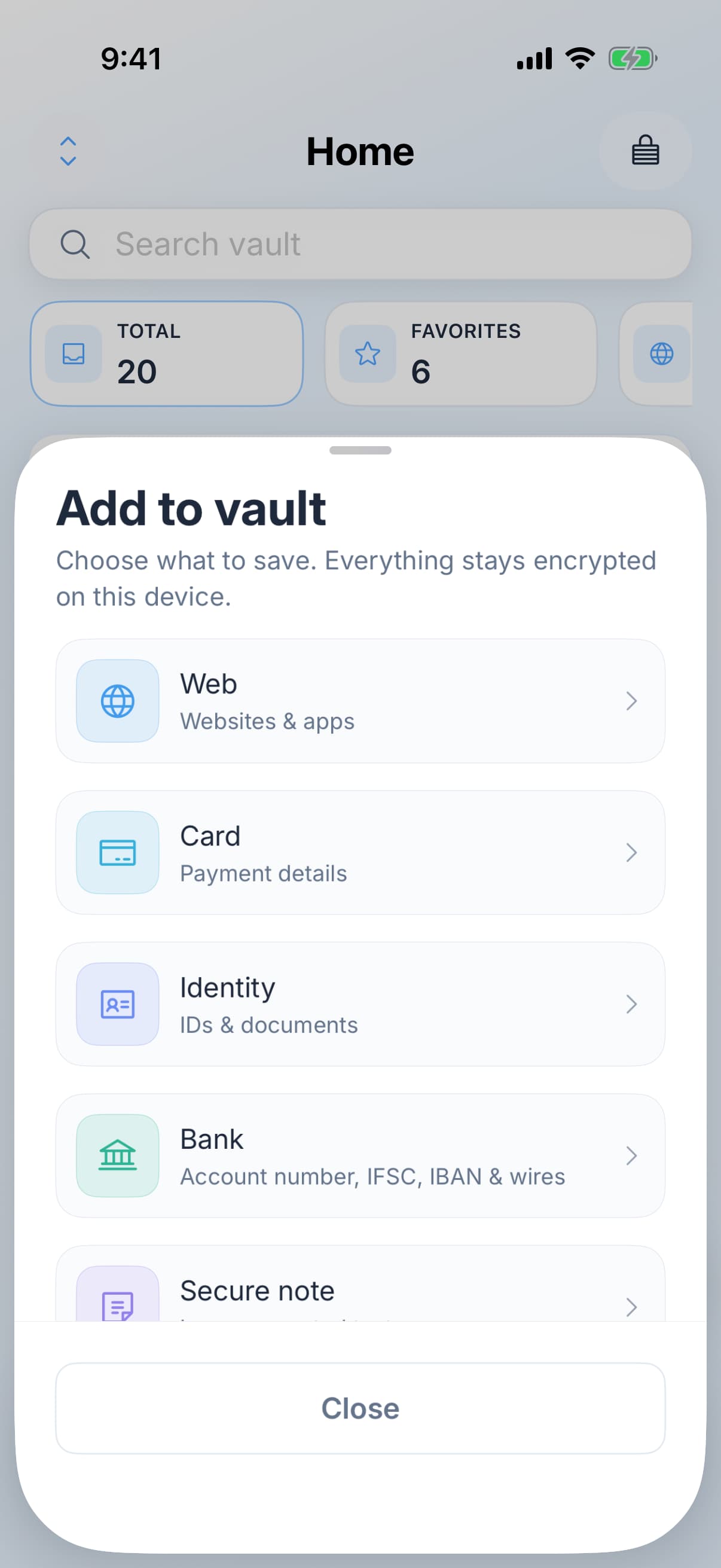
Dedicated types for cards, bank accounts, identity details, Wi-Fi, licences and secure notes, alongside logins and passkeys.
Choose a type with fields for the record you are saving.
Bitwarden
Login, card, identity and secure-note records, with custom fields.
Draw
Even. Try one record you actually keep. The labels and fields should make it easier to find and use later.
Round 5
Sharing
Zen Passwords
A personal vault without a shared family or team vault.
Bitwarden
Shared organization collections and family or business options, subject to plan.
Winner
Bitwarden. If two people need ongoing access to the same credentials, choose a product with that sharing workflow.
Round 6
Security evidence
Zen Passwords
The key-derivation core is published with test vectors. The full app is not open source and has not had an independent audit.
Bitwarden
Published source and third-party audit reports. PBKDF2 and Argon2id are supported key-derivation options.
Winner
Bitwarden. A memory setting alone is not evidence that one whole product is safer. Consider implementation review, recovery, device security and your master password together.
So who should choose what
Recommended
Choose Zen Passwords
Your everyday devices are iPhone, iPad and Mac.
You want cards, bank records, identity details and notes alongside logins.
You prefer a local vault with optional personal iCloud sync.
You can test the five-active-item free tier before paying.
Choose Bitwarden
For the things we do not do
You need Windows, Android or browser-extension access.
You share credentials with other people.
You want a larger free vault.
Published app source and third-party audits matter to your decision.
Check the workflow before moving your vault
An import count is only the start of a migration.
Test a sign-in with one imported login and check its website address.
Check attachments, passkeys and verification codes separately; do not assume every field transfers.
Keep a protected copy of your original vault until you have checked the result. Store recovery information somewhere independent of the app.
Common questions
Is Zen Passwords a free Bitwarden alternative?
It has a five-active-item free tier. Bitwarden offers a larger free vault, so compare paid requirements before switching.
Can I use Zen Passwords on Windows or Android?
No. Its apps are for iPhone, iPad and Mac. Keep a cross-platform manager if you need other operating systems.
Is Zen Passwords fully open source?
No. The key-derivation core is public, but the app is not. No independent audit of Zen Passwords is claimed.
Where should I start a migration?
Start with one test login, verify AutoFill and check your recovery information. The linked Bitwarden handover guide covers importing and checking the result.
Try five active items and test your everyday sign-in flow.
Everything claimed about Zen Passwords here is what the app does today. Everything claimed about Bitwarden is limited to things that have been true of it for years, checked against their own documentation. There are no prices on this page, because a price nobody re-checks goes wrong in public. If something here is out of date, tell us and we will fix it.