
Zen Horology
iPhone · iPadMake time for your
collection.
Organize watches, photos and service records. Track accuracy and explore iPhone timegrapher estimates, with approximate amplitude.
Every watch has a story.
Keep the story, the measurements and the moments you wore it. Give your collection the attention it deserves.
- Timegrapher
- Phone-based rate and beat-error estimates, with approximate amplitude
- The record
- Specs, papers, photos and the story of each piece, together
- Wear
- Every wear logged, with streaks, a monthly average and cost per wear
Know every piece.
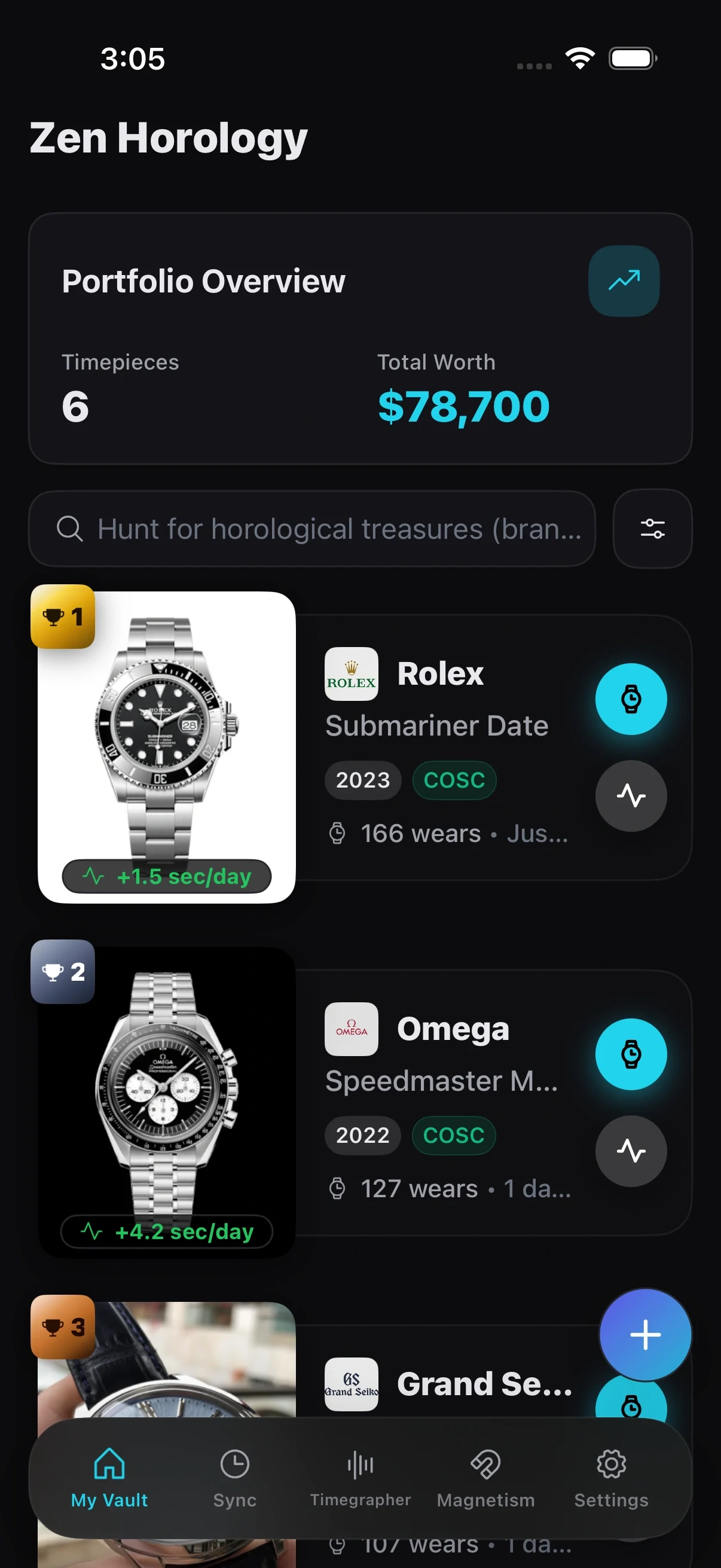
Every watch in one place
Reference and serial numbers, style, year, what it cost and up to twenty photos, plus room to write down why the watch matters to you.
A timegrapher in your pocket
Rest the watch against your iPhone and listen to it tick. The app reads rate, beat error and amplitude from the sound, picks up the beat rate on its own, and tells you in plain words whether anything needs a service.

Look a little closer.
Timing in every position
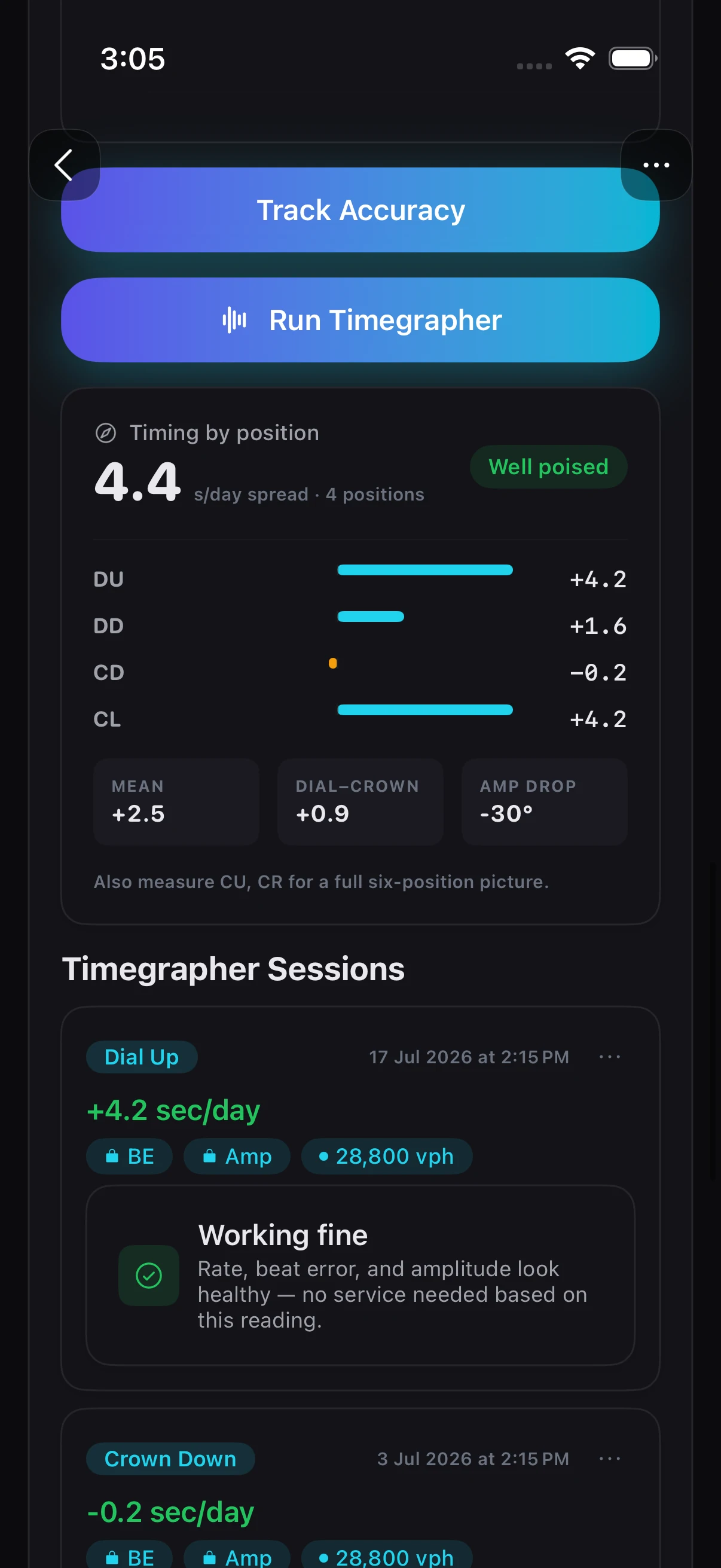
Measure dial up, dial down, crown down and crown left, and see the spread across them. A well poised movement holds close to the same rate whichever way it rests, and this is how you find out.
Check it for magnetism
A magnetised watch suddenly runs very fast. Hold it over your iPhone and the magnetometer reads the field in microtesla, so you know whether it needs demagnetising before you pay for anything else.
Considered down
to the details.
Set it to the second
A reference dial that reads down to a tenth of a second, with optional ticks and haptics that build as the minute closes so you can set the crown without watching the screen.
Service history and papers
Regulations, full services and repairs against each watch, alongside the warranty card, invoice and certificate, so the provenance stays with the piece.
Wear you can actually see
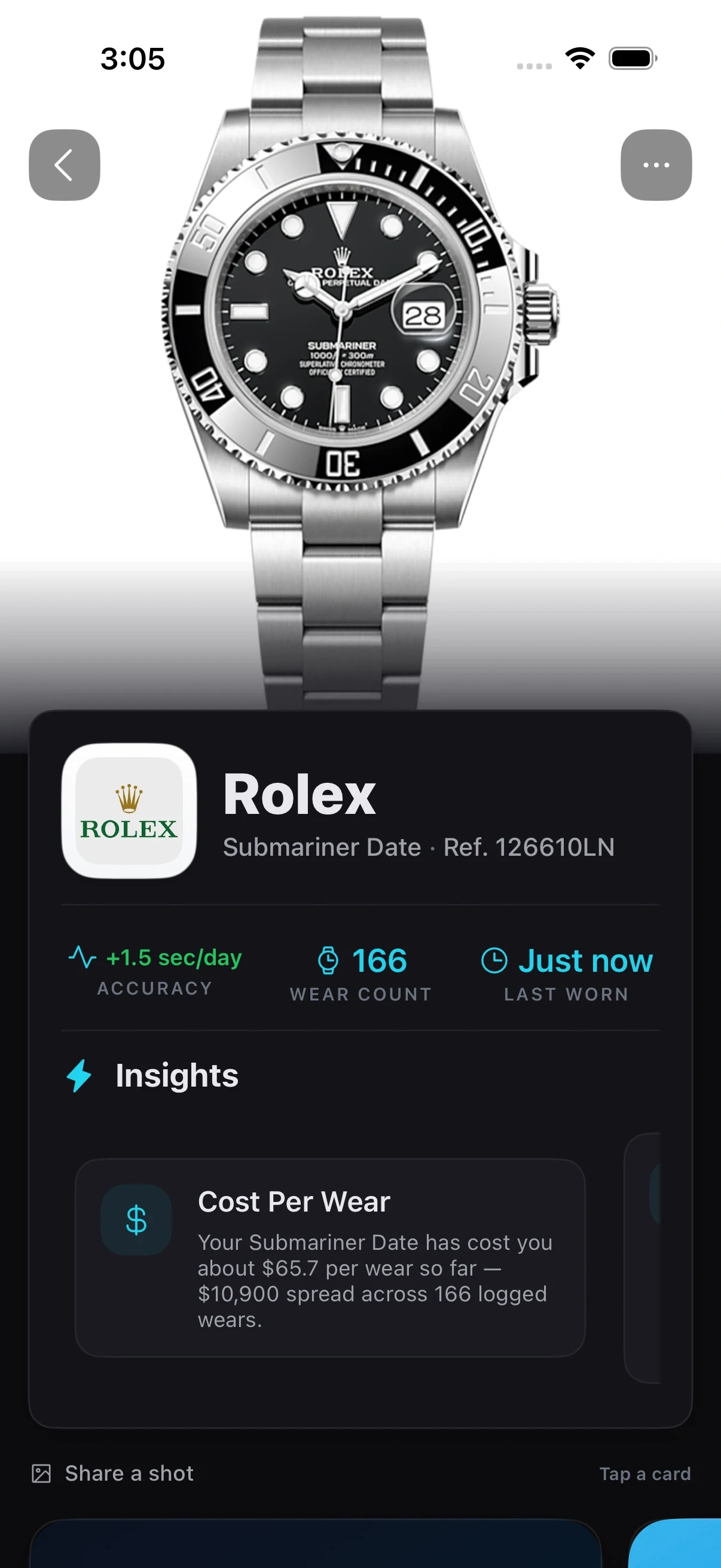
Every wear logged, with streaks, a monthly average and what each piece has cost you per wear. It settles the argument about which watch you actually reach for.
It tells you what the numbers mean
Each watch gets a written read rather than a wall of figures: what it has cost you per wear, how consistent it has been across every checkpoint you have logged, and whether its rate is inside chronometer standards.
Set it hands free
Give the reference clock a Siri phrase of your own, even just "Sync", and it opens with the screen held awake so the seconds stay visible while you set the crown.
Value and trends over time
Track what each piece is worth in the currency you think in, and how the collection moves, so you can see the shape of it rather than guessing from memory.
Keep your records close
Log watches and review locally available history without a connection. Collection files use your iCloud Drive automatically when available; creating and restoring backups requires it. Automatic backup is a separate setting. Usage analytics and diagnostics are described in the privacy policy.
Two watches free, then unlimited
Keep two watches for free, with accuracy and wear tracking, timegrapher beat rate, magnetism screening and the reference clock. Premium adds unlimited watches, beat error and approximate amplitude. Apple shows the price and billing terms before you buy.
Take a closer look.
Zen Horology, on iPhone and iPad. Explore every screen at your own pace.
- The record
- Specs, papers, photos and the story of each piece, together
- Timegrapher
- Phone-based rate and beat-error estimates, with approximate amplitude
- Positions
- Dial up, dial down, crown down and crown left, and how well it is poised
- Magnetism
- A microtesla reading, so you know before you book a service
- Reference clock
- A dial to a tenth of a second, with ticks and haptics as the minute closes
- Wear
- Every wear logged, with streaks, a monthly average and cost per wear
- Insights
- A written read on each watch, not just a chart of numbers
- Sharing
- A card per watch, in whichever of the designs suits it
- Sync
- Collection files use your iCloud Drive when available
- Free tier
- Two watches; advanced timegrapher metrics require Premium
What do I get before I pay?
The free plan includes two watches, accuracy and wear tracking, timegrapher beat rate, magnetism screening, reference time, documents and backup. Premium adds unlimited watches and advanced timegrapher metrics, including beat error and approximate amplitude. Apple shows current subscription prices and billing terms before purchase.
Is this only for luxury collectors?
No. It works for any watch enthusiast, from a small starter set to a large collection.
Can I track maintenance and servicing?
Yes. You can keep service dates, notes, and timing results tied to each watch profile, along with the warranty card, invoice and certificate.
Do I need a real timegrapher machine?
You can explore phone-based readings without a separate machine. Results depend on the phone, placement, surroundings and watch; amplitude is approximate. Use them for personal tracking, not a professional diagnosis or a replacement for a watchmaker. Beat error and amplitude require Premium.
Why would I check a watch for magnetism?
The app uses the iPhone magnetometer to screen the magnetic field near a watch. Nearby objects and the phone affect the reading. It cannot establish whether a watch needs service, and it does not demagnetise the watch. Ask a watchmaker when you need a diagnosis.
Will it help with insurance records?
It helps you keep organized records and details that are useful when documenting your collection.
Can I export my data?
Yes. Export options are included so you can keep backups and external records.

Make time for your
collection.
Zen Horology · iPhone · iPad
Download on the App StoreExplore all Zen apps