
One tap, one hand, in the dark
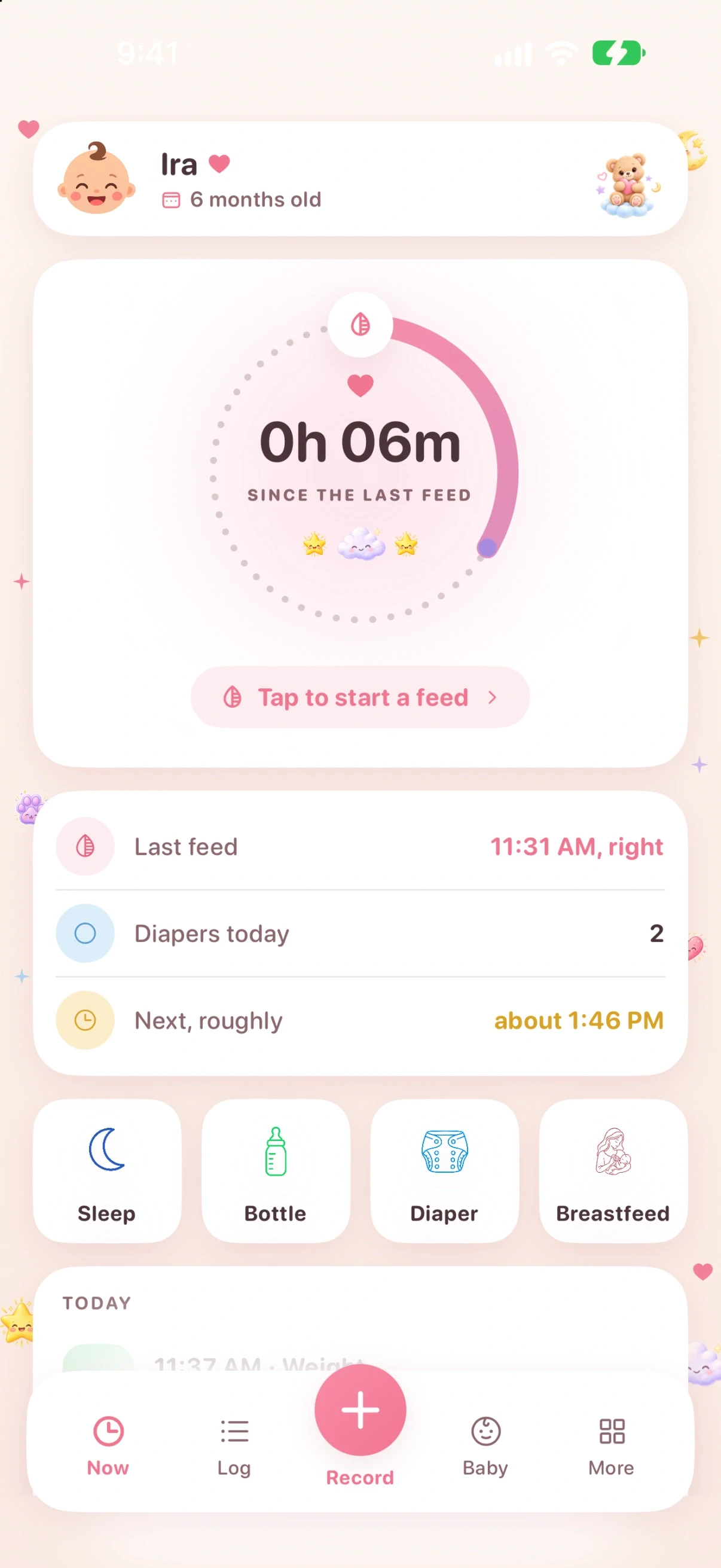
Tap the dial when a feed starts and tap it again when it ends. Every control sits in the bottom half of the screen, where a thumb reaches while the other arm is holding the baby.

Zen Otto
iPhone
A one-handed baby tracker for iPhone. Log feeds, sleep, diapers and pumping, and share the log with a caregiver through iCloud. No Zen account.
Zen Otto is designed for a single task and finished properly. Here is what that means in practice.
Tap the dial when a feed starts and tap it again when it ends. Every control sits in the bottom half of the screen, where a thumb reaches while the other arm is holding the baby.
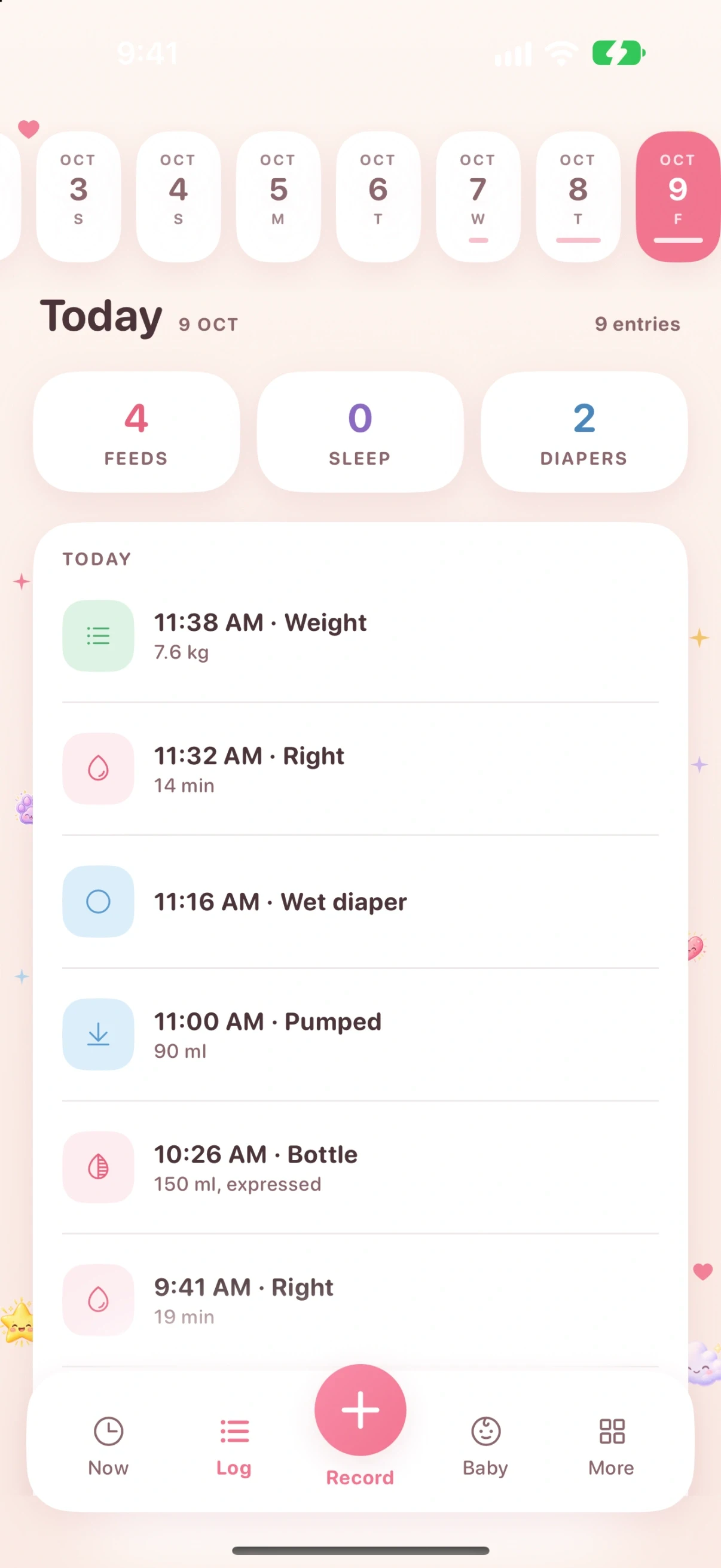
Feeds left and right, bottles in milliliters or ounces, diapers, pumping, sleep, weight over time, solids, first allergen exposures, and vaccination records with the dose, product, batch and site.
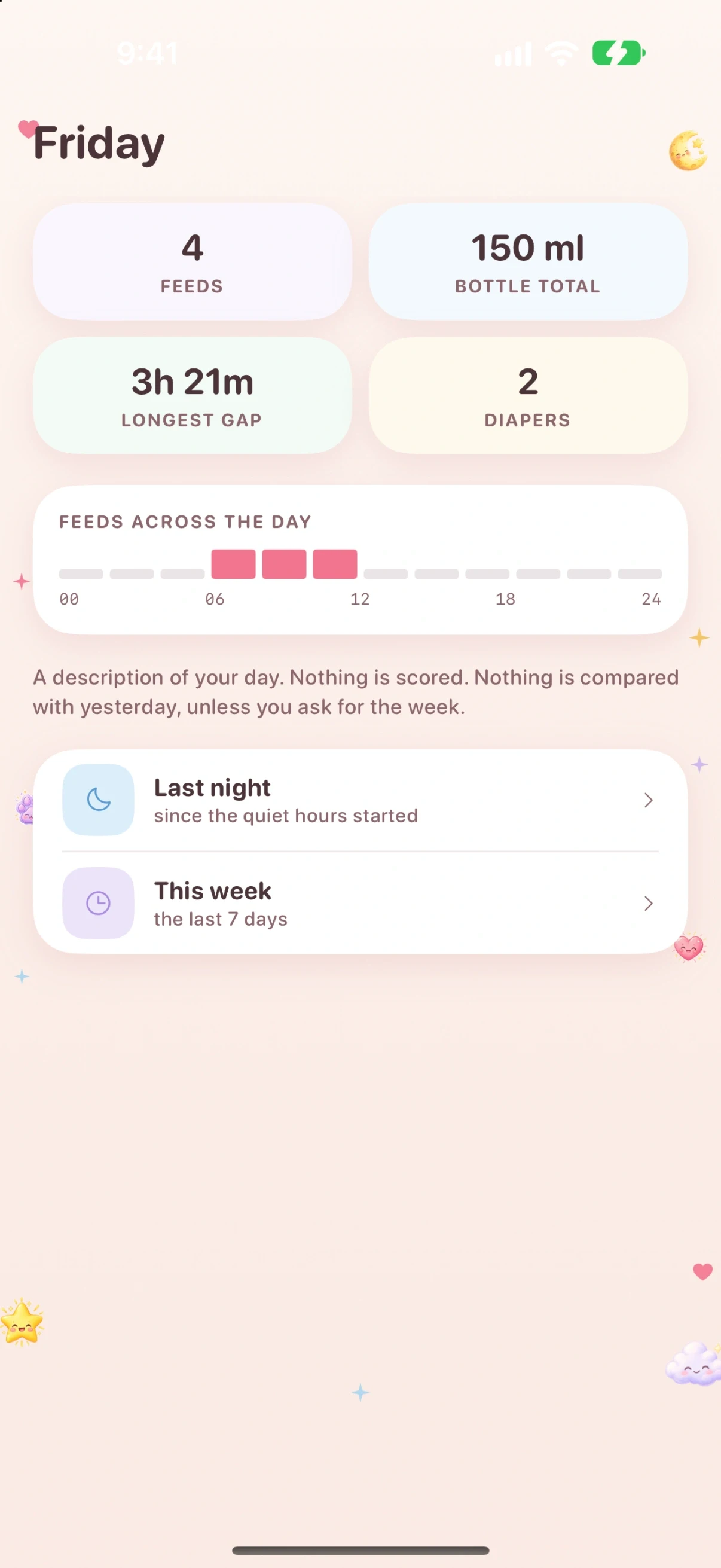
Feeds, bottle total, diapers and the longest gap between feeds for the day, with the feeds laid out across the twenty four hours so a pattern is visible without reading a list. Last night and this week get their own views.
Fed an hour ago and only opening the app now? Log it at the time it happened. Every deletion offers an undo, and everything can be edited afterwards.
The app writes down what happened and draws no conclusion about your child. No growth percentiles and no immunisation schedule, on purpose. Every judgement stays with you and your doctor.
Keep a separate log for each baby. Invite a caregiver through iCloud sharing, check the handover screen, and export records when you need them.
Care records are stored on your iPhone. iCloud sync is on by default when available, with a setting to turn it off. Caregiver sharing is a separate choice. No advertising. Versions with Usage analytics provide a separate control in Settings.
Understand what a permission enables before you grant it. Recording needs a microphone; scanning needs a camera. Each product explains the access its features use.
Most Zen apps do not need a Zen account. Zen Lean uses an account to keep your history available when you change phones. Check the product page for its setup requirements.
A permission request appears next to the feature that needs it, in plain language, at the moment you reach for that feature.
You can decline a permission. Features that depend on it, such as microphone recording or camera scanning, need access to work. Other features remain available.
No. It shows your own log, and separately it shows published reference ranges with the publisher named on screen. It never compares the two and it never draws a conclusion about your child. It is not a medical device.
Zen Otto requires a monthly or yearly subscription, or a one-time purchase. Eligible subscriptions offer a three-day free trial; Apple confirms eligibility and local pricing before purchase. Existing records are not deleted when a subscription ends.
Records are stored on your iPhone. When available, iCloud sync is on by default and copies them to your private iCloud database. You can turn it off in Settings; the change takes effect on the next launch. Caregiver sharing uses iCloud separately.
Yes. You can invite another caregiver to share a baby’s log through iCloud. Sharing is separate from the setting for syncing your own devices. The handover screen summarizes recent care for whoever takes over.
No, and that is deliberate. Zen Otto records what was given rather than predicting what is next. Immunisation schedules change, and a copy compiled into an app cannot be trusted to stay current, so the app keeps the record and leaves the schedule to your doctor.
Read the privacy policy and terms before you install. Stores show any price before you buy.
Set up a care log you can keep with one hand.
How to taper the log with your pediatrician, and what to keep.
Read itSync your own devices, invite a caregiver, and hand over at 3am.
Read itRecord feeds, fix missed entries and hand over to another caregiver.
Read it