Purpose built for one job

Purpose built.
Beautifully private.

Every Zen app is designed for a single job and finished with care, for iPhone, iPad, Mac and the web. Your data is encrypted on your device, sync is yours to switch on, and nothing is required of you. When we ask for a permission we ask where the feature lives, and the app still does its job if you say no.

  • iPhone
  • iPad
  • Mac
  • Web tools
  • Web games
Shipped

9

apps so far. Eight live, one in build.

Accounts required

Zero

No Zen login anywhere. Optional sync rides your own Apple ID, and stays off until you turn it on.

Featured app

Zen Passwords

Encrypted before anything syncs.

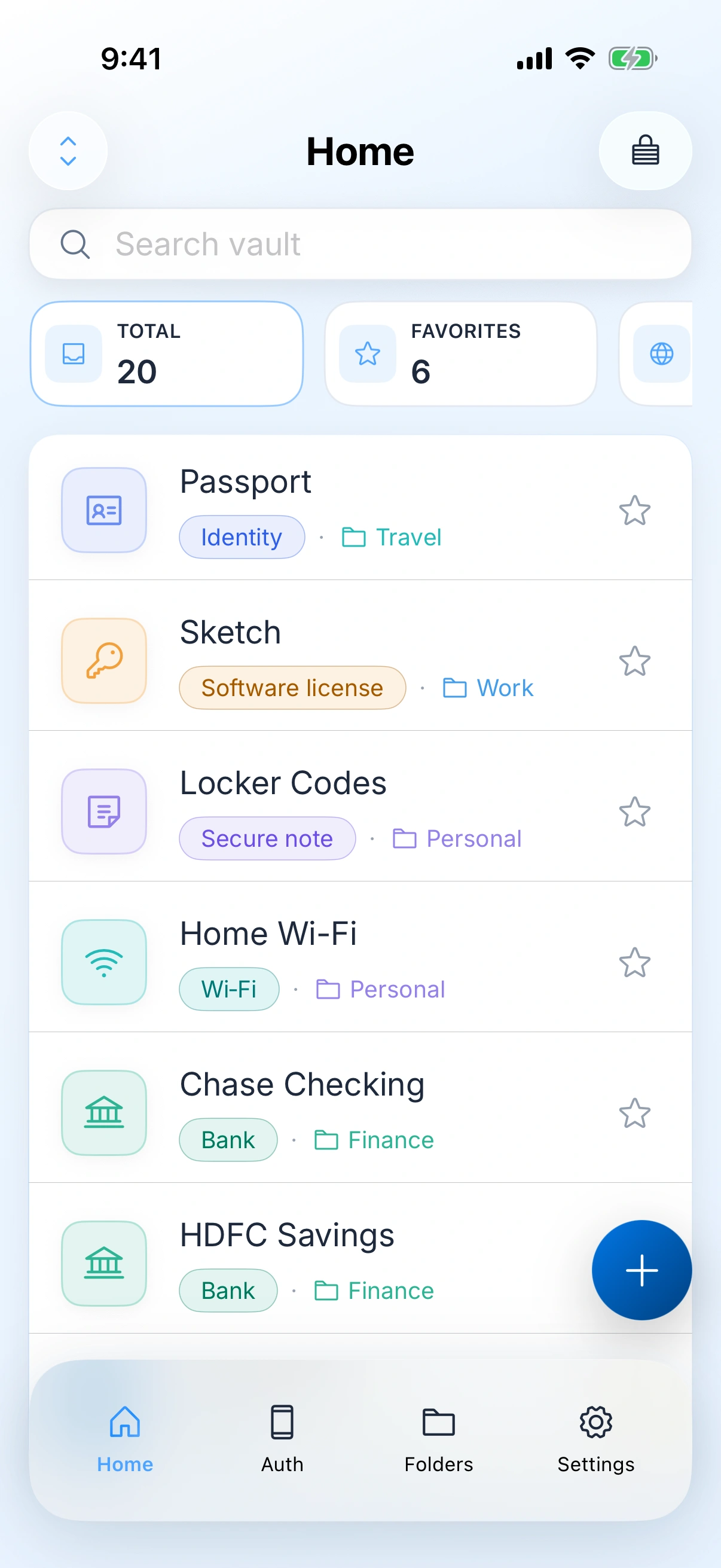
A private vault for logins, cards, bank details, one-time codes and secure notes. Your master password never reaches us, so we cannot open your vault for you or for anyone else.

iPhoneiPadMacNo account
7typesLogins, cards, identities, bank details, secure notes, Wi-Fi and licences, in one vault
5freeActive items on the free tier. The real app, not a trial that expires
NobodyCan reset your master password, including us. That is the trade, and it cuts both ways
Zen Passwords on iPhone: the vault home, twenty items and six favourites, with a passport, a software licence, locker codes, home Wi-Fi and two bank accounts, each tagged by type and folder
Purpose builtBeautifully madePrivate by constructionNothing requiredFast by defaultPurpose builtBeautifully madePrivate by constructionNothing requiredFast by default
The full lineup

Nine apps,
each built for one job.

No app here tries to be a suite. Each one is designed around a single task and finished to the point where it feels considered in your hand.

01
iPhoneiPadMac

Zen Passwords

A private vault for logins, cards, bank details, one-time codes, and secure notes. Encrypted on your device with a master password we never receive. Optional sync through your private iCloud under your Apple ID, no ads, and a free tier so you can try the real app before upgrading.

Zen PasswordsLearn more
02
iPhone

Zen Otto

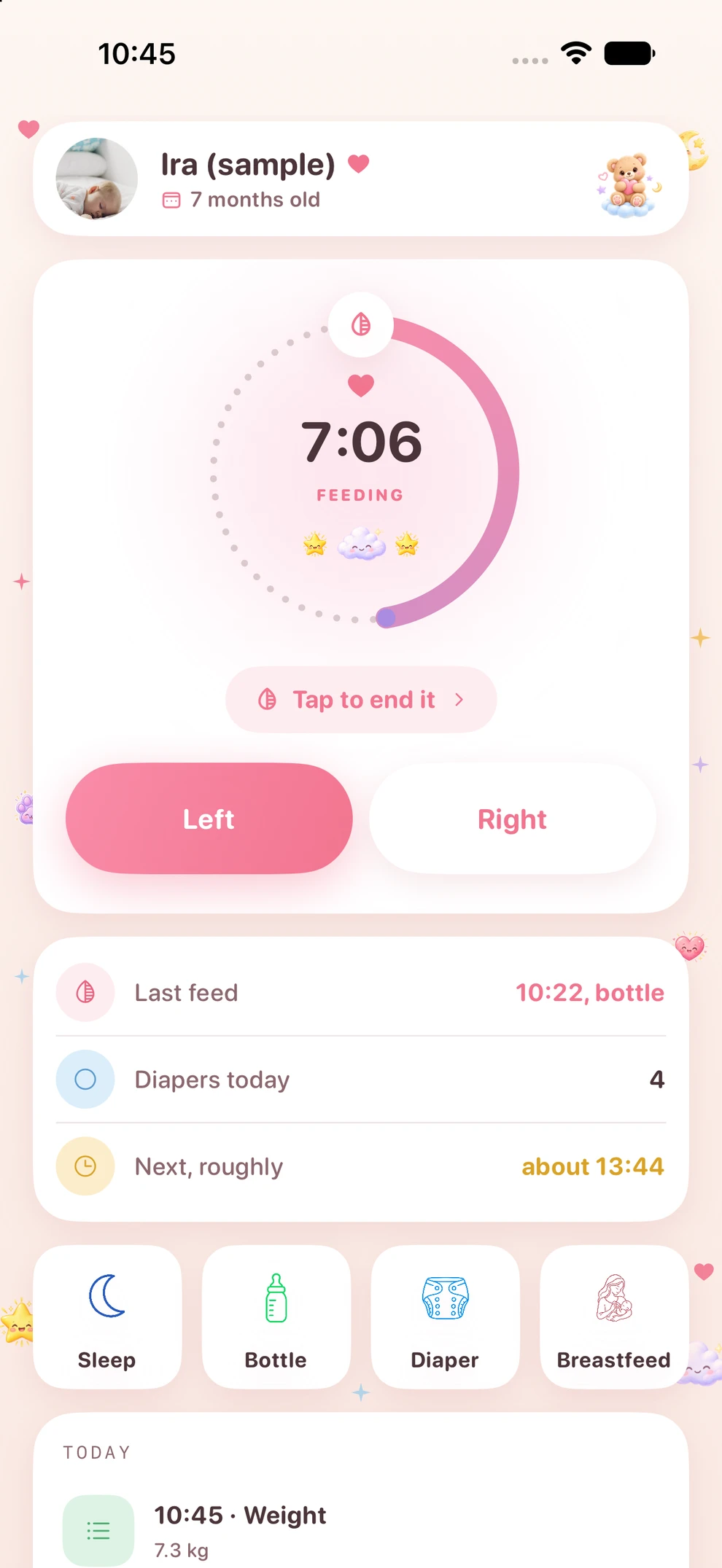
Tap the dial when a feed starts and tap it again when it ends. Zen Otto keeps feeds, bottles, diapers, sleep, pumping, weight, solids, first allergen exposures and vaccinations, and it is built to be used one handed in the dark. No account, no analytics, and nothing leaves your phone.

03
iPhoneiPad

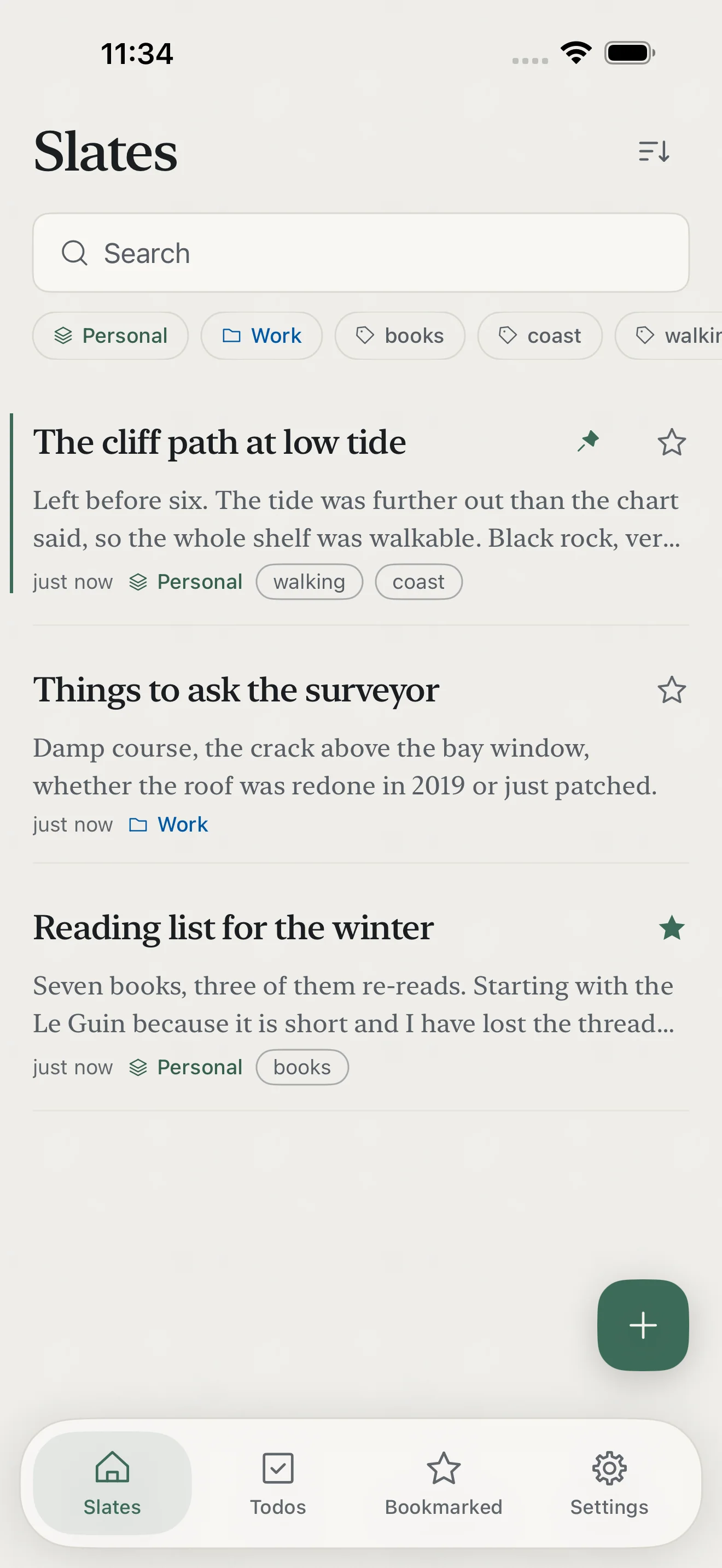
Zen Slate

A place to write that stays out of the way. Version 2.0 is a complete native rewrite for iPhone and iPad, with rich text, voice notes transcribed on your device, document scanning, todos with dates and reminders, and version history. Your writing stays on your device, with optional sync through your own iCloud. Free for five slates, and Pro can be bought once or subscribed to yearly.

04
Mac

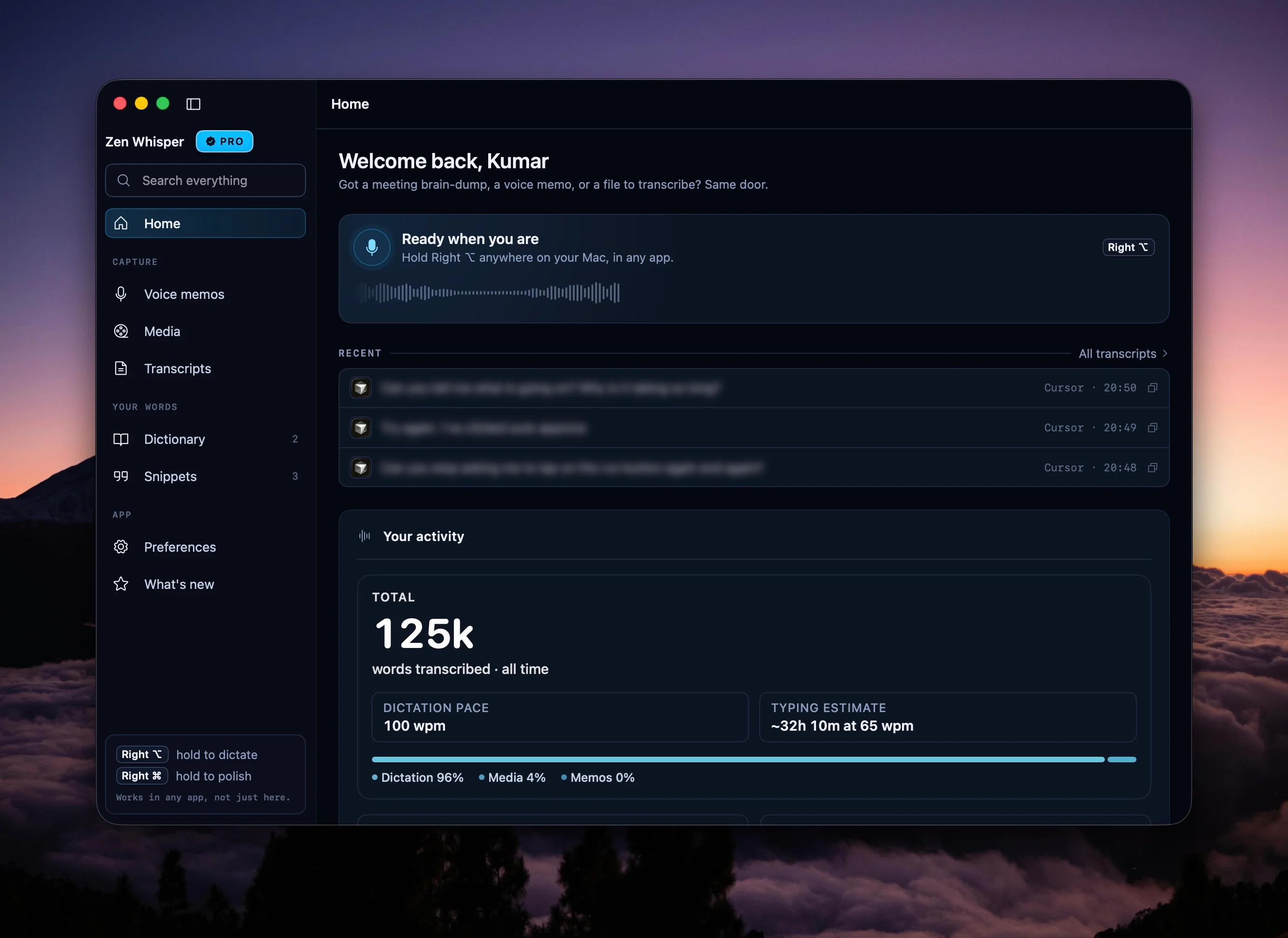
Zen Whisper

Hold a shortcut, dictate into your apps, transcribe files or supported public links, and work across 110 spoken language options with local-first speech on your Mac.

Zen WhisperLearn more
05
iPhoneiPad

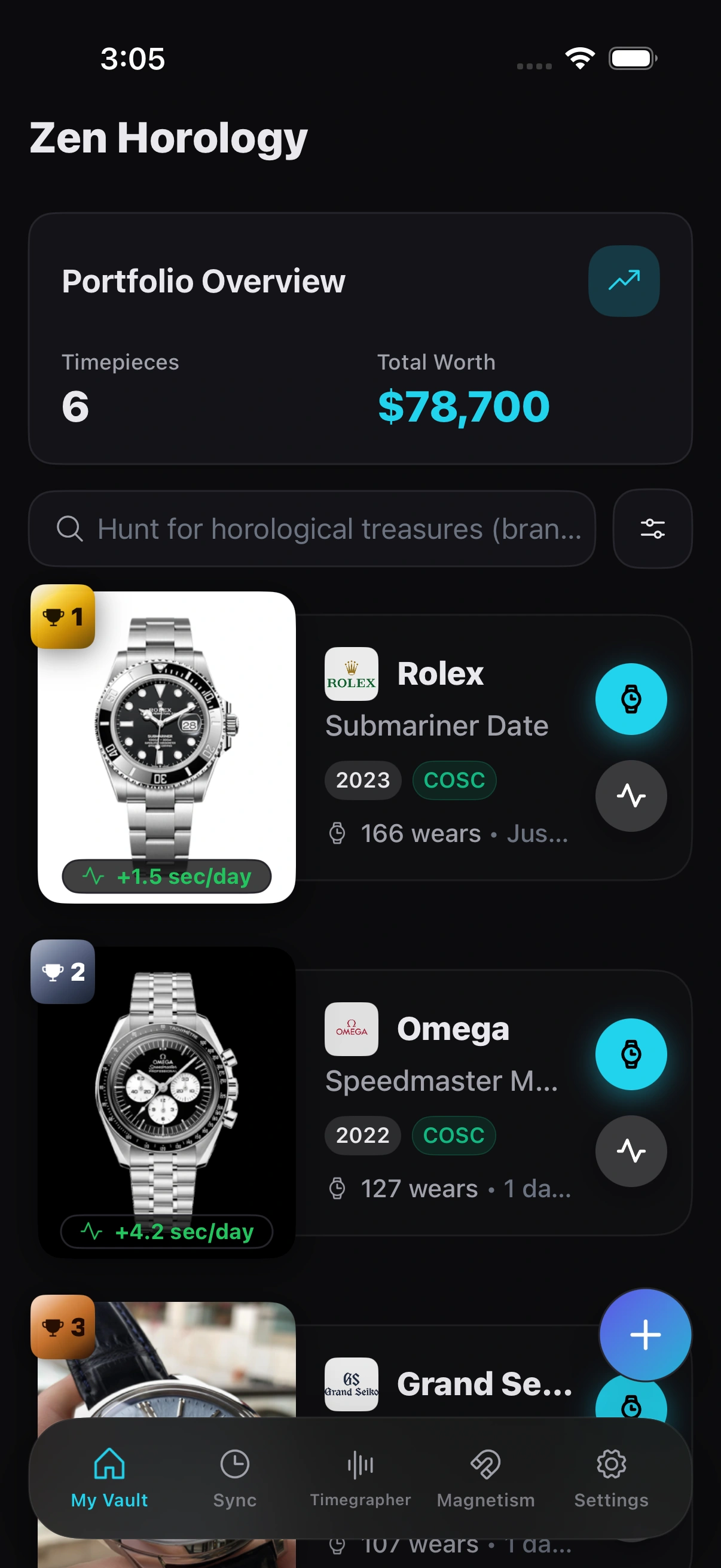
Zen Horology

Built for one job: keeping a watch collection straight. Log every piece with its papers and photos, then measure how it actually runs. Rest a watch against your iPhone and the app reads its rate, beat error and amplitude from the ticking, checks it for magnetism, and sets it to the second against a reference dial. It works fully offline, and your data is yours to export whenever you want.

Zen HorologyLearn more
06
iPhoneiPad

Zen Teleprompter

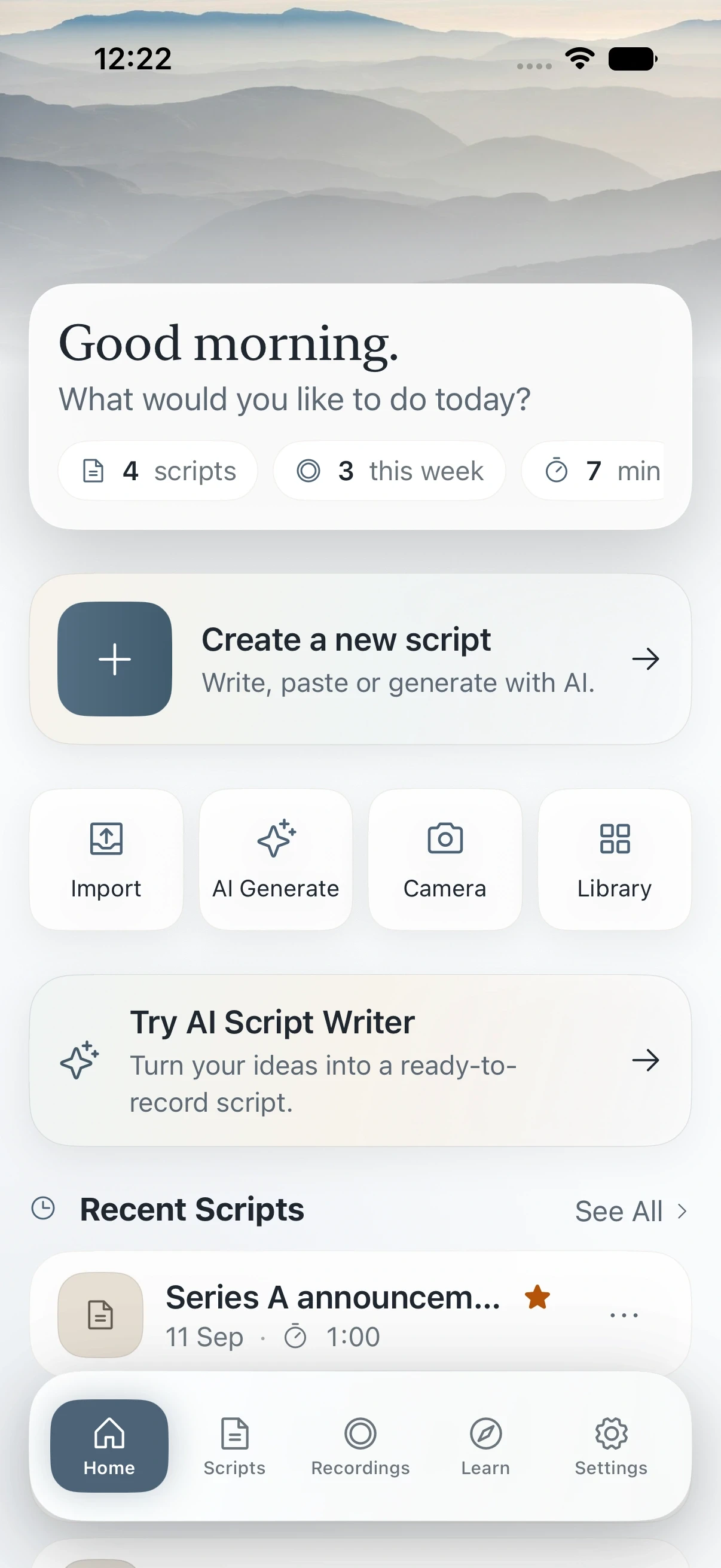
Write, organize, and present scripts on iPhone and iPad. Built for glass teleprompters and for recording with the front camera. Scripts stay on your device, with optional private iCloud sync, Markdown-aware editing, mirrored read mode, smooth scrolling, cues, and a recordings library.

Zen TeleprompterLearn more
07
Web

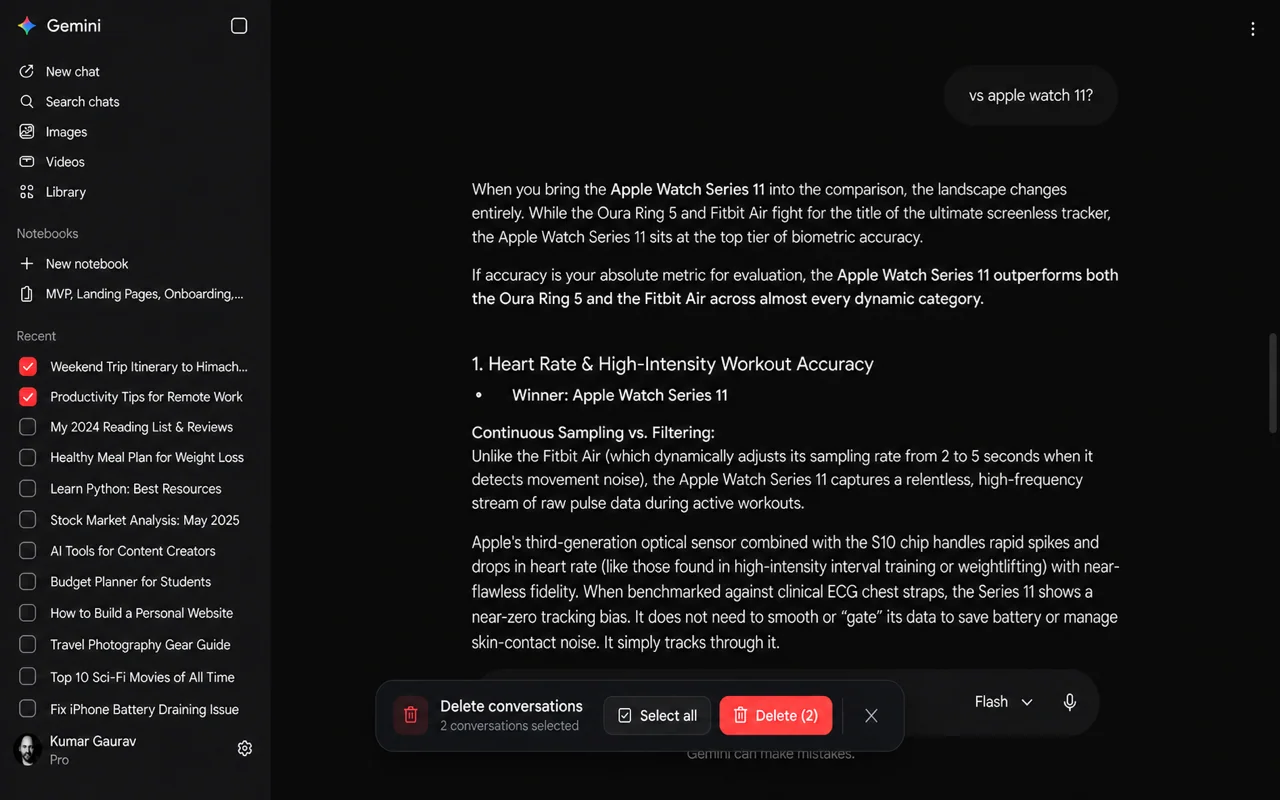
Bulk Delete

A privacy-first Chrome extension for selecting and deleting multiple conversations on ChatGPT, Claude, and Gemini. It runs locally, sends no data to zenproducts, and stores only your Bulk Delete Mode preference.

Bulk DeleteLearn more
08
iPhoneApple Watch

Zen LeanTracker

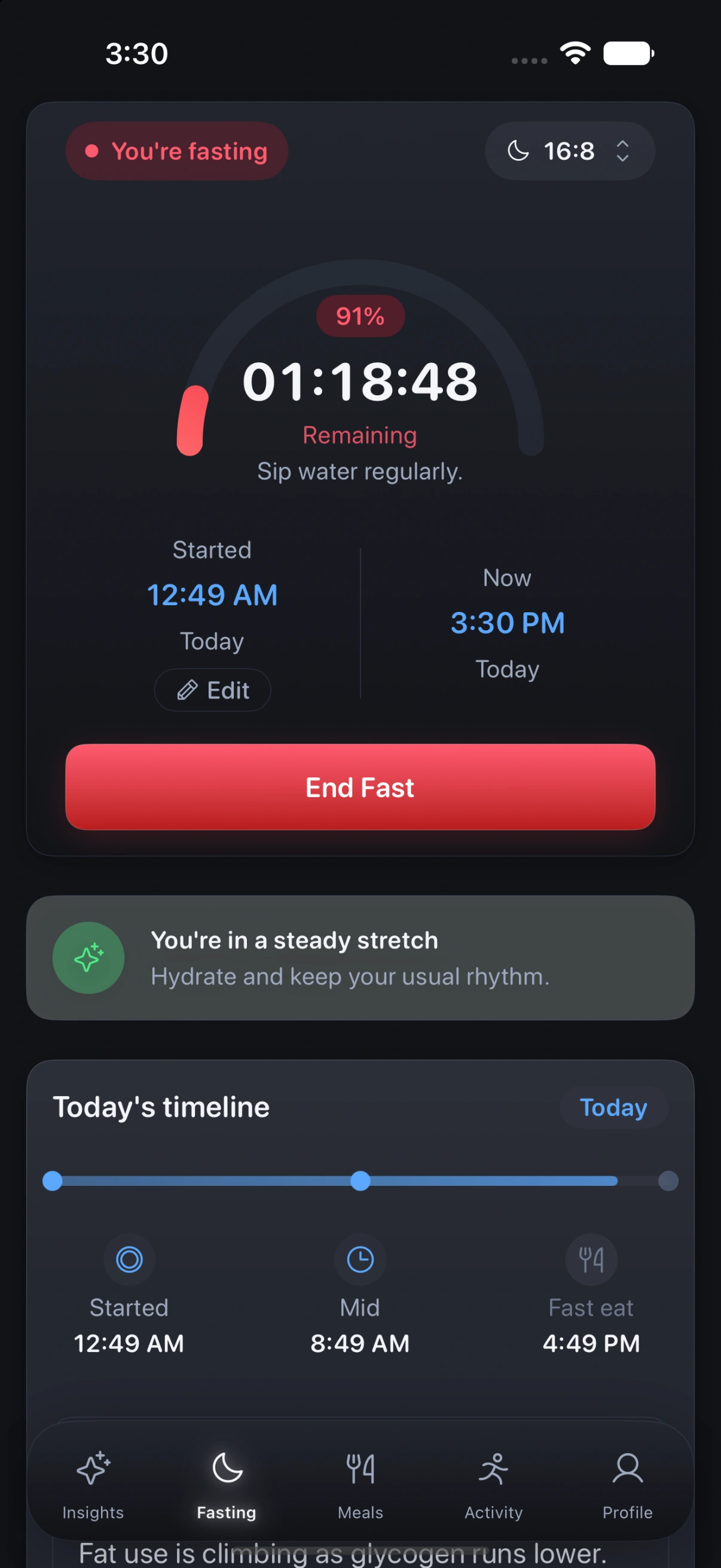
Built around intermittent fasting, with the sleep, food and movement that decide whether it works. Track your fasts, see last night scored and broken into stages, log meals against a budget that grows when you move, and get guidance shaped by your own patterns. Connect Apple Health, or Google to pull in what a Fitbit recorded. It runs on iPhone with an Apple Watch app for logging on the move, supports popular fasting protocols, and keeps an account so your history can follow you to a new phone.

Coming soonLearn more
Zen LeanTrackerLearn more
09
Web

Swifty Car

An endless 3D racing game you can play right in the browser. Weave through tracks that build as you go, grab power-ups, and push for a better run each time. No install and no sign-up, just one more lap.

Swifty CarLearn more
How they are made

Designed on purpose,
secure by construction.

Encryption on your device, optional private sync and a short list of permissions are decisions made before the first screen is drawn, not features bolted on afterwards.

Designed on purpose

Every screen exists for a reason. If a control does not serve the one job the app is for, it does not ship.

Security is the architecture

Keys are derived on your device and your data is sealed before anything can sync. That is the shape of the product, not a setting.

Finished, not just functional

Type, spacing and motion are tuned until the app feels made by hand rather than assembled.

Permissions

We ask in context,
and no is a complete answer.

Most apps ask for everything at launch and explain nothing. We ask for a permission where the feature lives, tell you what it unlocks, and keep the app working if you decline.

Nothing to start

Open the app and use it. No account, no email, no verification step before you can do the thing you came to do.

Asked where it matters

A permission request appears next to the feature that needs it, in plain language, at the moment you reach for that feature.

Saying no keeps everything

Decline and the app still does its job in full. Allow it and that one feature does a little more, on your device.

The standard

What every Zen app
promises.

Encrypted on your device

Many apps encrypt on your device first, with optional private iCloud sync off until you turn it on. Products that use an account say so clearly in their privacy policy.

Nothing required to start

No account, no email and no sign-in to open most apps. Anything we ask for is optional and asked for at the moment it helps.

No ads, never sold

There are no ads in Zen apps, and your personal data is never sold. Privacy is part of how the products are built.

One job, done properly

Each product solves a narrow everyday problem: passwords, notes, scripts, watches, dictation, chats, or a quick race.

Questions

Before you download
anything.

What makes a Zen app different?

Each app is purpose built for one job and finished with care, and the privacy is structural: encryption starts on your device, optional sync runs through your own Apple ID, and there are no ads. You are not the product, and there is no upsell dressed up as a feature.

What permissions do you ask for, and when?

Only the ones a feature actually needs, asked where that feature lives rather than at first launch. If you decline, the app keeps working. Granting a permission simply lets that one feature do more, and the data stays on your device unless a product page says otherwise.

What is ZenProducts?

ZenProducts builds privacy-first apps for iPhone, iPad, Mac, and Chrome, including Zen Passwords, Zen Otto, Zen Slate, Zen Horology, Zen Teleprompter, Zen Whisper, Zen LeanTracker, Bulk Delete, and Swifty Car. Your data stays on your device by default.

Are ZenProducts apps free?

Most ZenProducts apps are free to download with an optional premium upgrade. App Store and Chrome Web Store pages show price and billing before you buy. Zen Whisper is sold on Gumroad with a free trial. Coming-soon apps are not for sale yet.

How do ZenProducts apps protect my privacy?

There are no ads in Zen apps, and we do not sell your personal data. Many apps encrypt on your device first, with optional private iCloud sync off until you turn it on. Some apps (for example Zen LeanTracker when it ships) use an account on servers we operate so history can follow you. Each app privacy policy explains that product.

Which apps does ZenProducts make?

Nine so far: Zen Passwords (password manager), Zen Otto (baby log, coming soon), Zen Teleprompter (scripts and recording), Zen Horology (watch collection), Zen Slate (notes), Zen Whisper (local-first Mac dictation and transcription), Bulk Delete (Chrome extension for ChatGPT, Claude, and Gemini chats), Swifty Car (browser racing game), and Zen LeanTracker (fasting and wellness, coming soon).

Do ZenProducts apps work offline?

Many apps work on-device without an internet connection. Optional iCloud sync stays off until you turn it on. Apps that need an account for sync say so in their product page and privacy policy.

What devices do ZenProducts apps support?

ZenProducts apps run on iPhone, iPad, and Mac. Zen Whisper is built for Mac. Bulk Delete installs from the Chrome Web Store, and Swifty Car runs in any modern browser.

Find the one you will keep

Built for one job.
Trusted with the rest.

Try the app that fits the task you actually have. Nothing to sign up for, and nothing to undo if it is not for you.

See all products

8 of 9 zenproducts apps are available today.