
A teleprompter preview cannot tell you whether the finished video will carry a logo. Export a short test before recording the full script. In Zen Teleprompter, free Recording Studio exports carry a “Made with Zen Teleprompter” badge. A paid entitlement removes that app badge. The app is available for iPhone and iPad on the App Store.
Imagine you are about to record a two-minute introduction at your desk. Paste the opening paragraph, choose the front camera and record ten seconds. Export that take, open the saved file and check the corners, sound and framing. You have checked the part that matters before spending the afternoon on the finished version.
Free to download does not mean watermark-free export
Zen Teleprompter has a free tier for up to five active scripts. Removing the app badge from Recording Studio exports requires a paid entitlement. A watermark you add yourself in the editor is separate: switching that setting off does not remove the free-tier app badge. Apple displays the available plans, prices and renewal terms before purchase.
Choose the mode for the shot you need
Scroll sideways to compare every column.
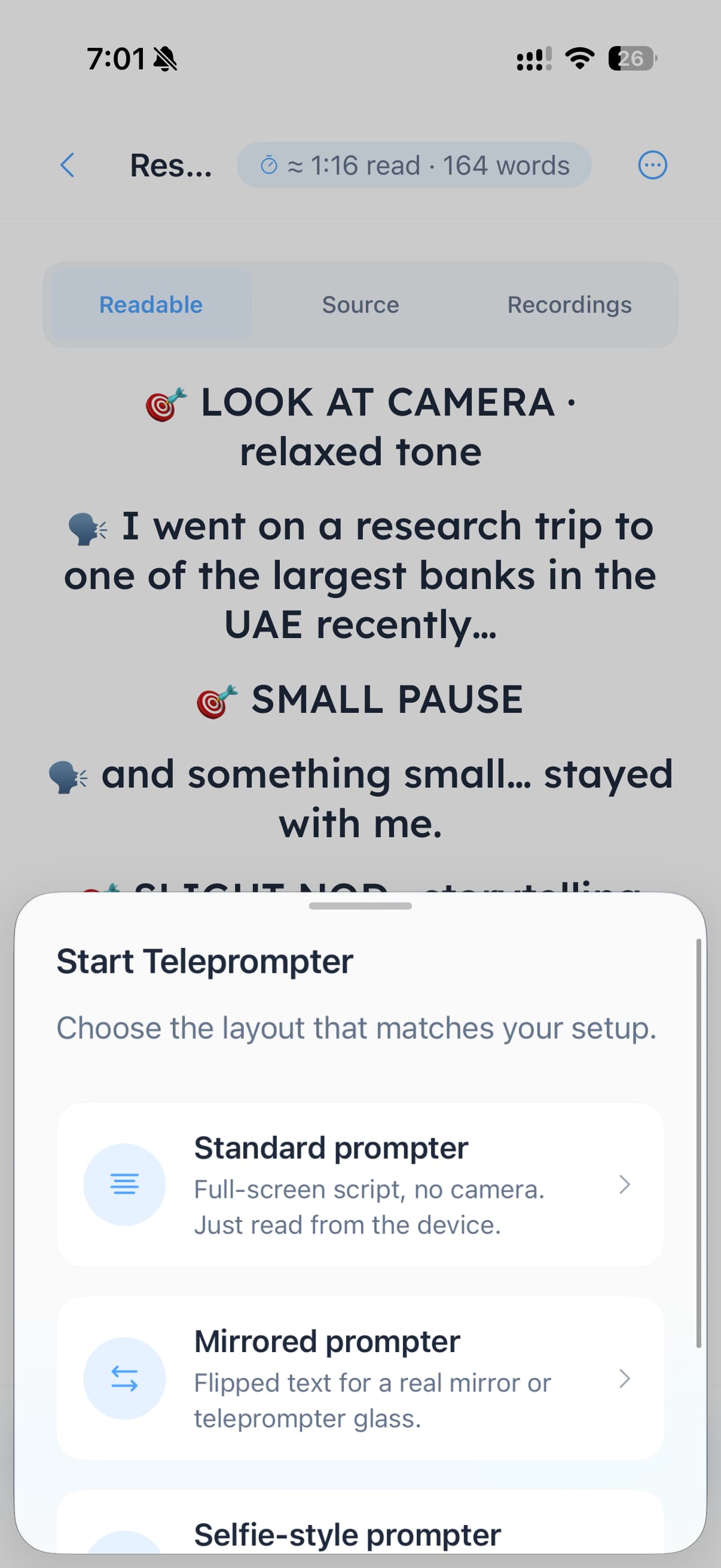
These are the three modes in Zen Teleprompter. Choose for your camera setup before rehearsing.
| Your setup | Mode | What it does |
|---|---|---|
| Read from the screen without filming | Standard | A full-screen script without the camera |
| Reflect the screen through a glass rig | Mirrored | Horizontally flipped text for teleprompter glass |
| Film yourself on the same iPhone or iPad | Selfie-style | Front-camera recording with the script visible while you read |
Record and check a ten-second test
- Create or open a script and start the selfie-style prompter. Grant camera and microphone access when you want to record.
- Place the device where you will film. Set the text size and scroll pace from your actual reading position.
- Record the opening paragraph. Read at your normal pace and leave a short pause at each end.
- Review the take in the recordings library. Check that your voice is audible and your eyes are close to the lens.
- Open Recording Studio if you need to trim the start or finish. Render and save or share the result using the path you intend to use for the finished video.
- Open the exported file outside the editor. Check the app badge, any watermark you enabled yourself, the framing and the audio. Repeat this check after changing plan or export settings.
The script is visible while you record; that does not mean it must appear in the finished video. Editor features such as captions, script overlay and a custom watermark are separate choices. Preview those choices and inspect the saved file before posting it.
Use mirrored mode with teleprompter glass
A glass rig reflects the screen in front of a separate camera lens. Choose Mirrored mode so the reflected text reads correctly. Adjust the type size and scroll speed from where you will stand. The controls stay readable while the script column flips. Run a rehearsal before rolling the camera; selfie mode is for recording with the device itself.
Know where the script and recording go
Scripts are stored on your device. Optional iCloud script sync uses your Apple account; recordings stay local unless you save or share them. The app does not require a separate Zen account for the script library. If you choose optional AI rewriting, that is a separate workflow using your own provider key. Read the privacy policy before sending a confidential script through an external feature.
Choose for the workflow, not just the watermark
Zen Teleprompter suits solo creators who want a script library, front-camera recording and edits such as trimming in one iPhone or iPad app. Keep your existing setup if it already delivers readable text and the exports you need. A full editing suite is a better fit for complex multi-track work; a cross-platform tool is needed for an Android or Windows workflow.
Try the whole path before a real shoot
See the real screens on the Zen Teleprompter product page, then download from the App Store. Start with a short script and an exported test. If watermark-free output is essential, check the paid requirement before committing to the app.
