Explore apps
Zen Passwords · reviewed

A 1Password alternative for Apple devices, with no account to create

1Password is good software, and this page is not going to pretend otherwise. It is also an account you sign in to, on a service that holds your vault. If that is the part you want to end, here is exactly what changes, and the three cases where you should stay put.

why people look

Three reasons people go looking

All three are things Zen Passwords does differently, not things 1Password does badly.

There is no account to make

You never create a Zen Passwords account, because there is not one. Optional sync runs through your own private iCloud under your Apple ID, so no vault of yours sits on a server we run. Turn sync off and the vault never leaves the device.

The vault holds more than logins

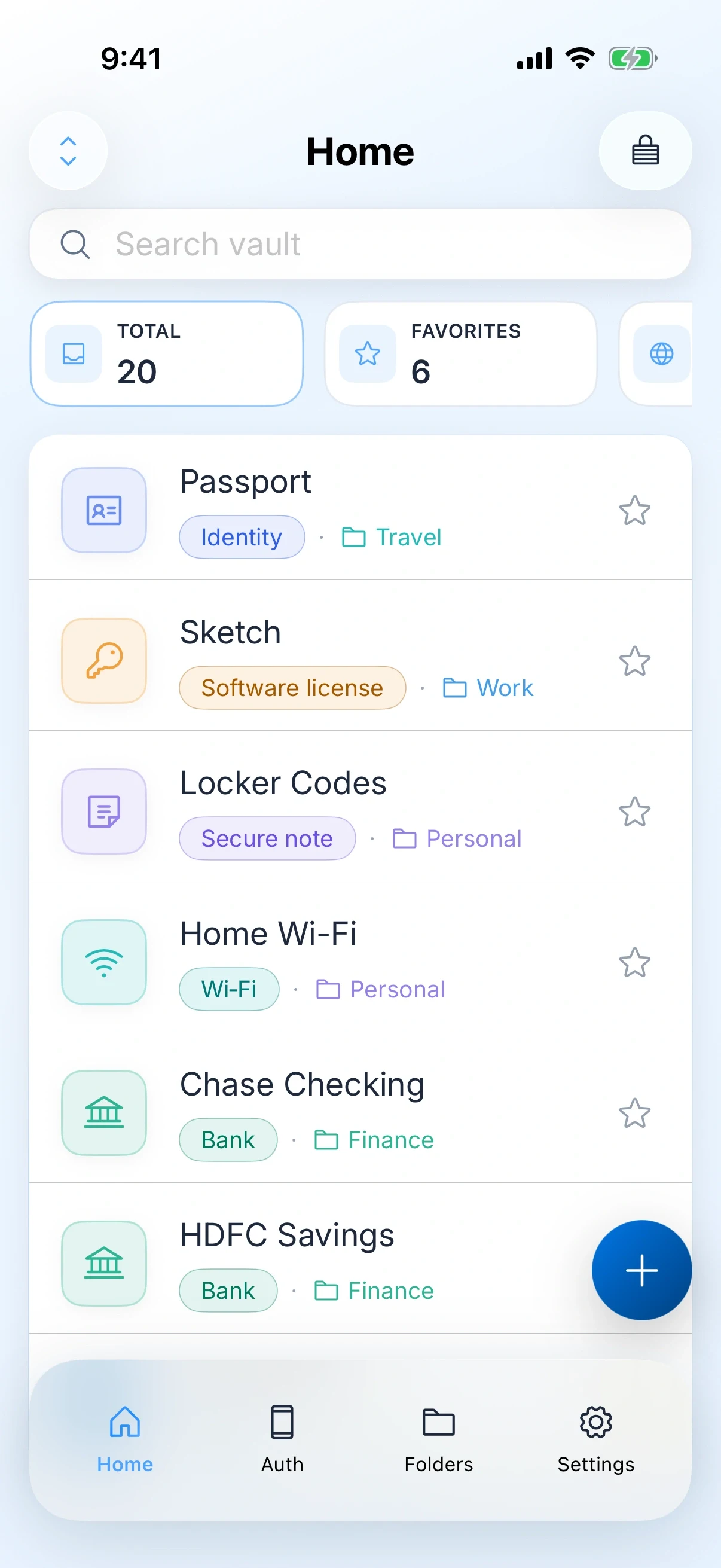
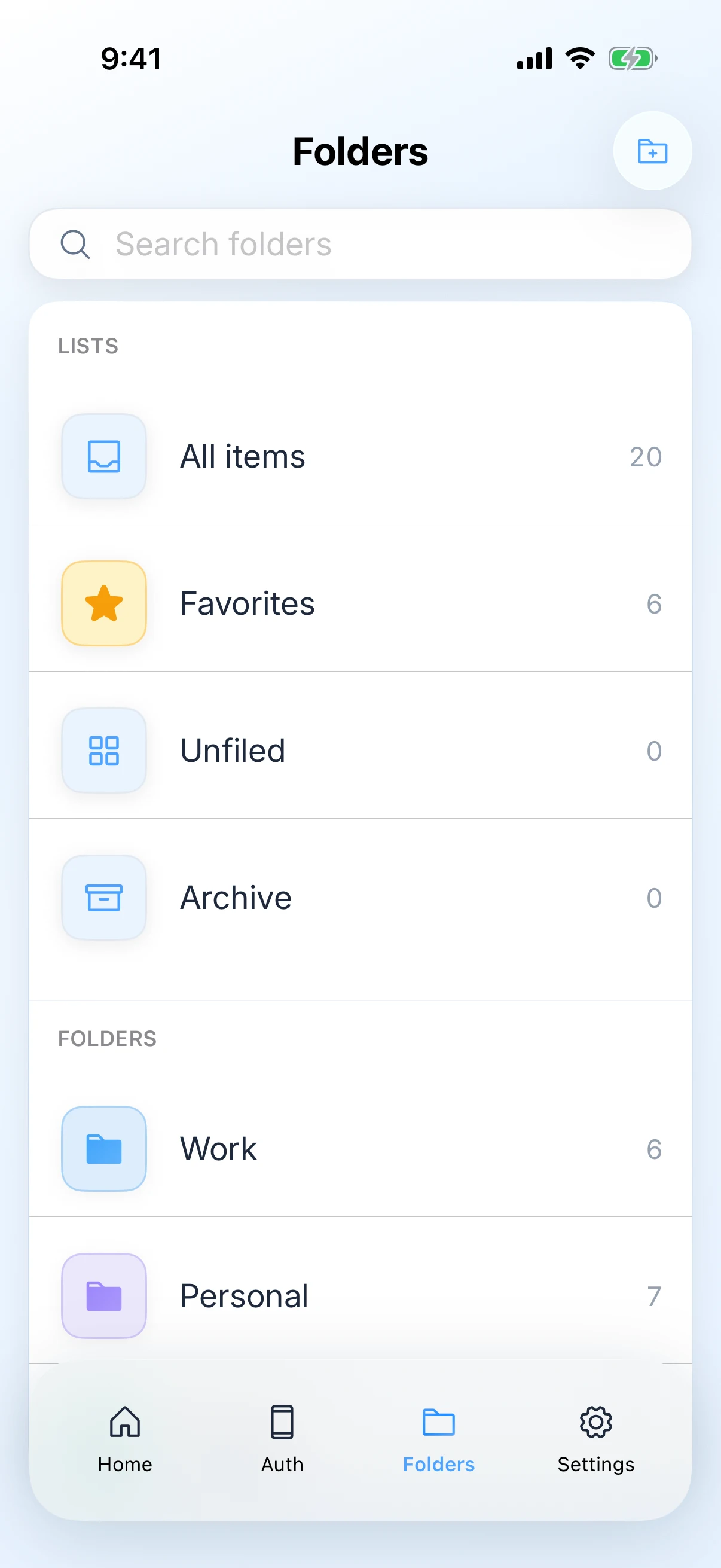
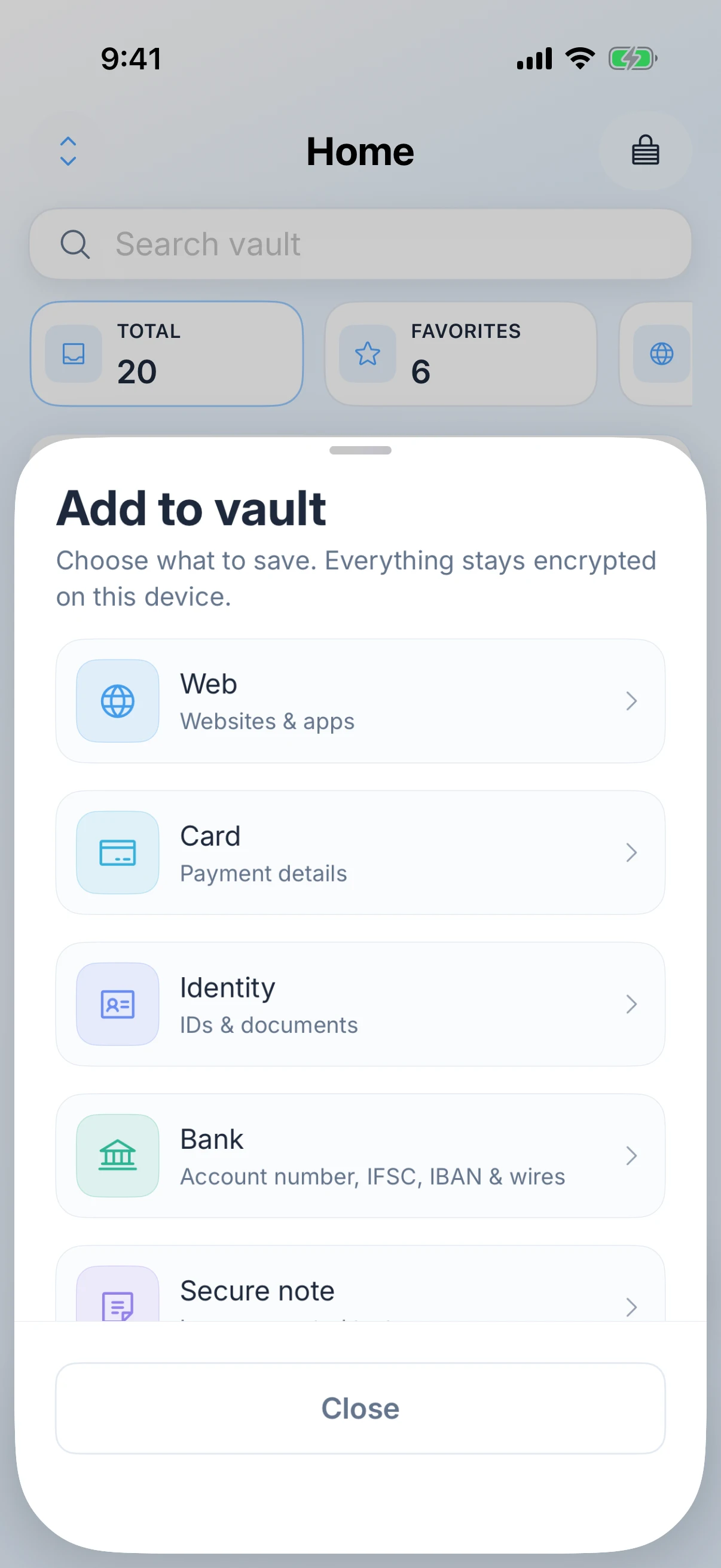
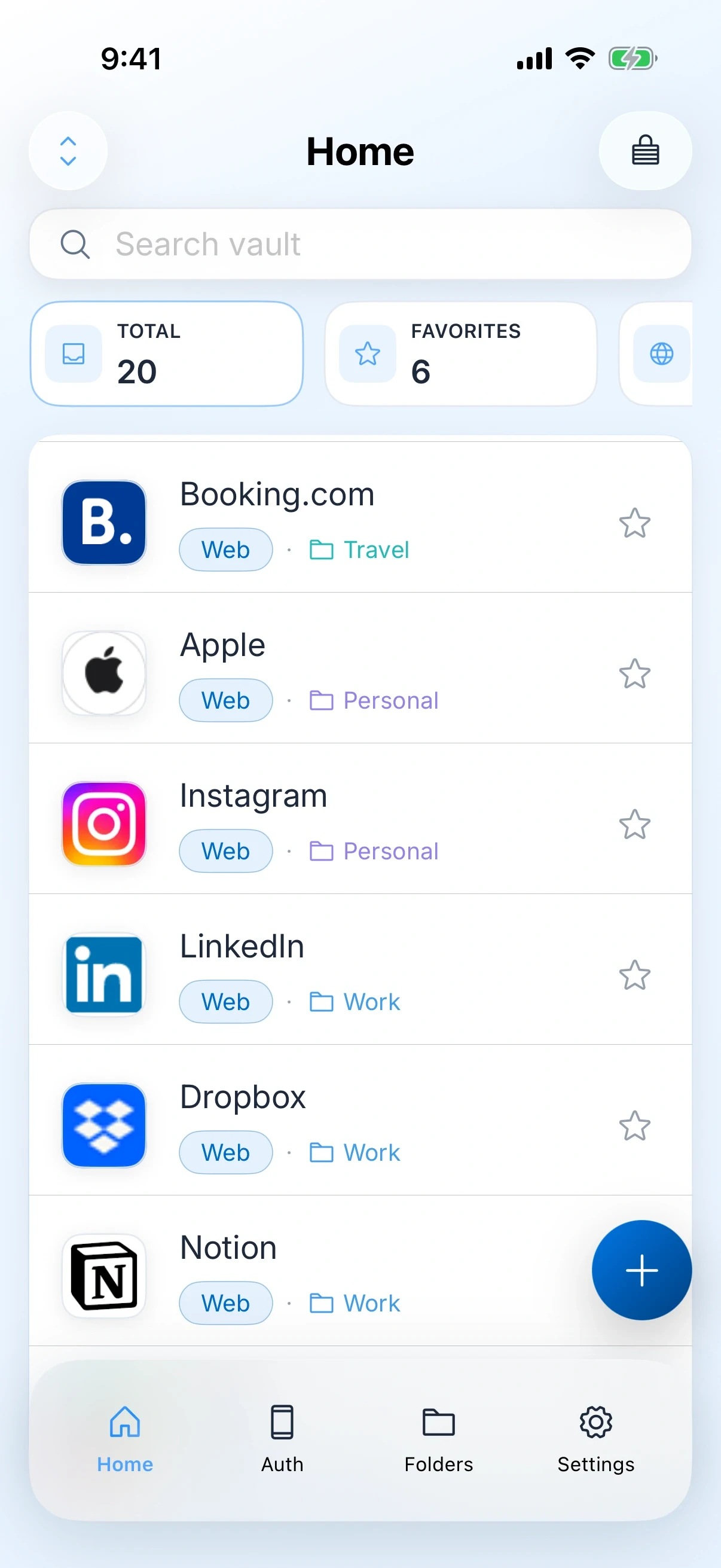
Payment cards, bank details, software licences, Wi-Fi, passkeys, one-time codes and secure notes live beside your passwords, in one searchable vault with the same lock over all of it.

We cannot open it, and we say so plainly

Your vault is sealed on the device with keys derived from your master password. We never receive that password. We cannot open your vault for you, which is the same reason nobody reaching our systems can open it either.

the honest part

Stay with 1Password if

Three cases where switching would be a downgrade. If any of them is you, stop here and keep what you have.

  • You use Windows, Android or Linux. Zen Passwords runs on iPhone, iPad and Mac only, so a mixed household or a work laptop on another platform is not covered.
  • You share vaults with family or a team. Zen Passwords is a personal vault. There is no shared vault, no family plan and no admin console.
  • You rely on features built around the hosted account, such as Travel Mode or web access to your vault from a machine you do not own.

None of that is a criticism of 1Password. Those features exist because the account exists, and the account is the thing you would be giving up.

side by side

What is actually different

Zen Passwords and 1Password, side by side. Checked on the review date below.

What is being comparedZen Passwords1Password
Where it runsiPhone, iPad and MacApple devices, Windows, Android, Linux and the browser
AccountNone. You never create oneA 1Password account, which your vault is tied to
SyncOptional, through your own private iCloud under your Apple IDThrough 1Password, across every platform
What it storesLogins, passkeys, authenticator codes, payment cards, bank details, Wi-Fi, software licences and secure notesLogins, passkeys, codes, cards, documents and notes
Filling loginsAutoFill for logins, one-time codes and passkeys in Safari and other apps, on iPhone, iPad and Mac, plus save-password promptsSystem AutoFill plus browser extensions on every desktop browser
SharingPersonal vault onlyShared vaults, family plans and team management
UnlockMaster password, with optional Face ID, Touch ID or Optic IDAccount password and secret key, with biometric unlock
If you forget the master passwordNobody can reset your master password, including us, because we never receive itRecovery paths exist through the account, including family recovery
PriceFree for up to five active items, then Zen Premium for unlimited items. Apple shows the price and the billing terms before you buy.A paid plan. Check their site for current pricing

Facts about 1Password were checked on against their own site. Products change, so check theirs before you decide.

the handover

What switching actually involves

Do this on a day you have half an hour, and do not cancel anything until the last step is done.

01

Export from 1Password first

Use their desktop app to export your vault. The file that comes out is unencrypted plain text, so treat it the way you would treat the passwords themselves: keep it on the machine, and delete it the moment you are finished.

02

Import into Zen Passwords

Open Zen Passwords on your Mac and bring the file in. Give it a moment on a large vault, then check the item count against what 1Password reported.

03

Check the things that never import cleanly

Attachments, documents and anything stored in a custom field are the usual casualties in any password manager migration, whichever direction you go. Open ten of your most important items and confirm each one before you trust the vault.

04

Let it settle for a fortnight

Keep 1Password installed and use only Zen Passwords. If you reach for the old app and find something missing, you have lost nothing. Only when a fortnight passes without needing it should you cancel and remove it.

05

Delete the export file

It is the single least protected copy of every password you own. Empty it out of the trash too.

questions

Zen Passwords and 1Password

Can I import my 1Password vault directly?

You import through a file you export from 1Password rather than by connecting the two apps. There is no account on our side for them to connect to, which is the point of the product, and it means the handover is a file you control from start to finish.

Is Zen Passwords cheaper than 1Password?

Zen Passwords is free for up to five active items, and Zen Premium unlocks unlimited items. Apple shows the price and the billing terms before you buy, and that screen is the one to trust rather than any figure written on a marketing page.

What happens to my passwords if zenproducts disappears?

Your vault is on your device and, if you turned sync on, in your own iCloud under your Apple ID. It is not held on a server we run, so it does not vanish with us. This is a fair question to ask any small developer, and the honest answer is the reason the product is built this way.

Will my logins still fill in automatically?

Yes, on iPhone, iPad and Mac. Switch Zen Passwords on as an AutoFill provider and your logins are offered in Safari and in other apps, the same place 1Password offers them today. It fills one-time codes as well, so you are not copying a code between apps, and passkeys work for both creating an account and signing back in. What you do not get is a desktop browser extension on Windows or Linux, because the app does not run there at all.

Can I use it on my work Windows machine?

No. Zen Passwords runs on iPhone, iPad and Mac. If you need Windows, Android or Linux, 1Password is the better tool and you should stay with it.

Can my family share a vault with me?

No. Zen Passwords is a personal vault, with no shared vaults or family plan. If shared logins are part of how your household works, 1Password covers that and we do not.

Get the app

Zen Passwords

A private vault for logins, cards, bank details, codes and notes on iPhone, iPad and Mac. Free for up to five active items.

Download on the App Store
keep comparing

Other ways people arrive here

alternative

Apple Passwords

What the built-in app has nowhere to put, and how to move just that.

Read the comparison
verdict

Not decided yet?

This page assumes you are leaving 1Password. If you are still weighing the two up, the verdict page answers that instead.

Zen Passwords vs 1Password
product

Zen Passwords

Every feature, the screenshots, the privacy detail and the questions people ask most often.

Open the product page
how this page is written

Everything claimed about Zen Passwords here is what the app does today. Everything claimed about 1Password is limited to things that have been true of it for years, with no prices, because a price on a page nobody re-checks goes wrong in public. If you find something out of date, tell us and we will fix it.