Zen Slate
iPhone · iPadA home for your
thoughts.
Write rich notes, record voice notes, scan documents and manage todos on iPhone and iPad. On-device transcription and optional iCloud sync.



Some thoughts are worth keeping.
A note, a next step, a thought spoken out loud. Keep them together, and make space for what comes next.
- Todos
- Separate to-dos with dates and reminders, alongside your notes
- Your iCloud
- Optional Pro sync across your iPhone and iPad through your own account
- No account
- Nothing to create, and your words never touch a server of ours
Catch the thought.
Write properly
Headings, quotes, code, checklists and highlights. Add photos with captions, attach files, scan a document with the camera, or write by hand.
Speak it, and read it back
Record a voice memo and review its transcript on supported devices. On-device transcription availability depends on hardware, software and language support.

Find it when you need it.
Find it again
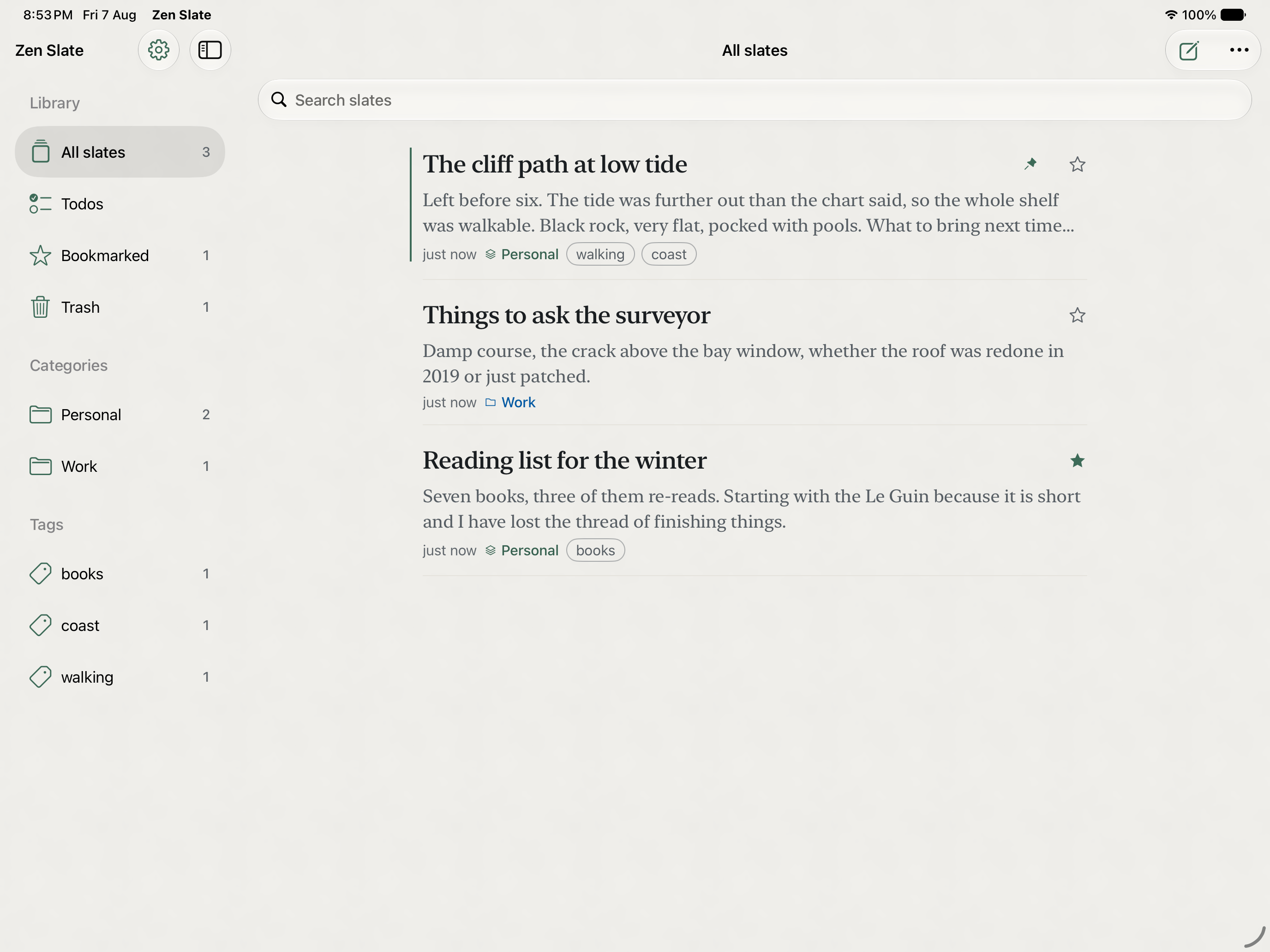
Folders for the big divisions and tags for everything that cuts across them, plus search over the writing itself. Pin what you are in the middle of, bookmark what you keep coming back to.
Notes and to-dos in one app
Keep checklists inside your notes and manage separate to-dos with dates, reminders and repeats. A note checklist does not automatically become a task.
Considered down
to the details.
Yours, and only yours
Your writing stays on your device. Pro adds optional sync through your personal iCloud account. Zen Products does not operate a separate server for your notes.
Every earlier draft, kept
Version history means any previous draft can be read and restored, so rewriting a paragraph is never a decision you cannot undo.
Lock a slate behind Face ID
A slate you would rather not leave open stays closed until you unlock it, on the device, with no separate account involved.
Take a closer look.
Zen Slate, on iPhone and iPad. Explore every screen at your own pace.
Before you
make it yours.
Free for five slates. Pro removes the limit, and you can buy it once rather than subscribe.
- Writing
- Rich text, photos with captions, files, scanning and handwriting
- Finding it again
- Folders, tags, search, pinning and bookmarks
- Voice
- Voice memos with on-device transcription on supported devices
- Todos
- Dates, reminders, priorities and repeats, in one list beside everything else
- History
- Every earlier draft kept, readable and restorable
- Locking
- A slate behind Face ID, on the device, with no separate account
- Sync
- Optional Pro sync through your personal iCloud account
- Drawing
- Apple Pencil with pen, marker, highlighter, lasso and ruler, and sketches stay editable
What is Zen Slate?
A place to write that stays out of the way, on iPhone and iPad. A slate is a page. Write on it, tag it, file it, or leave it as it is. Nothing is arranged for you.
Is Zen Slate free?
It is free for five slates. Pro removes the limit and adds sync, widgets, backup and export. You can buy Pro once and keep it, or subscribe yearly if you would rather.
Where are my notes stored?
On your device. Optional Pro sync uses your personal iCloud account. There is no separate Zen account; iCloud requires your Apple account. The privacy policy explains the separate usage-analytics controls.
Does it work offline?
You can read and write notes offline. iCloud sync needs a connection to carry changes between devices.
Is there a Mac app?
Not yet. Zen Slate is built for iPhone and iPad today.
I already use Zen Slate. What changed in version 2.0?
It is a complete native rewrite. Everything you already had comes across on the first launch, with its categories, tags, bookmarks and trash intact. There is nothing to export and nothing to import.