These two are not competing for the same person, so a straight feature race misreads the decision. What follows is the decision the way it actually splits. The cases where 1Password wins are stated plainly, because you will find them out anyway and because they are the fastest way to know whether to stop reading.
Zen Passwords
4
rounds won
2
draws
1Password
4
rounds won
Our scoring, of our own product against a competitor, so read it with that in mind. Every round below says exactly what it was scored on. Facts about 1Password checked against their own published documentation on .
The verdict
Read this part first, because it saves you the rest of the page. If anything you own runs Windows, Android or Linux, or you share logins with your family, buy 1Password. We do neither of those things and we would rather say so now. Still here? Then you are on Apple devices only, which is who we build for, and on that ground this is level on rounds and ours on the one number that decides what a stolen vault is worth: a guess against ours costs 256 MB of memory, a guess against theirs costs none.
Then the same 10 in detail, with what each side actually does and why the round went the way it did.
Round
Zen Passwords
1Password
Winner
1. What one guess costs an attacker
Argon2id, up to 256 MB of memory per guess
PBKDF2, 650,000 rounds, no memory cost
Zen Passwords
2. A second secret beyond the password
Secret Key, optional, with an Emergency Kit
Secret Key, always, from day one
Draw
3. The devices it reaches
Apple devices only
Apple, Windows, Android, Linux and the browser
1Password
4. Whether there is an account at all
None. You never create one
An account, and the vault is tied to it
Zen Passwords
5. Where the vault actually lives
Your device, optional private iCloud
Their servers, synced everywhere
Zen Passwords
6. What you can keep in it
Seven item kinds plus passkeys, custom fields
Logins, passkeys, codes, cards, documents, notes
Draw
7. Filling passwords in
AutoFill on iPhone, iPad and Mac
AutoFill plus desktop browser extensions
1Password
8. Sharing with other people
Nothing
Shared vaults, family and team plans
1Password
9. Getting back in when you have forgotten
Recovery key or social recovery, never stored
Account recovery, including family recovery
1Password
10. What it costs to start
Five active items free, then Premium
A paid plan, with a trial
Zen Passwords
Final
4 rounds
4 rounds
1Password
Round 1
What one guess costs an attacker
Zen Passwords
Argon2id from the start, with no menu to find. A new vault works out what your device can afford, starting at 256 MB of memory per guess and stepping down through 128 and 64 only if it cannot unlock in under a second.
1Password
PBKDF2, repeated 650,000 times, stated on their own support page. That is a serious setting for the method, and the method has no memory cost at all.
Winner
Zen Passwords. A stolen vault is attacked offline, with no limit on attempts and nobody to lock the attacker out, so the only thing that matters is what one guess costs. A cracking rig is thousands of small processors that are fast at repeating a sum and short of memory. PBKDF2 costs them time, which is cheap to buy. Argon2id at 256 MB costs them memory, which decides how many guesses fit on a card at all.
Round 2
A second secret beyond the password
Zen Passwords
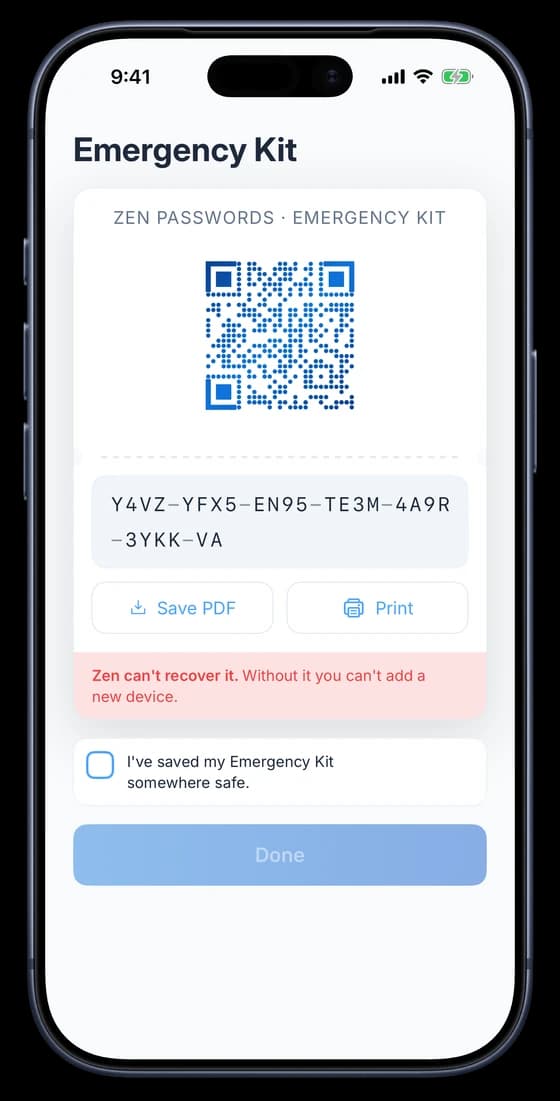
A Secret Key you turn on from Settings, generated on your device, printed as an Emergency Kit with a QR code for setting up a new device, and never synced anywhere.
Generated on your device, shown once, never synced.
1Password
A Secret Key held only on your devices and never on their servers, issued to everyone automatically. It is the best idea anyone has had in this category.
Draw
Even. The same idea, with different starting points. Theirs is on from the moment you make an account and cannot be declined. Ours is a switch, so you get it when you ask for it. On by default is better for most people; a choice is better for anyone who would rather not have a printed sheet to look after.
Round 3
The devices it reaches
Zen Passwords
iPhone, iPad and Mac. No Android, no Windows, no browser extension.
1Password
Apple devices, Windows, Android, Linux and the browser. Wherever you work, it is there.
Winner
1Password. One machine in your week that is not an Apple one settles this, and for most households there is at least one. Half your day would be uncovered, so this is not close.
Round 4
Whether there is an account at all
Zen Passwords
None. You never create one, and there is no vault of yours on a server we run.
1Password
A 1Password account, which your vault is tied to. It is what makes the web vault and sharing possible.
Winner
Zen Passwords. If your reason for reading this is that you would rather no company held your passwords, including the one selling you the app, this is the round that decides it. Everything 1Password does well downstream depends on the account existing.
Round 5
Where the vault actually lives
Zen Passwords
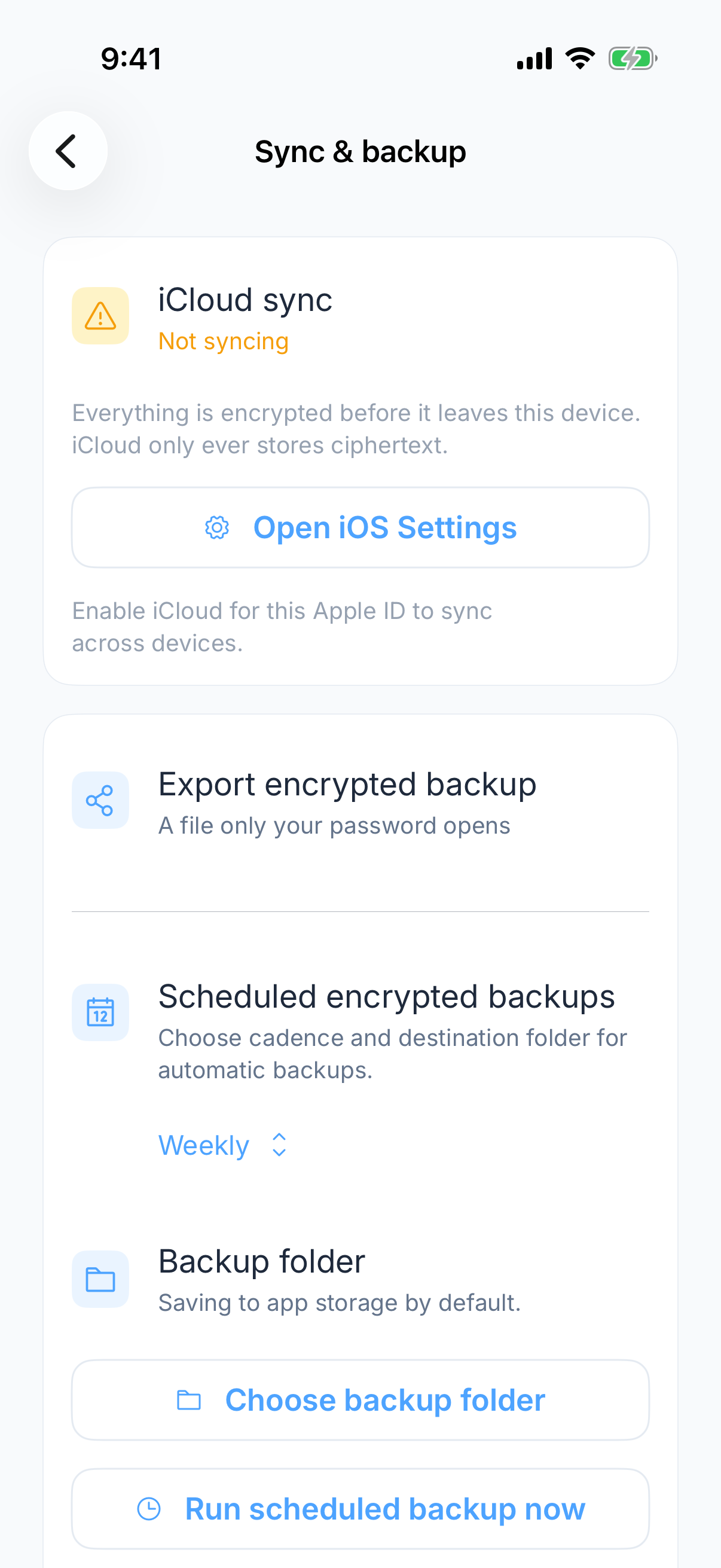
On your device. Sync is optional, and when you turn it on it rides your own private iCloud under your Apple ID.
Encrypted here first. iCloud only ever holds ciphertext.
1Password
On 1Password servers, encrypted, synced across every platform you use.
Winner
Zen Passwords. Both are encrypted and both are serious. The difference is who holds the file, and ours is the answer only if that question matters to you. If it does not, this round is worth nothing and round one already decided your answer.
Round 6
What you can keep in it
Zen Passwords
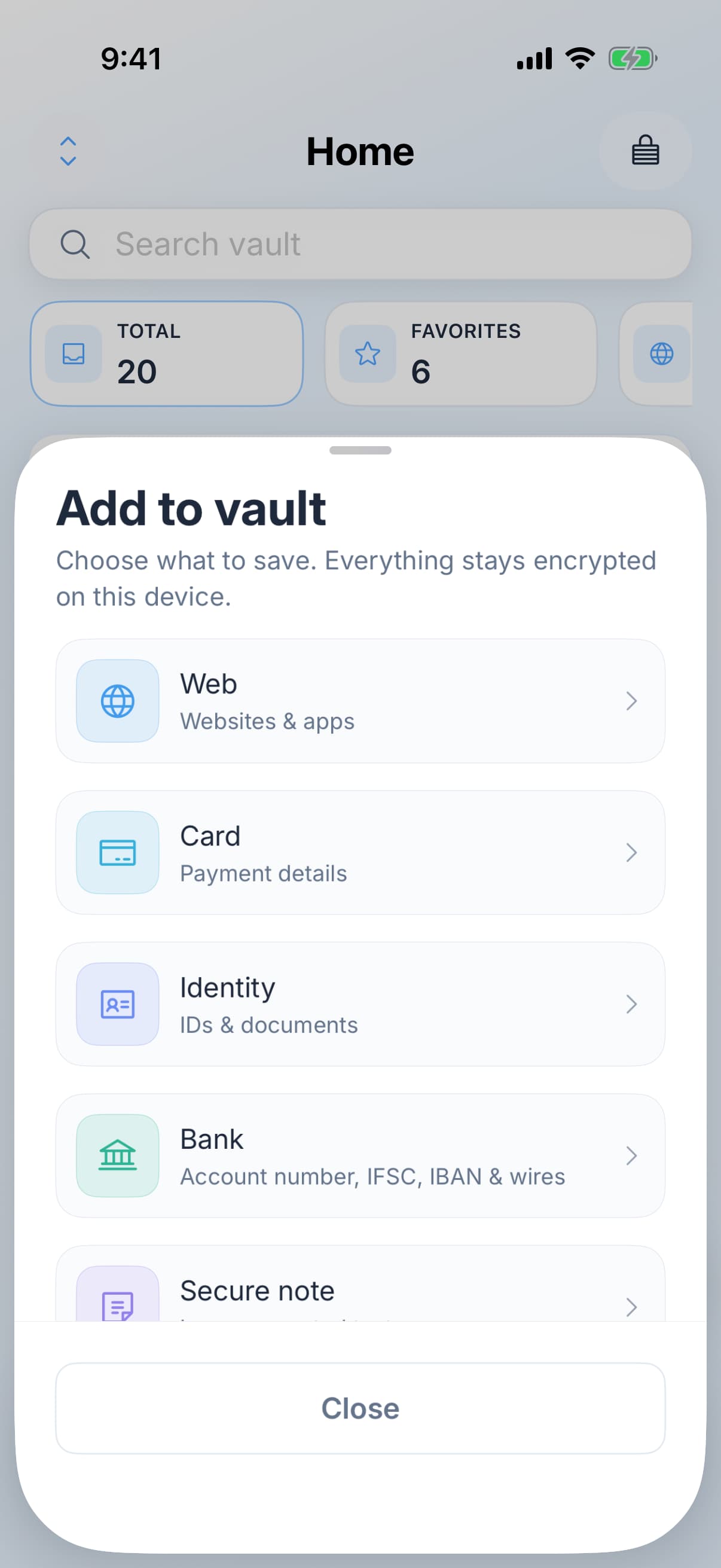
Seven item kinds plus passkeys: logins, cards, bank accounts, identity documents, Wi-Fi, licences and secure notes, each with custom fields.
Seven kinds, each with its own fields.
1Password
Logins, passkeys, codes, cards, documents and notes. It has done this for years and does it well.
Draw
Even. Both handle far more than logins, and neither of us should win a round for it. If breadth of item types is what you are choosing on, you can stop here and pick on something else.
Round 7
Filling passwords in
Zen Passwords
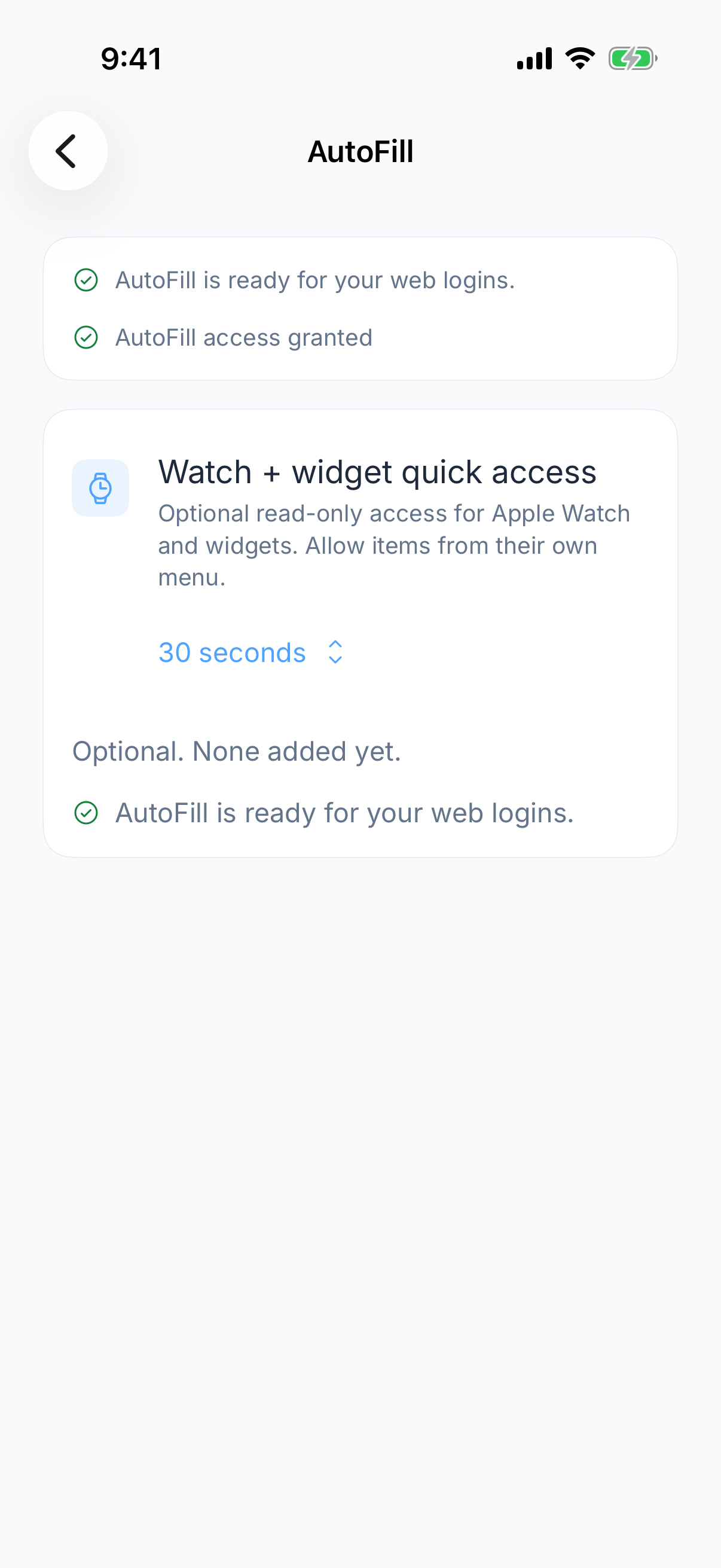
AutoFill for logins, one time codes and passkeys in Safari and other apps on iPhone, iPad and Mac.
One toggle on day one, then it fills like anything else.
1Password
System AutoFill on Apple devices, plus browser extensions on every desktop browser including Windows and Linux.
Winner
1Password. Inside Apple the two are level. Outside it we are not there at all, and the desktop browser extension is the part that does not carry over, because the app does not run on those machines.
Round 8
Sharing with other people
Zen Passwords
Nothing. Your vault is yours alone.
1Password
Shared vaults, family plans and team management, with per person access.
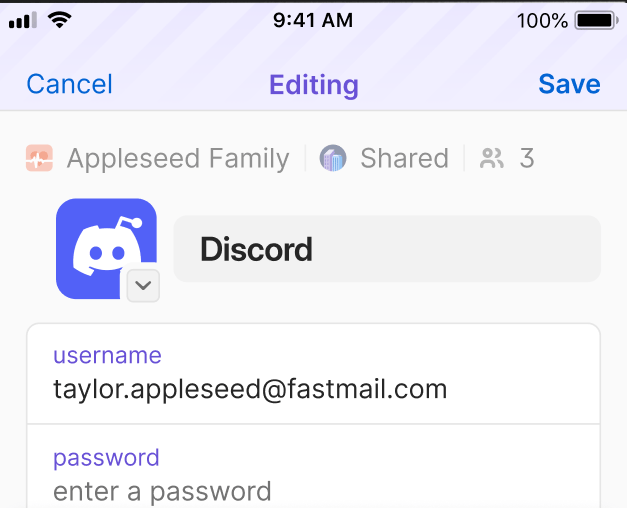
1Password’s own screenshot of the thing we do not do.
Winner
1Password. This is a job we do not do. Not worse, not yet, not at all. If you share a single login with a partner or a colleague, 1Password has your answer and we do not.
Round 9
Getting back in when you have forgotten
Zen Passwords
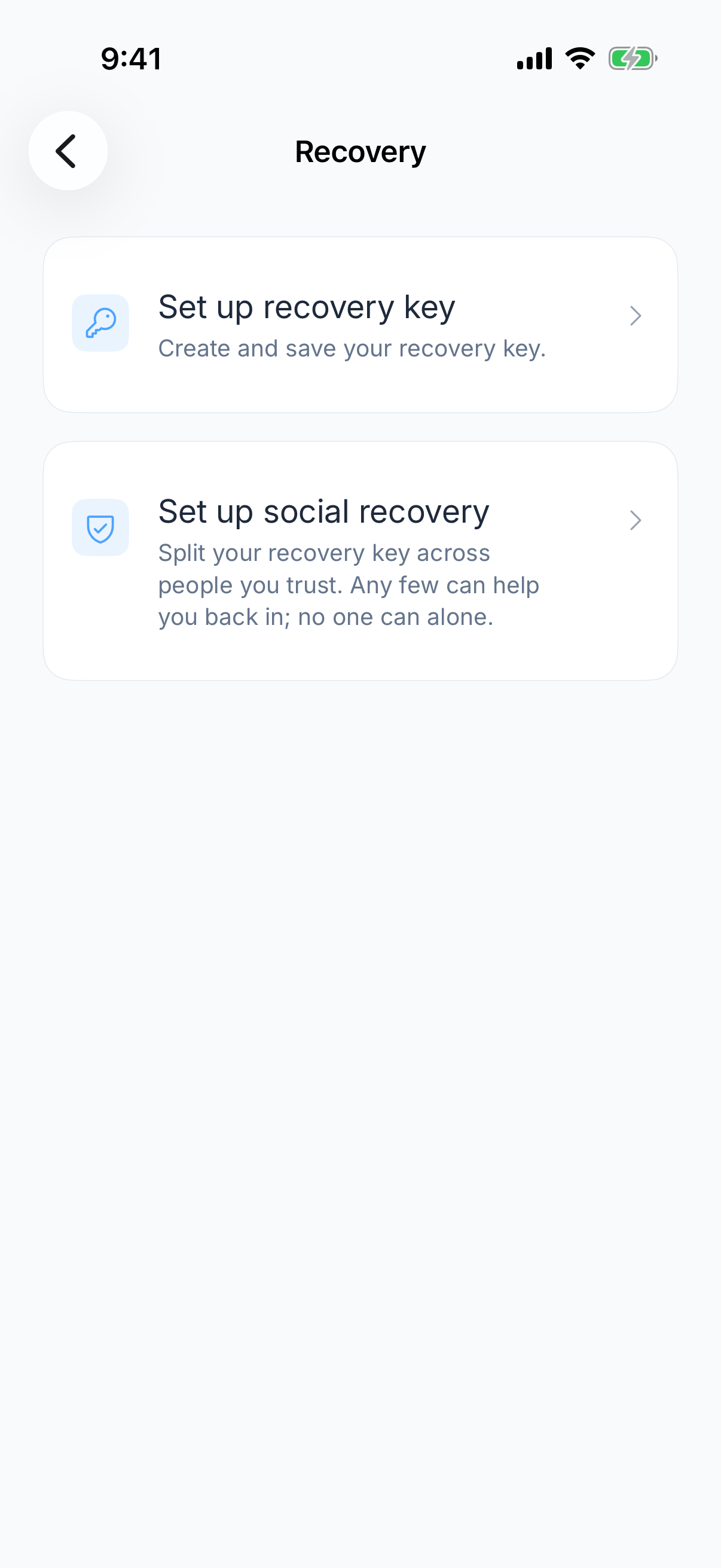
A recovery key you keep, or social recovery split across people you trust. Nobody at Zen can let you back in.
A key you keep, or trusted people who together can help.
1Password
Recovery paths through the account, including family recovery.
Winner
1Password. We can match the recovery key and we can match recovery contacts. What we cannot match is an account somebody else can verify you against, and for a lot of people that safety net is the reason to use a password manager at all.
Round 10
What it costs to start
Zen Passwords
Free for five active items, and you choose which five. Beyond that, Premium.
1Password
A paid plan. There is a trial, and no free tier to sit on afterwards.
Winner
Zen Passwords. Five items is not a vault, it is a way to use the real app on your own accounts before you decide. That is a smaller commitment than a card up front, and it is the only round here we win on price.
What decides it
Three differences that actually decide it
The rest of the feature list will not change your mind. These three will.
The account is the product, or there is no account
Almost everything 1Password does that we do not, including sharing, web access and recovery, exists because your vault lives on their service. Removing the account removes those features. That is a trade rather than an improvement, and which side of it you want is the actual decision.
One platform or every platform
Zen Passwords covers iPhone, iPad and Mac and nothing else. If your life is entirely on those three, a native app is a real advantage. If it is not, this is a hard blocker rather than a preference.
Whether anyone can rescue you
1Password has recovery paths, including through a family organiser. We have none, because we hold nothing to recover from. Weigh this properly before switching, and keep your master password somewhere physical if you do.
So who should choose what
Recommended
Choose Zen Passwords
Every device you own is an iPhone, an iPad or a Mac, which is who this whole site is built for
The vault is yours alone, with nothing shared to a partner or a team
You want no account with us, and no vault of yours on a server we run
You still want AutoFill for logins, one-time codes and passkeys across iPhone, iPad and Mac
You want a way back in that is yours: a printable recovery key, or social recovery split across people you trust
Choose 1Password
For the things we do not do
Anything you use runs Windows, Android or Linux
You share logins with a partner, a family or colleagues
You want to reach your vault from a machine you do not own
You want a recovery path if you lose your credentials, including family recovery
What neither of them fixes
Two well-built vaults with the same three exposures. Both companies would rather talk about their encryption than about these.
A master password you have used somewhere else. Both products are exactly as strong as that one string, and no amount of engineering underneath changes it.
A Mac already running something hostile. A vault has to decrypt to be useful, and whatever is watching the machine at that moment sees what you see.
The moment of handover itself. Every migration between password managers passes through a plain text file, and that file is the least protected copy of your passwords that will ever exist.
Common questions
Is Zen Passwords a full replacement for 1Password?
Only if you are Apple only and your vault is personal. If you use Windows or Android, or you share vaults with anybody, it is not a replacement and we would rather you knew that before installing it than after.
What do I lose by switching?
Cross-platform apps, shared and family vaults, web access to your vault, and any recovery path if you forget your master password. Those are the four, and they all trace back to the same thing: there is no account.
What do I gain?
A native Apple app, a vault built to hold cards, bank details, licences and notes as well as logins, and the fact that no company holds a copy of it. Whether that is worth the four losses above depends entirely on which of the situations further up this page is yours.
Does AutoFill still work if I leave 1Password?
Yes, on iPhone, iPad and Mac. Zen Passwords registers as an AutoFill provider on all three, so logins, one-time codes and passkeys are offered in Safari and in other apps, and it offers to save a new password when you create one. What does not carry over is 1Password's desktop browser extension on Windows and Linux, since the app does not run on either.
I have decided. How do I move my vault across?
The export, the import and the things that never carry over cleanly are written up separately on our 1Password alternative page.
Everything claimed about Zen Passwords here is what the app does today. Everything claimed about 1Password is limited to things that have been true of it for years, checked against their own documentation. There are no prices on this page, because a price nobody re-checks goes wrong in public. If something here is out of date, tell us and we will fix it.