You do not need a second password manager just because one exists. Test the specific task Apple Passwords does not cover for you. This comparison is written by Zen Products, the maker of Zen Passwords.
Zen Passwords
1
rounds won
2
draws
Apple Passwords
3
rounds won
Our scoring, of our own product against a competitor, so read it with that in mind. Every round below says exactly what it was scored on. Facts about Apple Passwords checked against their own published documentation on .
The verdict
Stay with Apple Passwords if it already handles your credentials and sharing. Consider Zen Passwords when you also need structured cards, bank records, licences and private notes in a personal vault.
Then the same 6 in detail, with what each side actually does and why the round went the way it did.
Round
Zen Passwords
Apple Passwords
Winner
1. What you can store
Credentials plus cards, bank records and notes
Credentials, codes and Wi-Fi
Zen Passwords
2. Sharing with other people
Personal vault
Shared Groups and AirDrop
Apple Passwords
3. The free limit
Five active items, then paid upgrade
Included with supported Apple systems
Apple Passwords
4. Devices
Apple apps
Apple devices and Windows access
Apple Passwords
5. Unlocking and recovery
Separate master password and prepared recovery
Device authentication and Apple recovery
Draw
6. Storage choices
Local storage; optional encrypted iCloud sync
End-to-end encrypted iCloud Keychain
Draw
Final
1 round
3 rounds
Apple Passwords
Round 1
What you can store
Zen Passwords
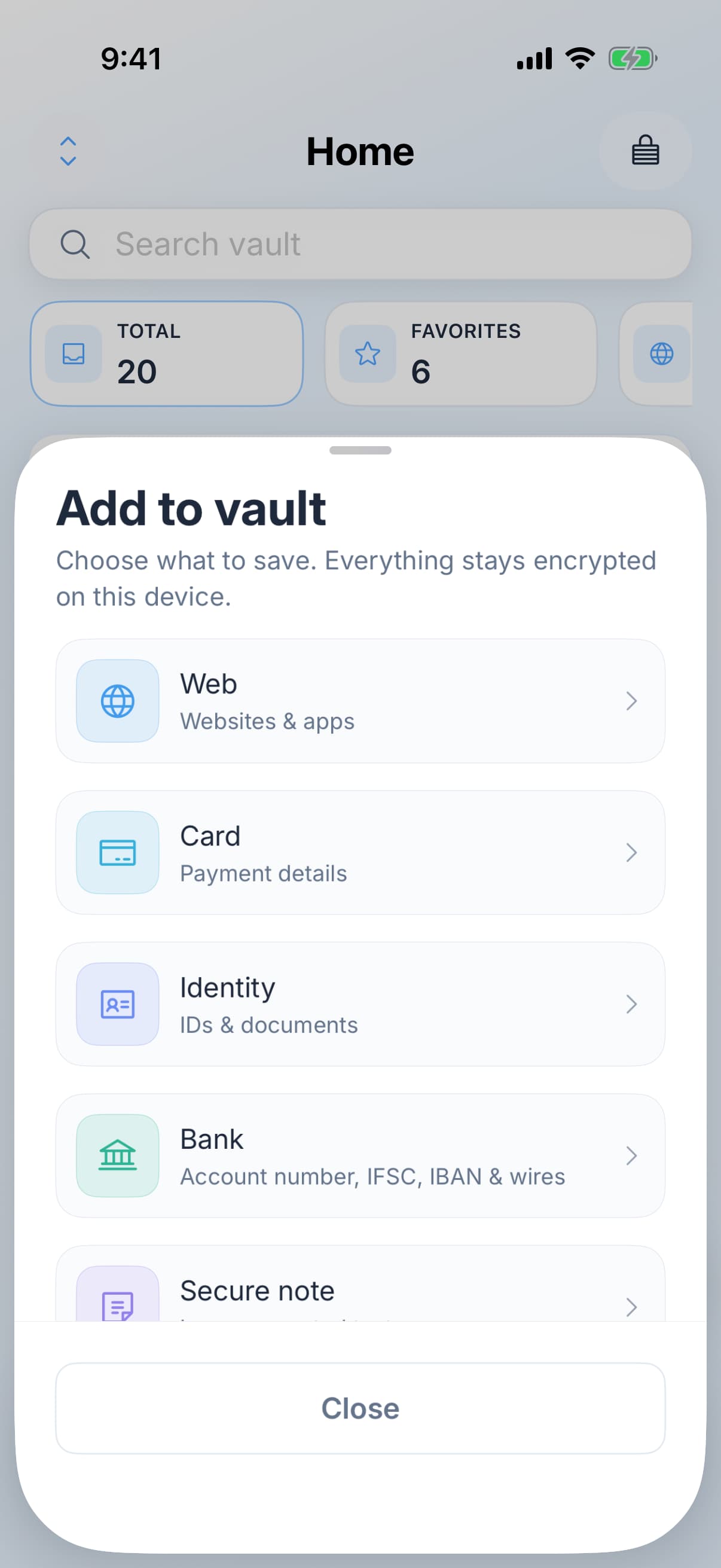
Dedicated types for logins, cards, bank accounts, identity details, Wi-Fi, licences and secure notes, plus passkeys.
Choose a type with fields for the record you are saving.
Apple Passwords
Passwords, passkeys, verification codes, Wi-Fi passwords and Sign in with Apple credentials.
Winner
Zen Passwords. Choose Zen for the additional structured records when you need them. A credentials-only vault does not need those extra types.
Round 2
Sharing with other people
Zen Passwords
A personal vault, without a shared family vault.
Apple Passwords
Shared Groups for supported credentials, plus AirDrop sharing.
Winner
Apple Passwords. A shared household login is a different job from a private personal record. Choose a tool that supports the required access.
Round 3
The free limit
Zen Passwords
Five active items free; more active items require a paid upgrade.
Apple Passwords
Included on supported Apple systems, without a separate password-app subscription.
Winner
Apple Passwords. Keep the included option when it already does the job. Pay for Zen only if the additional workflow is useful to you.
Round 4
Devices
Zen Passwords
iPhone, iPad and Mac. No Windows app.
Apple Passwords
Apple devices, with iCloud Passwords access on Windows.
Winner
Apple Passwords. A Windows computer in your routine may decide the choice before any other feature.
Round 5
Unlocking and recovery
Zen Passwords
A separate master password, optional biometric unlocking and recovery methods you arrange in advance. Zen cannot reset the vault for you.
Apple Passwords
Device authentication and Apple account recovery protections; available safeguards depend on settings and system version.
Draw
Even. Neither product is a guarantee against device theft or phishing. Review the actual lock settings and recovery path rather than treating a separate password as an automatic safety ranking.
Round 6
Storage choices
Zen Passwords
Local encrypted storage. Optional personal iCloud sync carries encrypted vault data.
Apple Passwords
Password and Keychain data is end-to-end encrypted in iCloud.
Draw
Even. The useful choice is whether to enable sync and how to recover access. Optional iCloud still means encrypted data leaves the device.
So who should choose what
Recommended
Choose Zen Passwords
You want dedicated records for cards, bank details, licences and private notes.
You want a separate master password and a local vault with optional iCloud sync.
You are willing to configure and test another AutoFill provider.
The five-item free tier is enough to test your workflow before a paid upgrade.
Choose Apple Passwords
For the things we do not do
You mainly need passwords, passkeys and verification codes.
You use shared password groups.
You need access through iCloud Passwords on Windows.
You want to keep the built-in option without another paid vault.
Check the workflow before moving your vault
An import count is only the start of a migration.
Test a sign-in with one imported login and check its website address.
Check attachments, passkeys and verification codes separately; do not assume every field transfers.
Keep a protected copy of your original vault until you have checked the result. Store recovery information somewhere independent of the app.
Common questions
Do I need Zen Passwords if I use Apple Passwords?
Only if it solves an additional need, such as structured cards, bank records, licences or secure notes. Test that need before moving your logins.
Which one is safer?
This comparison does not establish an overall security winner. Consider device settings, independent review, recovery arrangements and the risks you need to address. Zen Passwords has not had an independent audit.
Can I try Zen Passwords without moving everything?
Yes. Try up to five active items, set up AutoFill and test a login before importing more data.
Does Zen Passwords share a vault with my family?
No. Choose a manager with shared vaults if ongoing shared access is required.
Try five active items and test your everyday sign-in flow.
Everything claimed about Zen Passwords here is what the app does today. Everything claimed about Apple Passwords is limited to things that have been true of it for years, checked against their own documentation. There are no prices on this page, because a price nobody re-checks goes wrong in public. If something here is out of date, tell us and we will fix it.