Explore apps
Zen Passwords · reviewed

A Bitwarden alternative built only for iPhone, iPad and Mac

Bitwarden is the answer a lot of people should give, and this page says so more than once. It is open source, it runs everywhere, and its free tier is unusually generous. What it is not is an app built for one set of devices, which is the whole of what Zen Passwords is.

why people look

Three reasons people look elsewhere

None of these is a flaw in Bitwarden. They are consequences of building for every platform at once.

One platform, and it shows

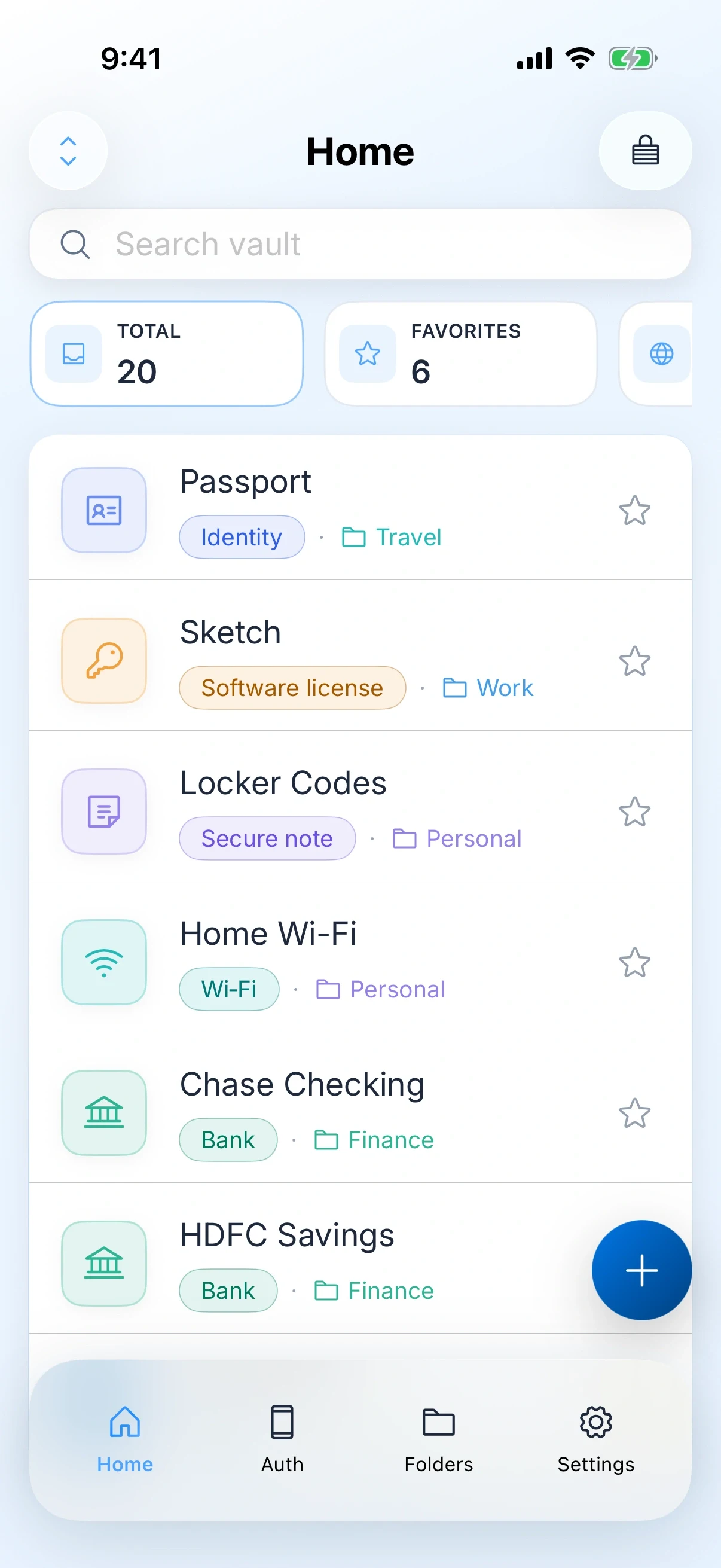
Zen Passwords is written for iPhone, iPad and Mac and nothing else. Face ID, Touch ID and Optic ID unlock, the split view on iPad, the Mac window: all of it is native rather than a shared layer stretched across six operating systems.

No account, not even a free one

Bitwarden gives you a free account on their service, or the option to run a server yourself. Zen Passwords gives you neither, because there is no account and no server. Sync, if you want it, is your own private iCloud under your Apple ID.

A fuller vault by default

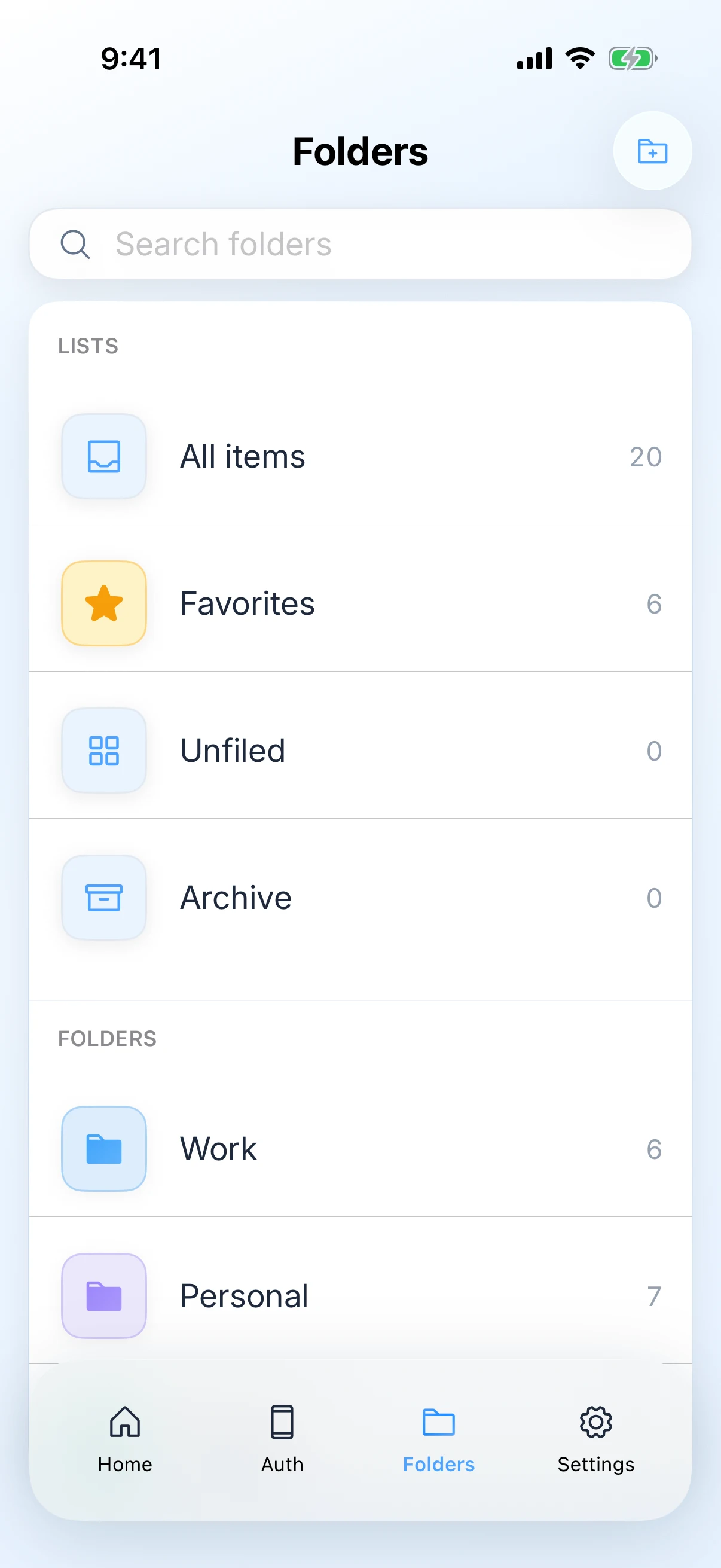
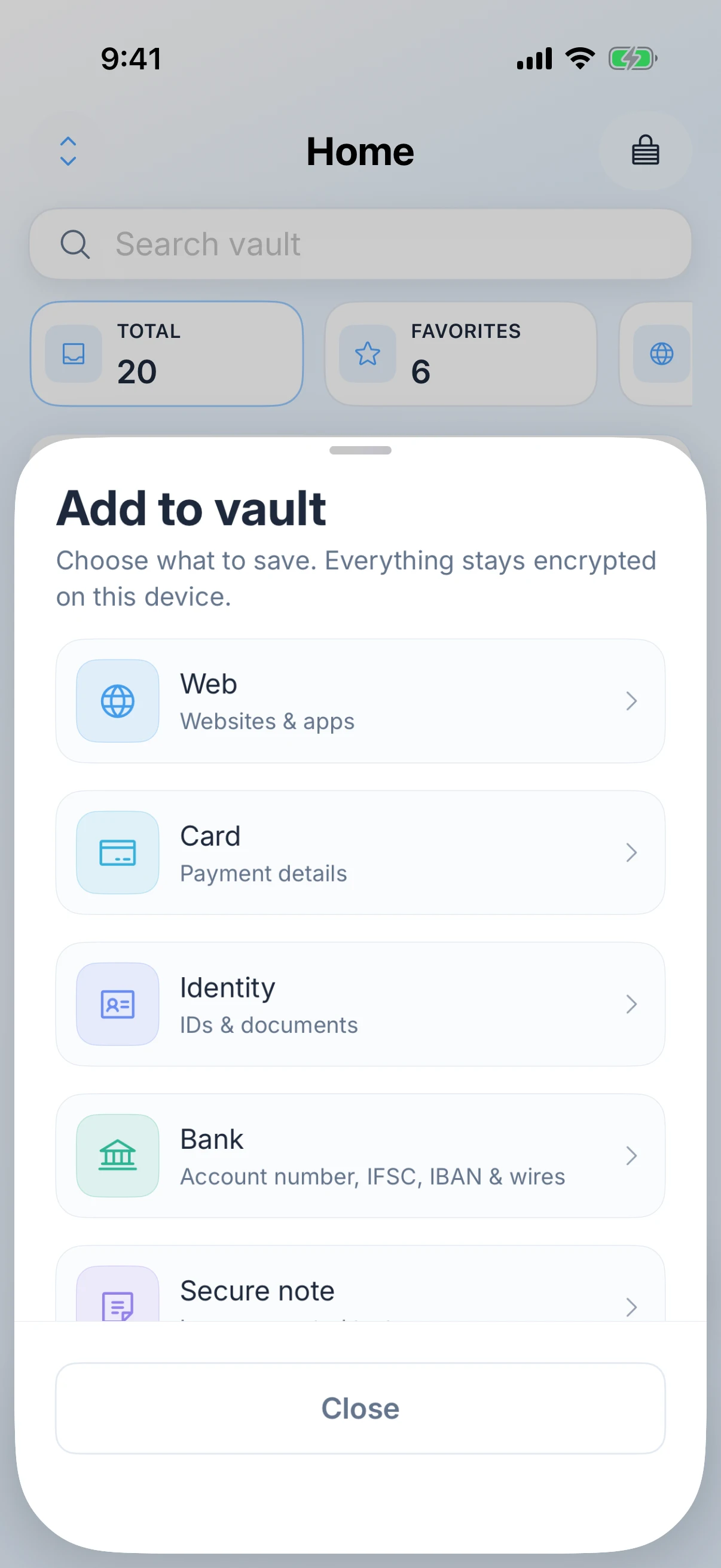
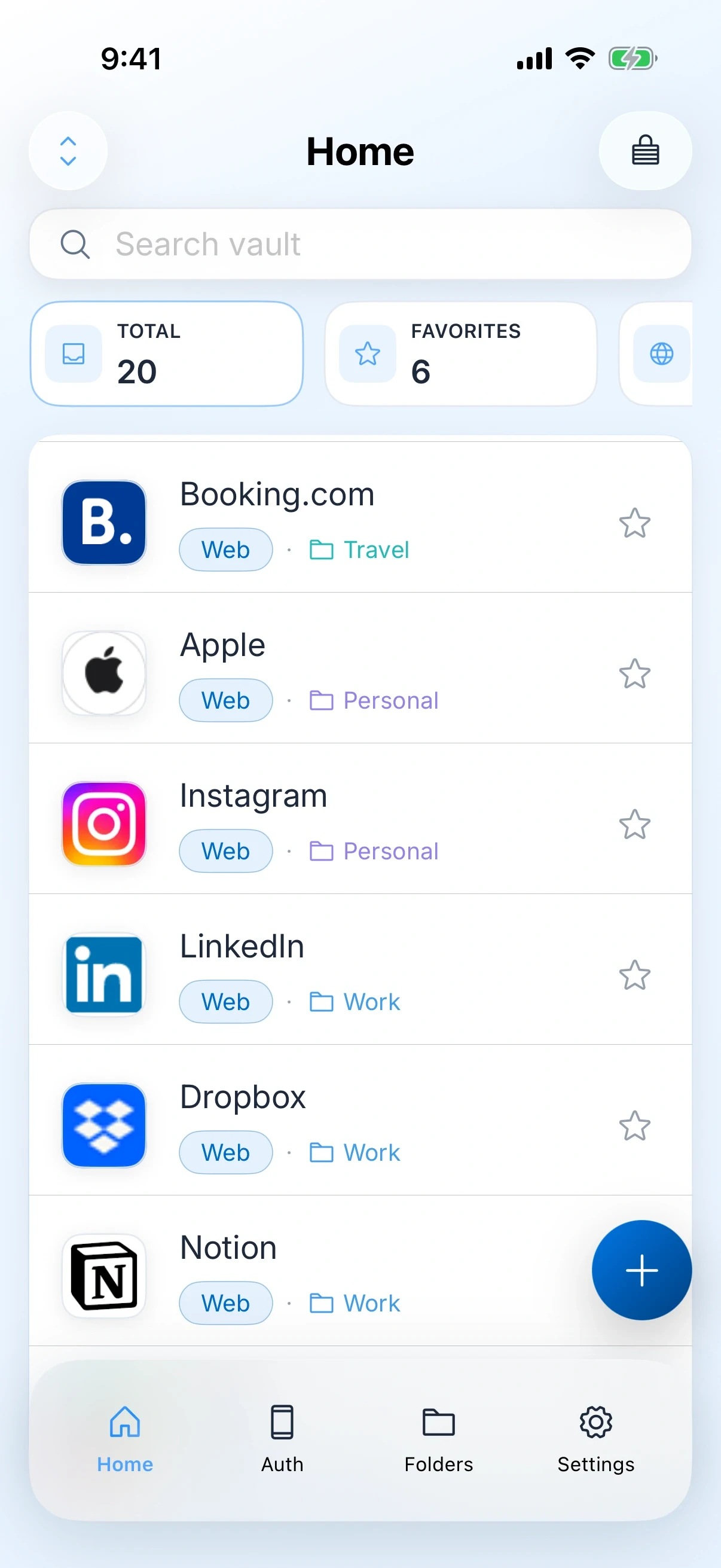
Payment cards, bank details, software licences, Wi-Fi, passkeys, one-time codes and secure notes sit next to your logins, searchable in one place, with no add-on or upgrade needed to hold them.

the honest part

Stay with Bitwarden if

Bitwarden is genuinely the better answer in more cases than most competitors would admit.

  • You use anything that is not an Apple device. Bitwarden runs on Windows, Android, Linux and every browser. Zen Passwords does not.
  • Open source matters to you. Bitwarden publishes its source and commissions public audits. Zen Passwords does not publish its source, so you are trusting a claim rather than reading the code.
  • You want to host it yourself. Running your own Bitwarden server is a real option, and nothing in our product is comparable.
  • You share with an organisation or a team. That is a category Zen Passwords does not enter.

If you are already happy on Bitwarden and you own only Apple devices, the honest reason to move is that you want a native app, not that anything is wrong with what you have.

side by side

What is actually different

Zen Passwords and Bitwarden, side by side. Checked on the review date below.

What is being comparedZen PasswordsBitwarden
Where it runsiPhone, iPad and MacApple devices, Windows, Android, Linux, browsers and the web vault
AccountNone. You never create oneA Bitwarden account, or a server you host yourself
Source codeNot publishedOpen source, with published audits
SyncOptional, through your own private iCloud under your Apple IDThrough Bitwarden, or your own server
What it storesLogins, passkeys, authenticator codes, payment cards, bank details, Wi-Fi, software licences and secure notesLogins, cards, identities, notes and passkeys
Filling loginsAutoFill for logins, one-time codes and passkeys in Safari and other apps, on iPhone, iPad and Mac, plus save-password promptsSystem AutoFill plus browser extensions on every desktop browser
SharingPersonal vault onlyOrganisations, collections and family sharing
If you forget the master passwordNobody can reset your master password, including us, because we never receive itNo reset either, though an organisation can be set up to recover a member account
PriceFree for up to five active items, then Zen Premium for unlimited items. Apple shows the price and the billing terms before you buy.A free tier, with paid plans. Check their site for current pricing

Facts about Bitwarden were checked on against their own site. Products change, so check theirs before you decide.

the handover

What switching actually involves

The same care applies as any vault migration. The export file is the dangerous part.

01

Export from Bitwarden

Use the web vault or the desktop app. Choose the unencrypted export only if you are going to delete it straight afterwards, because it is your entire vault in readable text.

02

Import into Zen Passwords

Bring the file in on your Mac, then compare the item count against what Bitwarden showed you before you started.

03

Re-check your two-step codes

Authenticator codes are the thing most likely to need attention after any migration. Open the accounts that matter most and confirm a code works before you rely on it.

04

Keep Bitwarden until you are sure

A fortnight of using only Zen Passwords tells you what is missing. Bitwarden costs you nothing to leave installed while you find out.

05

Delete the export file

Then empty the trash. It is the least protected copy of every password you own.

questions

Zen Passwords and Bitwarden

Is Zen Passwords open source like Bitwarden?

No. Bitwarden publishes its source and commissions public audits, and Zen Passwords does neither. If reading the code is how you decide what to trust with your passwords, that is a real argument for Bitwarden and we are not going to talk you out of it.

Can I self-host Zen Passwords?

No, and there is nothing to host. There is no Zen Passwords server. Sync, when you turn it on, uses your own private iCloud under your Apple ID, which is closer to self-hosting in effect than in name.

Bitwarden is free. Why would I pay?

For most people on mixed devices, you would not, and Bitwarden is the better answer. Zen Passwords is worth paying for if you are on Apple devices only and you want a native app holding cards, bank details and notes as well as logins.

Does filling work as well as the Bitwarden extension?

On Apple devices they end up in much the same place: Zen Passwords registers as an AutoFill provider on iPhone, iPad and Mac, so logins, one-time codes and passkeys are offered in Safari and in other apps, and it offers to save a new password when you make one. Outside Apple devices there is no comparison to make, because Bitwarden has a browser extension everywhere and we are not there at all.

Does Zen Passwords work in a browser?

Zen Passwords is an app for iPhone, iPad and Mac. There is no web vault, because a web vault needs a server, and not having one is the point of the product.

Get the app

Zen Passwords

A private vault for logins, cards, bank details, codes and notes on iPhone, iPad and Mac. Free for up to five active items.

Download on the App Store
keep comparing

Other ways people arrive here

alternative

1Password

No account, an Apple only vault, and the three cases where you should stay put.

Read the comparison
alternative

Apple Passwords

What the built-in app has nowhere to put, and how to move just that.

Read the comparison
verdict

Not decided yet?

This page assumes you are leaving Bitwarden. If you are still weighing the two up, the verdict page answers that instead.

Zen Passwords vs Bitwarden
product

Zen Passwords

Every feature, the screenshots, the privacy detail and the questions people ask most often.

Open the product page
how this page is written

Everything claimed about Zen Passwords here is what the app does today. Everything claimed about Bitwarden is limited to things that have been true of it for years, with no prices, because a price on a page nobody re-checks goes wrong in public. If you find something out of date, tell us and we will fix it.