
Zen Lean
iPhone · Apple WatchA rhythm that works for
you.
Track intermittent fasting, meals, sleep and movement on iPhone and Apple Watch. Connect Apple Health and keep your history with account sync.

Find your everyday rhythm.
Fasting, food, sleep and movement belong to the same day. See them together, with room to find what works for you.
- Fasting
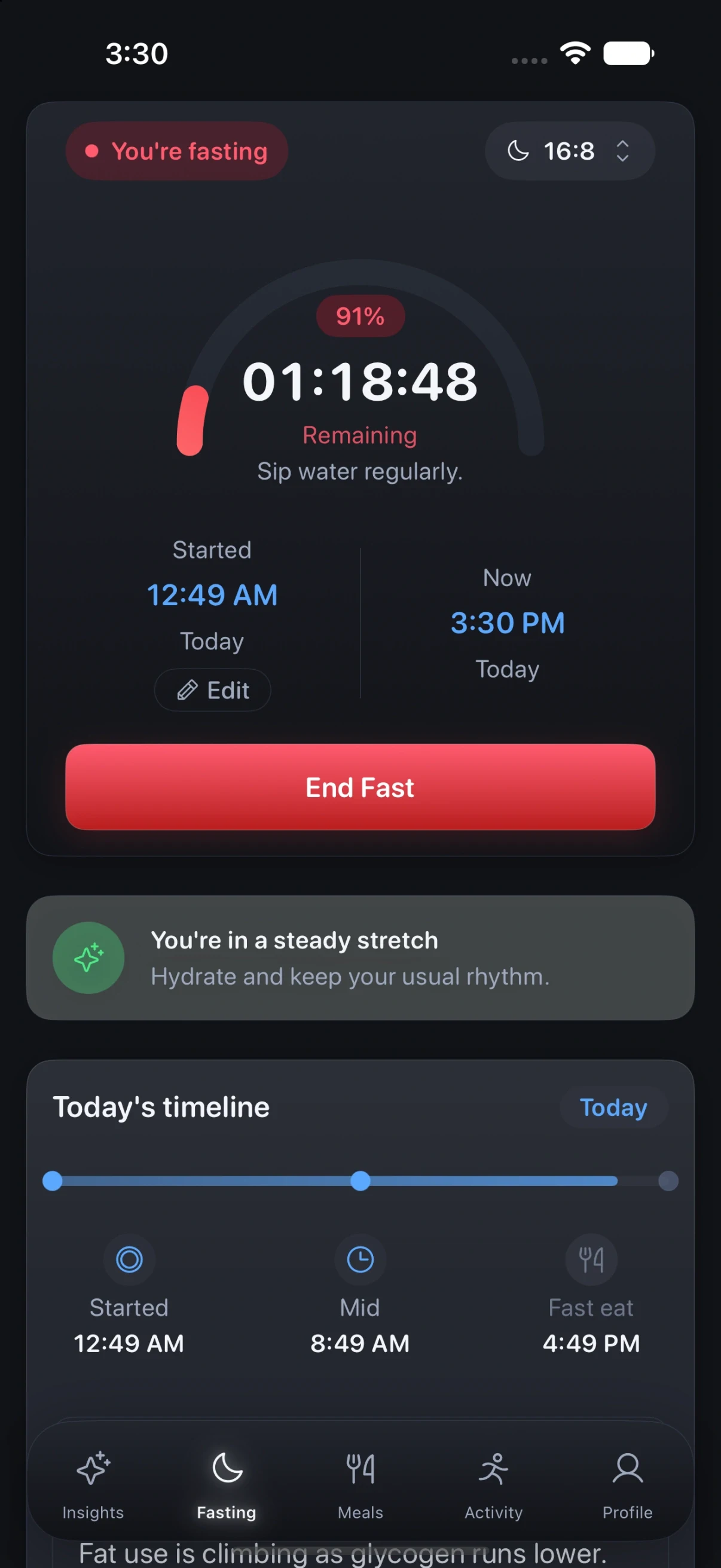
- Popular protocols, with the window laid out across the day
- Apple Watch
- Log and check in without reaching for the phone
- No verdicts
- Weight and body mass index trending, without percentiles or judgement
A rhythm you can follow.
Track fasts clearly
Follow popular fasting protocols and watch your progress build over time, with the window you are in laid out across the day so you can see it at a glance.
Sleep and recovery, read plainly
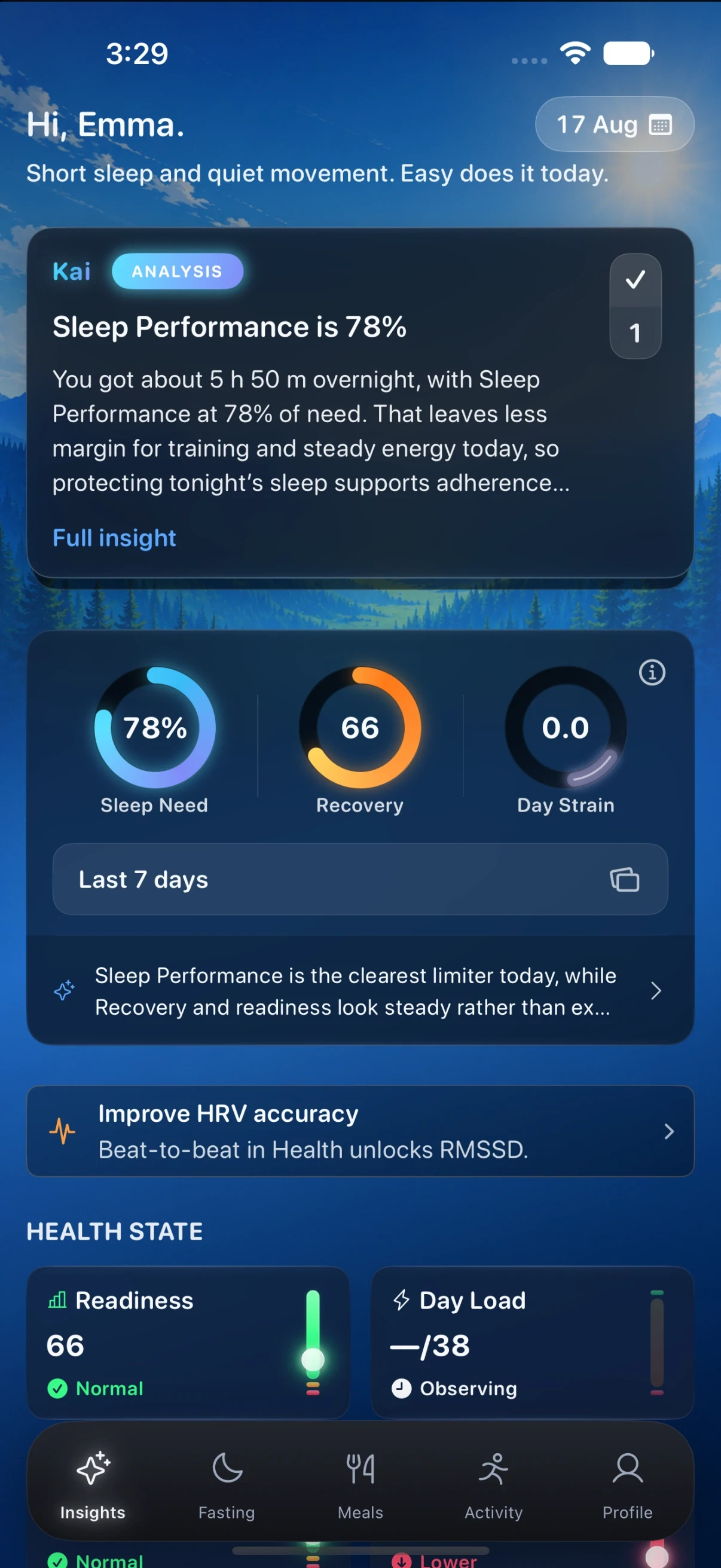
The app opens on how last night actually went: a sleep score, the time you needed against the time you got, and the night broken into awake, REM, core and deep, next to recovery and how hard the day has been on you.

See the wider picture.
Meals with the numbers that matter
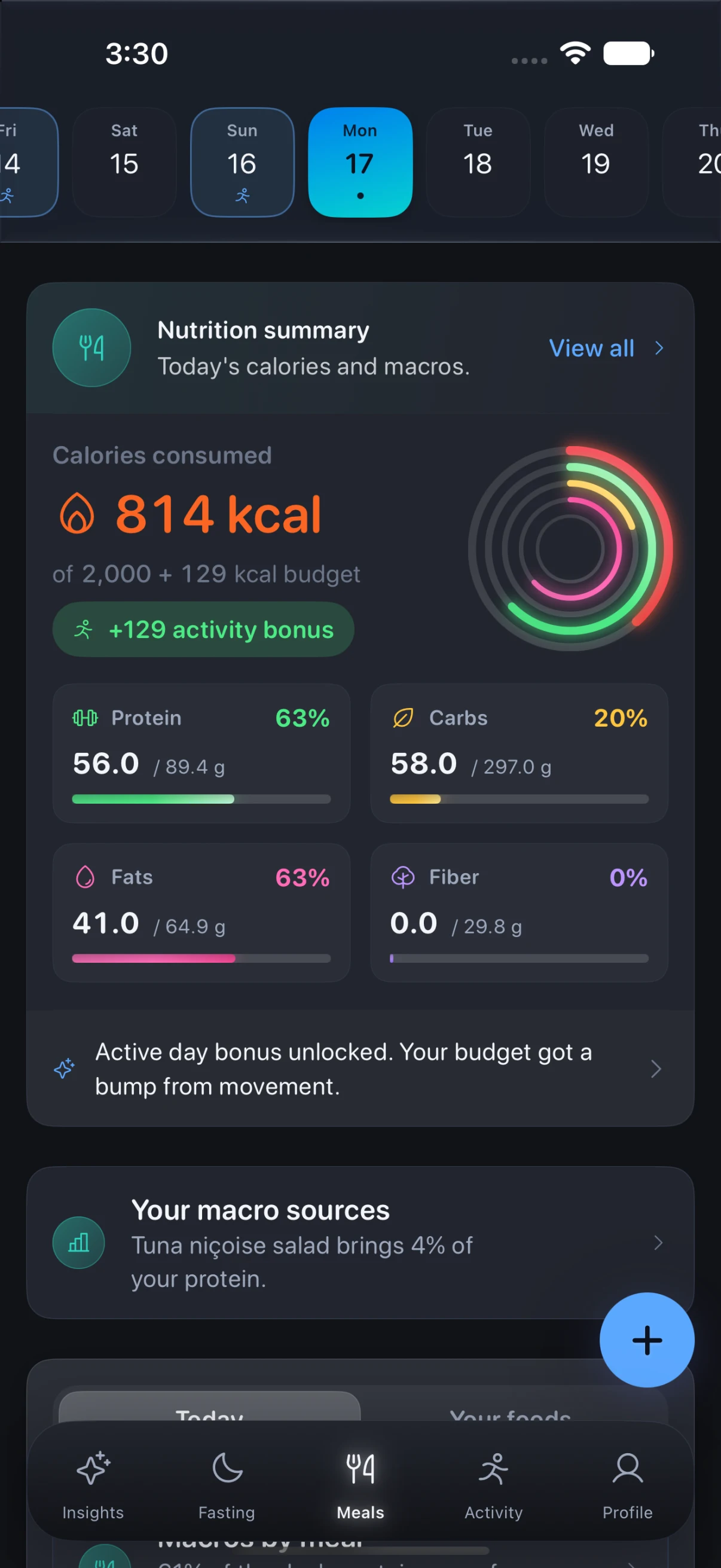
Log what you eat against a daily calorie budget that grows when you move, with protein, carbohydrate, fat and fibre tracked against your own targets rather than a generic ratio.
A check-in that takes ten seconds
Rate energy, body and mood in the morning, so the app has something honest to compare the numbers against and you have a record of how the routine actually felt.
Considered down
to the details.
Body composition without the shame
Height, weight, body mass index against the healthy range, and a weight line that trends over time. Numbers reported flatly, with no percentiles and no verdict about you.
Account sync across devices
Meals, fasts, workouts, and health summaries sync to your account so they survive a new phone. Sign in with Apple, with Google, or with an email address. Signing in is required.
On your wrist too
The Apple Watch app carries body and recovery, meals with calories and macros, workouts, and your fast, so you can log and check in without reaching for the phone.
Health connections you control
Connect Apple Health, or connect Google and bring in what a Fitbit has already recorded. Whatever you allow feeds the sleep, recovery and activity readings the app works out for you. Read access only, revocable whenever you like, and never sold or used for ads.
Guidance from your patterns
Get gentle guidance shaped by how you actually fast, not noisy scoreboards.
Reminders that nudge, not shame
Reminders help a routine hold together without turning a missed window into a lecture, and you decide which ones you want.
Simple to set up
Start a fast without a setup interview. Popular protocols are ready to pick, and the rest can stay untouched.
Take a closer look.
Zen Lean, on iPhone and Apple Watch. Explore every screen at your own pace.
Before you
make it yours.
Privacy-minded fasting support, on the App Store today.
- Fasting
- Popular protocols, with the window laid out across the day
- Sleep
- Scored and broken into stages, next to recovery and day strain
- Meals
- A calorie budget that grows when you move, with macros against your targets
- Check-in
- Energy, body and mood in the morning, in about ten seconds
- Body
- Weight and body mass index trending, without percentiles or verdicts
- Apple Watch
- Log and check in without reaching for the phone
- Connections
- Apple Health, or Google to bring in what a Fitbit recorded
- Reminders
- Enough to hold a routine together, without lecturing you
Is Zen Lean only for experienced fasting users?
No. It is designed for beginners and experienced users, with clear guidance and flexible goals.
Can I bring in what my Fitbit already recorded?
Yes. Fitbit is part of Google, so you connect Google once and the activity, sleep and heart data recorded by a Fitbit comes in through that same connection. It is read access only, we never see your Google password, and you can disconnect in the app or revoke it from your Google account at any time. Apple Health connects separately, and you can use either, both, or neither.
Where is my data stored?
Your account syncs to servers we operate so history can follow you to a new device. You can delete your account in the app to request removal. See the Privacy Policy for full detail. This app is not a medical device and does not replace professional advice.
Will Zen Lean replace medical advice?
No. It supports habits and tracking, but it is not a medical diagnosis or treatment tool.
Can I use it while traveling?
Yes. Your logs stay with your account, so you can keep momentum even when your daily schedule shifts.

A rhythm that works for
you.
Zen Lean · iPhone · Apple Watch
Download on the App StoreExplore all Zen apps