
A food diary is easier to trust when you can check what went into each entry. Start with one meal you can identify and a portion you can verify.
At 8:10 a.m., breakfast is still on the table and the packaging is beside it. This is a useful moment to try Zen Lean, available on the App Store: enter the food, check the portion, save it and inspect the daily total. This is a guide to using the diary, not a recommended diet or calorie target.
Log one meal from start to finish
- Complete account setup and review the subscription screen. Using the app after onboarding requires an active subscription or eligible trial.
- Open Meals and choose how to add the food: enter it yourself, search, scan a barcode, describe it or request a photo estimate.
- Check the food and serving amount before saving. A nutrition label for one serving does not describe every possible portion.
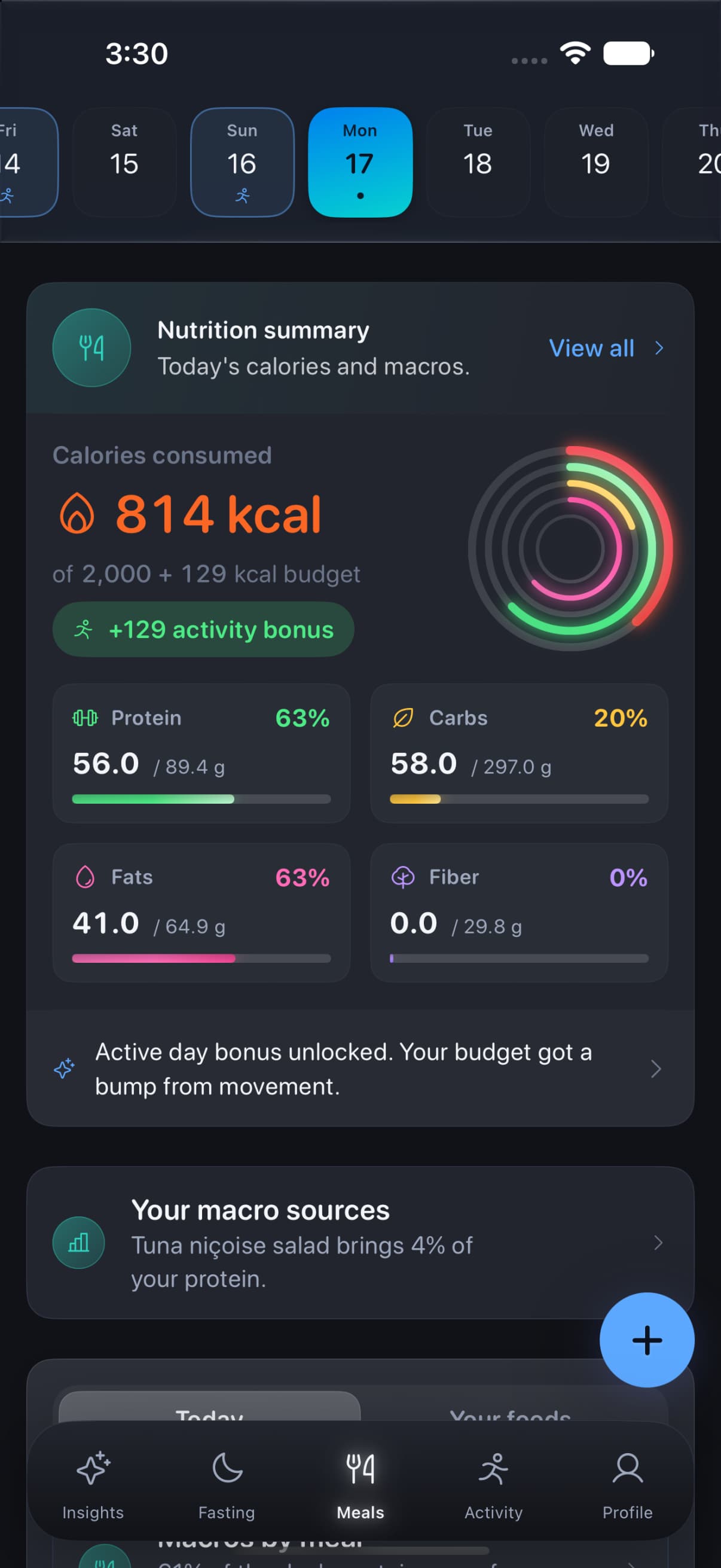
- Review the saved meal and the daily totals for calories, protein, carbohydrates and fat. Correct the entry if the amount or food is wrong.
- Return to meal history later to check that you can find what you logged. A useful diary should be easy to review as well as add to.
Choose the right entry method
Scroll sideways to compare every column.
A lookup or AI estimate still needs review. Photo analysis is limited to 10 meal photos per day, including for subscribers.
| Method | A useful starting point | What to check |
|---|---|---|
| Manual entry | You have the relevant nutrition information. | The serving, units and values you enter. |
| Barcode or search | You can identify the packaged product or food. | That the result matches your food and portion. |
| Photo or description | You want an estimate to review. | Ingredients, portion sizes and the returned nutrition estimate. |
The meal screen and the daily macro totals serve different jobs. The first is where you check an entry; the second brings the day together. Water logging and a fasting timer are also available, but you do not need to build every tracking habit at once to try the food diary.
Know which features use online services
Zen Lean requires an account. Meals and other records sync through that account; this is not an on-device-only diary. Meal photos leave the device when you request analysis, and barcode lookup also uses an external service. Connected health features use the permissions you grant. Optional usage analytics can be switched off in Settings. The Lean privacy policy explains access, export and account-deletion options.
A food diary or a simple written log?
A written log is enough if you only want a record of what you ate. Choose Lean if you want meal entries alongside calculated calorie and macro totals, water and fasting records, and supported health readings. Its account and subscription requirements should be part of that decision. Apple shows the current monthly and yearly offers before purchase.
Look through the screens on the Zen Lean product page and check the current App Store listing. Try one complete entry before deciding whether the workflow suits you.