


The best intermittent fasting app for Apple Watch depends on what you want on your wrist. For the fast together with meals, sleep and recovery, pick Zen Lean. For a free timer you can start, end and edit from the Watch, pick Zero. For a timer with no account at all, pick Fasty. Apple itself ships no fasting tracker, so every option here is a third-party app.
We checked every app below against its current US App Store listing on 16 November 2026: whether it actually has an Apple Watch app, what the listing says the Watch app does, and what it costs. Several apps that top older roundups did not make it, because they have no Watch app or no longer describe fasting at all. Zen Lean is our app, and the honest limits of each pick are in its section.
The quick picks
Scroll sideways to compare every column.
From each app’s US App Store listing, as of 16 November 2026. Where the store does not label which price is which plan, we give the range. Confirm prices in the app before you subscribe.
| App | Best for | On the Watch | Price model |
|---|---|---|---|
| Zen Lean | The fast next to food, sleep and recovery | Your day, your fast, supported workouts | Subscription after onboarding: $9.99/mo or $49.99/yr |
| Zero | Free timer with full wrist control | Start, end, edit, change goal, delete | Free core; Zero Plus $9.99 to $89.99 |
| Fasty | No account, simple timer | Start, finish, change goal, free | Free core; from $0.99/mo, or $49.99 once |
| FastHabit | Long and multi-day fasts | Track a fast, complications; tier not stated | Pro $2.99 once; Premium $59.99/yr |
| Easy Fast | Free core with no ads or account | Track from the wrist, Pro only | Pro $9.99 or $49.99 |
| Sunrise | Watch app on the free tier | Watch app and widgets | Free with ads; Fasting+ $4.99/mo or $29.99/yr |
| Window | Watch sync on the free tier | Syncs with Apple Watch; last updated May 2026 | Free core; Premium $4.99/wk to $89.99/yr |
How we picked and checked
We started from about 80 fasting apps that come up in App Store searches for intermittent fasting and fasting trackers, then kept only those whose listing shows an Apple Watch app and describes it. We read each listing’s description, compatibility section, in-app purchases and App Privacy label. Where a developer published more detail on its own site, as Zero did for its Watch app, we used that too.
We did not score the apps. Ratings and prices below are copied from the store on the day we checked, and the “best for” label describes the job each app does best, judged from what its listing promises.
1. Zen Lean: best for the fast in context
Most fasting apps on this list are timers first. Zen Lean puts the fast on the same timeline as the rest of your day: meals and macros, water, sleep, recovery, activity and a ten-second morning check-in. Pick a preset (16:8, 18:6, 20:4 or OMAD) or set your own schedule, and the fasting screen shows the time remaining, when you can eat and the hours already done.
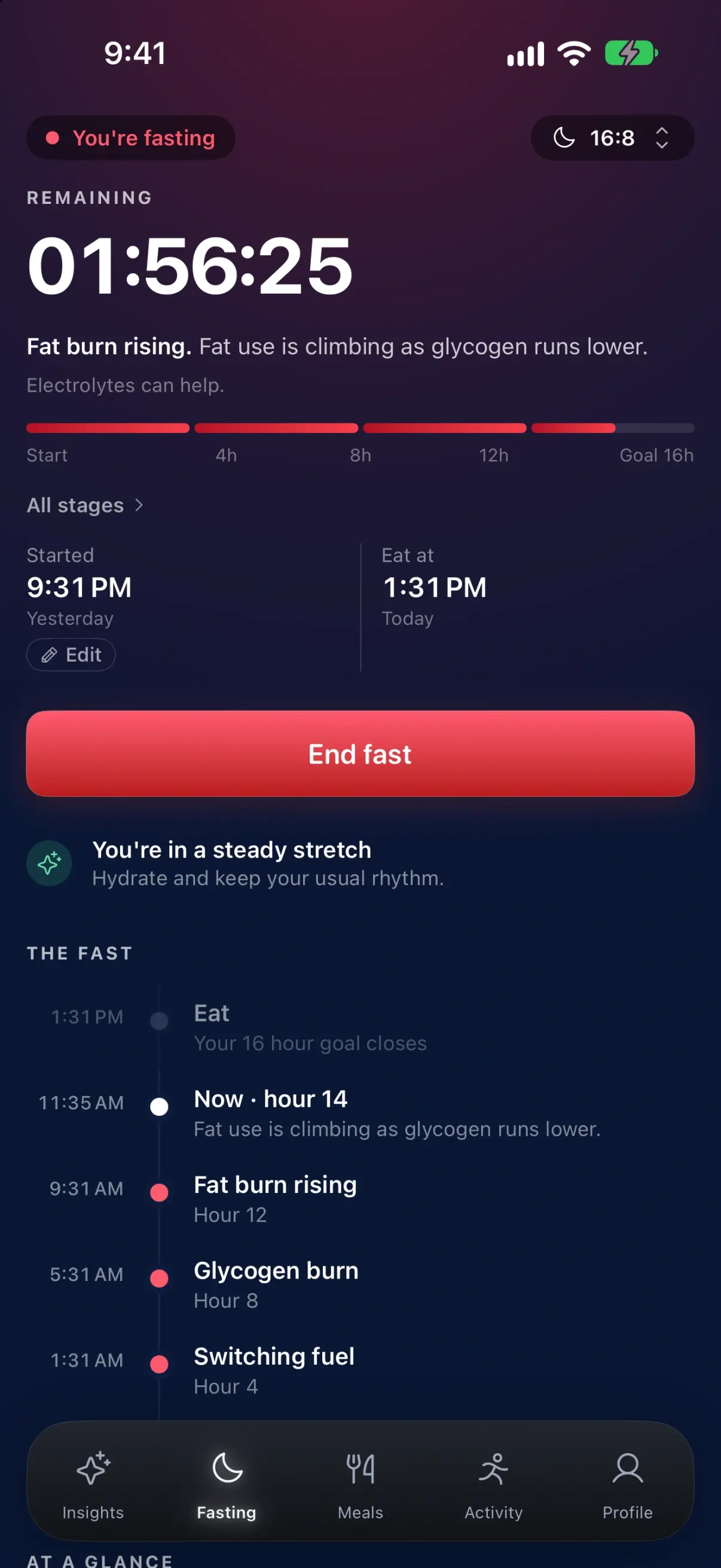
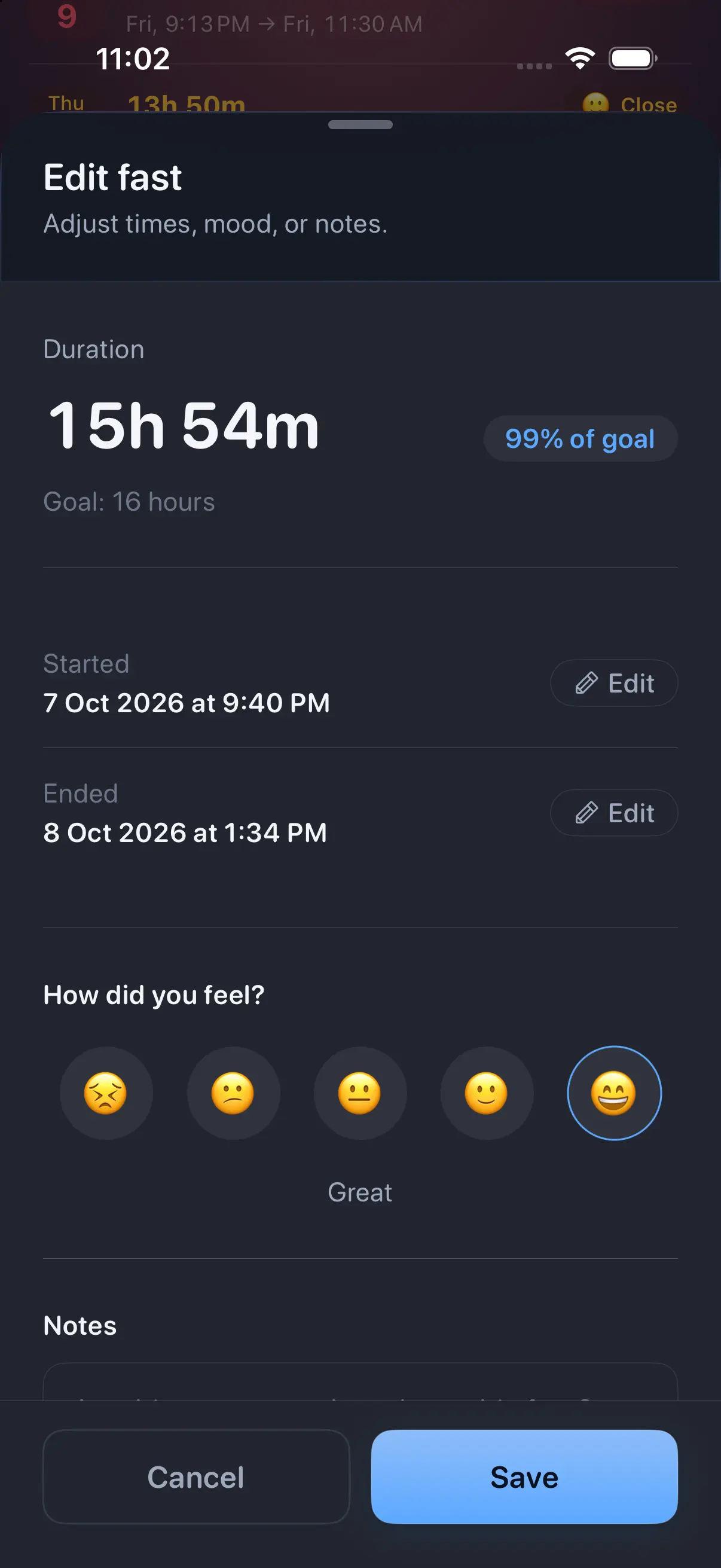
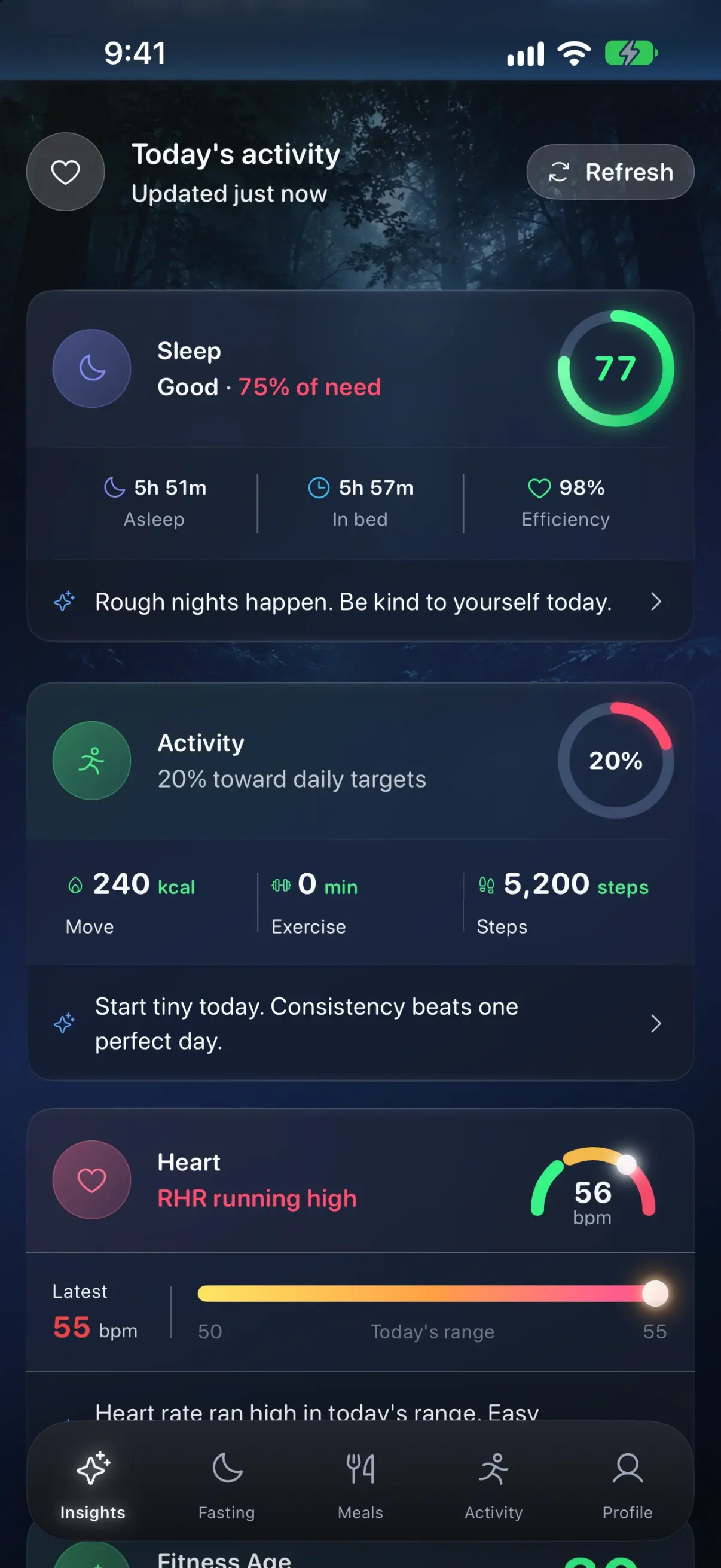
The difference shows on the second screen you open. If you allow Apple Health access, Zen Lean reads the sleep, heart and activity your Watch already records and lays them out next to the fast, so a short night or a high resting heart rate sits on the same day as the eating window. Google Health is available in beta, which is how a Fitbit connects.
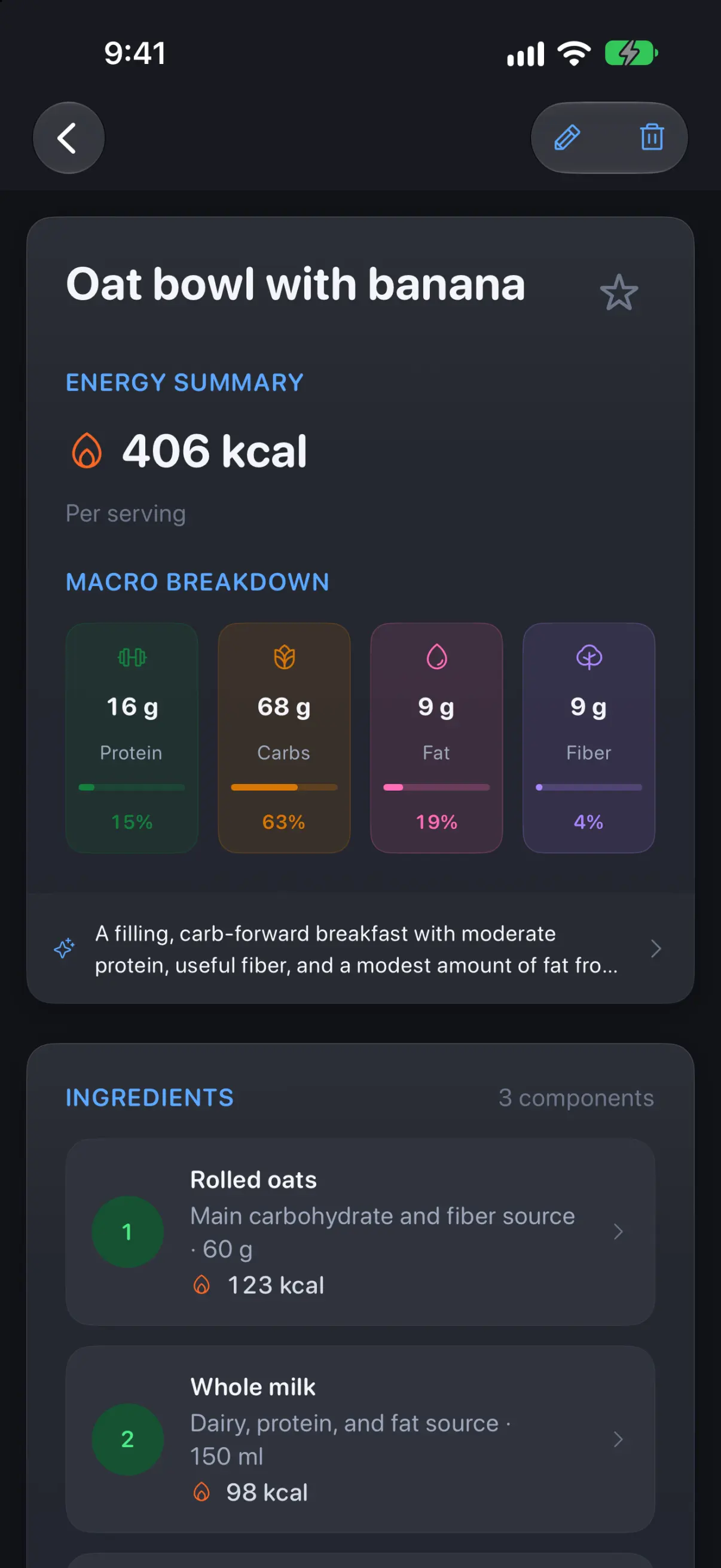
Meals go in by photo (an AI estimate, 10 photos a day), by describing them, by barcode, by search or by hand, and you can edit portions before saving. Our food diary guide for iPhone walks through a first entry.
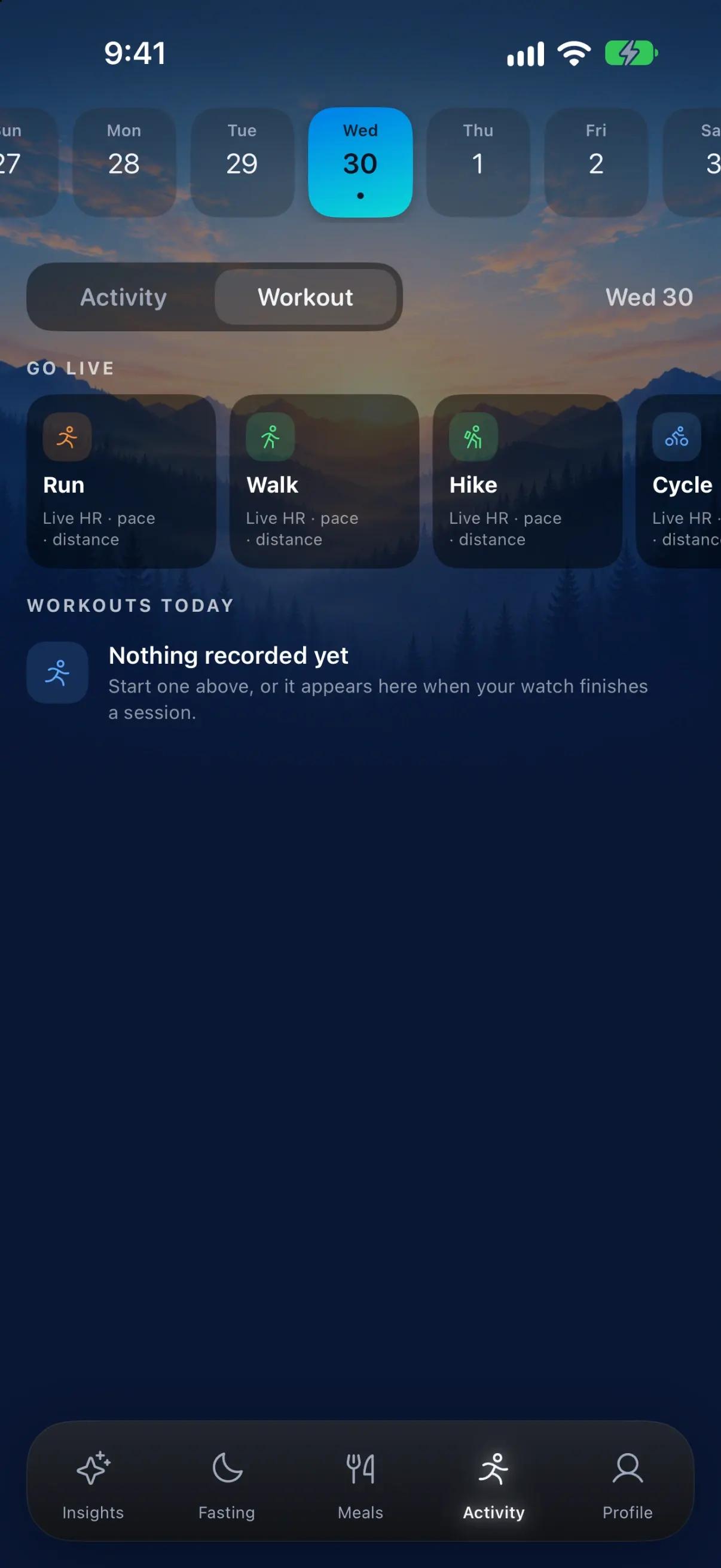
On Apple Watch, Zen Lean shows your day: body and recovery, meals with calories and macros, workouts and your fast. You can follow the fast from the wrist and track supported workouts, which the Watch records with its own sensors and sends back to your iPhone.
Price and terms (as of 16 November 2026): free to download; an active subscription or eligible trial is required after onboarding. The App Store listing shows Premium Monthly at $9.99 and Premium Yearly at $49.99. An account is required, and meals, fasts and weight sync through it. iPhone and Apple Watch only (iOS 17 and watchOS 10 or later). The Zen Lean privacy policy explains what syncs and what external services the photo and barcode features use.
Pick something else if you want to start and end every fast from the Watch without touching your phone (the listing promises following a fast, not wrist controls; Zero and Fasty state them), or you want a free app or one with no account.
2. Zero: best free timer with full wrist control
Zero is the biggest name here, at 4.8 stars from about 445,000 US ratings. Its August 2026 Watch update lets you start a fast, end it, edit the start time, change the goal and delete a fast logged by mistake, all from the wrist, and Zero says that Watch app is available to everyone. The fast also stays current on your watch face when the app is closed.
According to its listing, the free tier covers fasting timers, streaks, weekly trends, articles and challenges. Zero Plus adds photo meal logging, a protein score, water tracking, custom fasts and saved presets, a mood journal and longer charts; its in-app purchases run from $9.99 to $89.99 as of 16 November 2026. The latest version adds a GLP-1 mode. Needs watchOS 10 or later.
Pick something else if you want meal logging, water tracking or custom fasts without paying: all three need Zero Plus.
3. Fasty: best with no account
Fasty (listed as Intermittent Fasting Tracker, by Kai Oelfke) is the purest timer on the list and asks for no account or sign-up. Its listing says the Apple Watch app can start and finish fasts, change your goal and show your status, included free. It also has Live Activities, Siri and Shortcuts support, and CSV import and export, so your history is not locked in.
As of 16 November 2026 the paid options are Basic at $0.99 a month or $4.99 a year, and Pro at $6.99 a month, $19.99 a year or $49.99 once. It rates 4.9 from about 52,000 ratings. There is no food logging; it tracks fasts and weight.
4. FastHabit: best for long and multi-day fasts
FastHabit supports Apple Watch back to watchOS 4. Its listing promises you can “leave your phone at home and still track your fast,” plus Watch complications, iCloud sync, data export and better support for longer, multi-day fasts. It lists Apple Watch among its “advanced features” but does not say which purchase unlocks it: the store shows a $2.99 Pro upgrade and a $59.99 annual Premium plan as of 16 November 2026. Last updated in August 2026.
5. Easy Fast: best free core, Watch on Pro
Easy Fast has the highest rating here (4.96 from about 9,300 ratings) and a free core with no ads or required account. The listing places Apple Watch, widgets, Live Activities and cloud backup under its paid Pro tier, with Pro purchases of $9.99 and $49.99 as of 16 November 2026. Good if you want to try the timer free and pay once you know you need the Watch.
6 and 7. Sunrise and Window: Watch apps on free tiers
Sunrise supports an Apple Watch app, widgets and Lock Screen widgets, runs on iPhone, iPad and Mac, and rates 4.8. The free tier shows ads; Fasting+ at $4.99 a month or $29.99 a year removes them and adds scheduled fasts, presets and insights. Its privacy label lists data used to track you for third-party advertising.
Window lists “Syncs with your Apple Watch” among its free features, with fasting plans, meal plans and statistics in Premium (purchases from $4.99 a week to $89.99 a year). It was last updated in May 2026, older than everything else here, so check that it runs well on your watchOS version.
Popular fasting apps that are not on Apple Watch
Several apps from older “best fasting app” lists fall short on the Watch as of 16 November 2026:
- Fastic: its listing shows no Apple Watch app in its compatibility section.
- BodyFast: no Apple Watch in its supported devices.
- Simple: still lists Watch and Apple Health integration, but it now calls itself an AI weight loss coach and its description no longer mentions fasting.
- MyFitnessPal: its listing names an intermittent fasting tracker, but does not say the fast appears on its Watch app.
- LIFE Fasting Tracker (LifeOmic): no longer has a US App Store listing.
If you already use one of these on iPhone, check the next section: an iPhone app can still reach your wrist in a limited way.
What Apple’s own options can and cannot do
Apple ships no fasting app, and HealthKit has no fasting data type in its published list, so no app can save a fast into Health. Our guide Can Apple Watch track intermittent fasting? covers exactly what Health does record. Without a fasting app, these are the built-in workarounds:
Scroll sideways to compare every column.
Sources: Apple Watch User Guide (watchOS 27) and Apple’s WWDC24 Live Activities session.
| Built-in option | What it gives you | Limit |
|---|---|---|
| Timer app | A countdown on the wrist; several can run at once | Up to 24 hours, no history, labels only via Siri |
| Live Activities in the Smart Stack | An iPhone app’s Live Activity shows on the Watch automatically | Needs watchOS 11 or later and an app that offers Live Activities |
| Apple Health | Sleep, activity, heart, weight and nutrition | No place to store a fast |
The Watch Timer app can run several timers of up to 24 hours, which covers a single 16:8 fast but keeps no record. The more useful trick is the Smart Stack: Apple says that since watchOS 11, an iPhone app’s Live Activity appears on Apple Watch automatically, even when the app has no Watch app.
How to choose
- Decide what the Watch is for. To glance at the clock, any app here works. To start and end fasts away from your phone, choose an app whose listing says so: Zero, Fasty, or FastHabit.
- Decide whether a timer is enough. If you also want meals, macros, sleep and recovery on the same day as the fast, Zen Lean is built for that; Zero adds meals with Plus.
- Check the price model against your habits. Fasty and FastHabit offer one-time purchases; Zen Lean, Sunrise and Window are subscriptions for their paid features.
- Read the App Privacy label. Fasty lists no data linked to you; Sunrise and Window list data used to track you; Zen Lean requires an account, and Zero lists contact details and health data linked to you.
- Check export. Your fasting history lives in the app, never in Apple Health, so prefer an app that exports (Fasty and FastHabit say so) or syncs to an account you can keep, as Zen Lean does.
Before you start a fasting routine
Next step
If you want the fast with your meals, your night and your workouts on iPhone and Apple Watch, see the real screens on the Zen Lean app page and how your data is handled on the Zen Lean data page, then check the current terms on the App Store. If a timer is all you need, start with Zero or Fasty.